
ColorBlendr
Featuredvv3.0.1Screenshots
(4)About Application
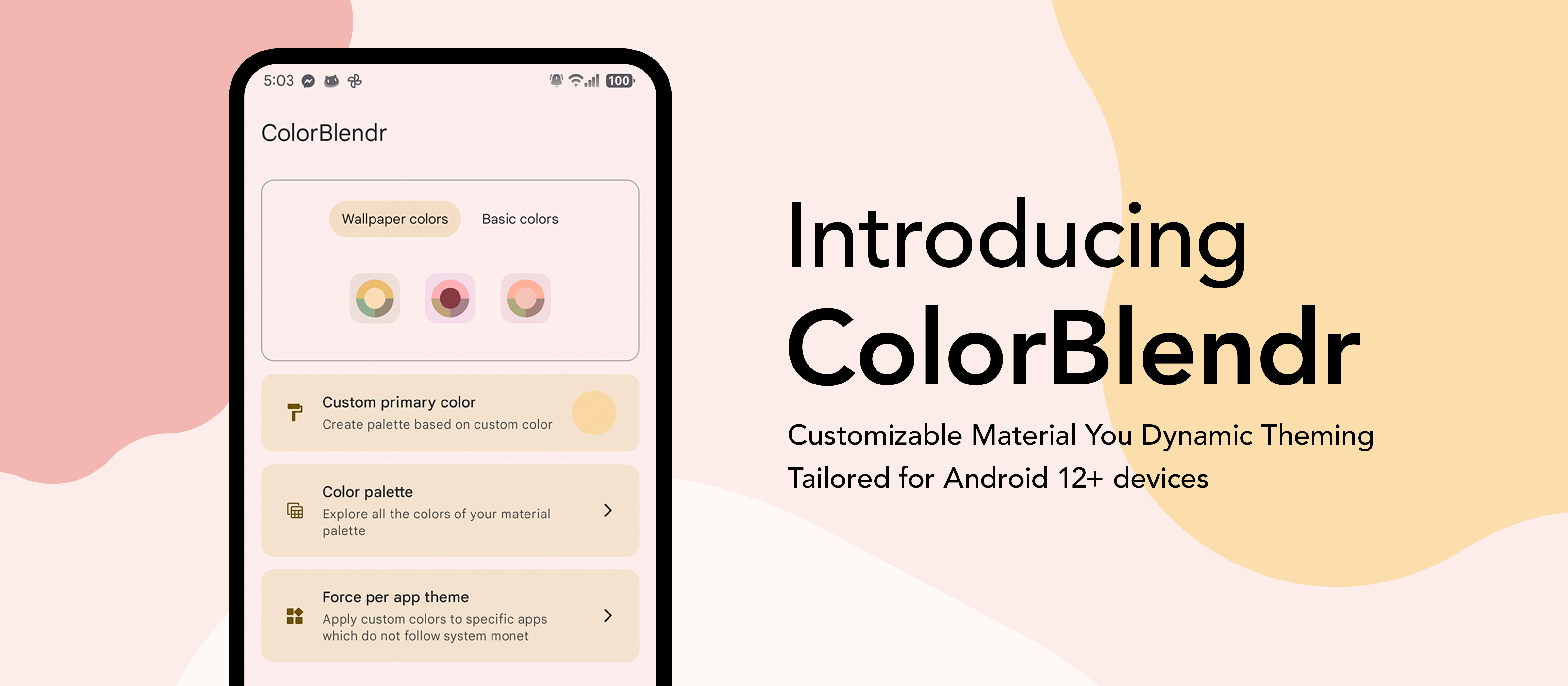



ColorBlendr
Customize Material You colors of your device.
Elevate your creativity with effortless material customization. Instantly tweak colors for a personalized touch in just a few taps.



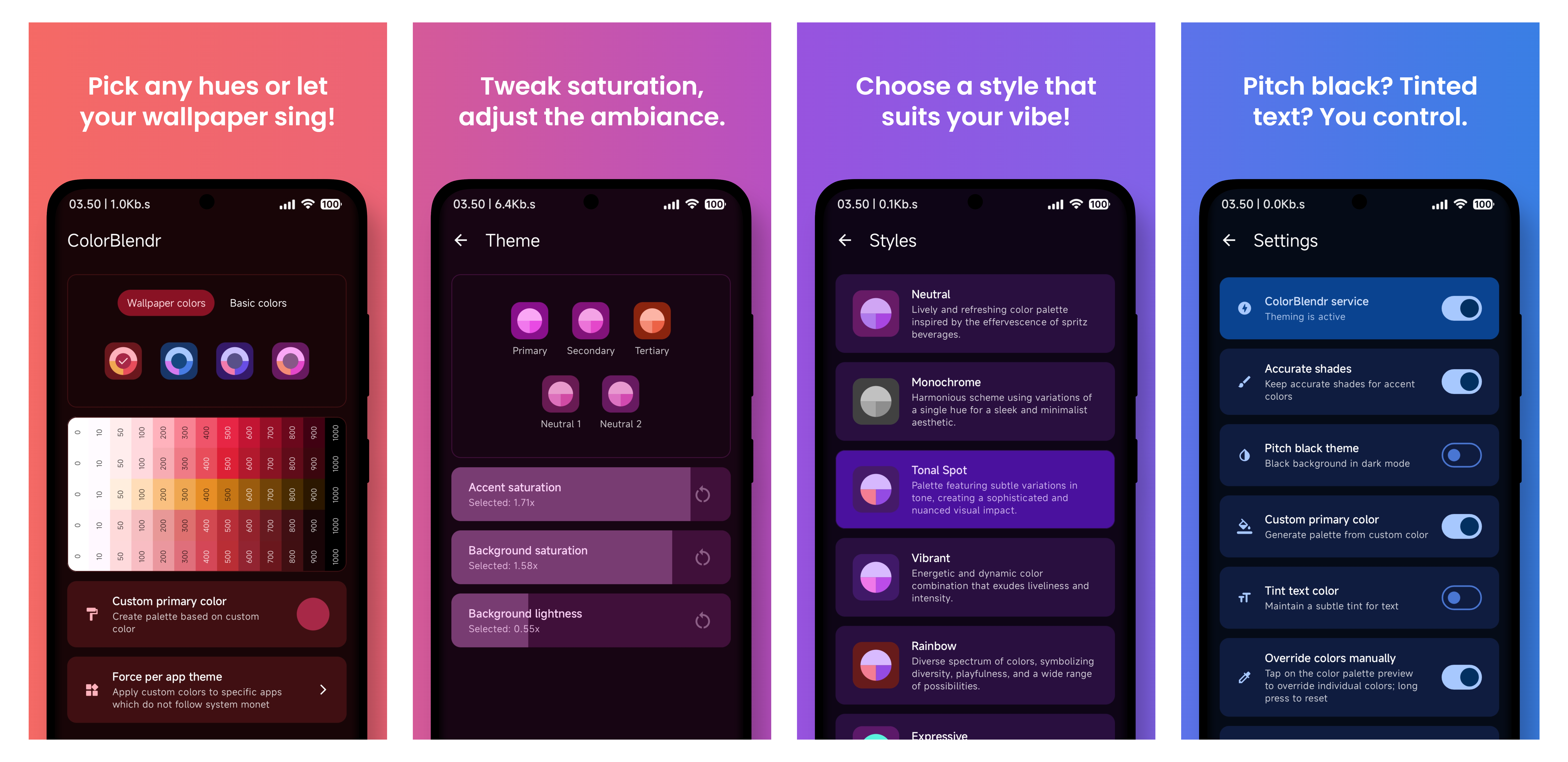
Features 🔥
Color sources
- Generate palettes from your wallpaper
- Pick any seed color, or choose from a set of basic colors
- Live preview before applying — see changes as you tweak them
Fine-tuning
- Accent saturation, background saturation, and background lightness sliders
- Ready-made Monet style presets
- Pitch black theme for dark mode
- Tinted text color
- Custom secondary and tertiary colors
Full control
- Manual per-shade color overriding across the whole palette
- Separate configurations for light and dark mode
- Extra tweaks: color spec version, screen-off updates, darker / semi-transparent Pixel launcher icons
AI & community
- Community creations — browse, apply, upvote, and share themes (see below)
Backup & modes
- Backup and restore your entire setup to a file
- Works with Root, Shizuku, or Wireless ADB
- and many more...
Requirements 🛠
- Android 12+ ROM with Material You support
- Working Root, Shizuku, or Wireless ADB environment
How to Use 🚀
- Download and install the apk
- Allow permissions for the app
- Select Root, Shizuku, or Wireless ADB mode
- That's it. Now you are good to go!
Note 📝
- Root is recommended if you want to have the full experience
- Shizuku and Wireless ADB are also supported but customizations are limited
Community Creations 🎨
Share your favorite color setups and discover themes crafted by others, right inside the app.
- Browse & search — explore a growing gallery of community-made themes, sorted by popularity or recency
- One-tap apply — preview any creation live and apply it instantly (root mode)
- Upvote — like the themes you enjoy so the best ones rise to the top
- Share your own — publish your current palette with a name and description
Everything is anonymous — no account, sign-up, or personal data required. Submissions go through a quick human review before they appear for everyone.
[!NOTE]
Browsing and upvoting work on every mode. Applying a community creation requires root.
FAQ 🤓
How does ColorBlendr work without root access?
- ColorBlendr utilizes adb commands to change Material You colors, allowing users to modify these colors without needing root access.
How does ColorBlendr work with root access?
- ColorBlendr leverages the FabricatedOverlay API to dynamically change Material You colors at runtime without creating any permanent files.
Why doesn't ColorBlendr work properly on OneUI?
- OneUI uses its own color palette for system apps, not Material You colors. As a result, ColorBlendr's modifications only affect Google apps and other apps that support Material You, but not OneUI system apps.
Why are some features grayed out or cannot be enabled?
- These features either require a specific Android version or higher, or you need root access to unlock all features.
How do I properly uninstall ColorBlendr?
- First, disable the ColorBlendr Service from app settings. Then, uninstall the app and reboot your device.
Is any personal data collected when I share a theme?
- No. Community creations are fully anonymous — no account or personal data is attached. Only the palette itself, along with the name and description you provide, is submitted.
Why can't I apply a community creation?
- Applying a community creation modifies system colors, which requires root. You can still browse, search, and upvote in Shizuku and Wireless ADB modes.
Can I automate theme changes with Tasker?
-
Yes. Enable Tasker integration in the app's advanced settings, then send a broadcast from Tasker (or MacroDroid / Automate) with:
- Action:
com.drdisagree.colorblendr.action.APPLY_CONFIG - Package:
com.drdisagree.colorblendr(required — broadcasts without it are dropped by Android) - Target: Broadcast Receiver
- Action:
-
Supported extras — include any combination; only the ones you send are changed:
Extra Type Values What it does seedColorString #RRGGBB, e.g.#3F51B5Sets a custom seed color and generates the palette from it randomColorBoolean truePicks a random vivid seed color wallpaperColorsBoolean trueSwitches back to wallpaper-based colors monetStyleString TONAL_SPOT,VIBRANT,EXPRESSIVE,RAINBOW,FRUIT_SALAD,SPRITZ,MONOCHROMATIC,FIDELITY,CONTENT,CMFSets the Monet style preset accentSaturationInteger 0–200(100 = default)Accent saturation slider backgroundSaturationInteger 0–200(100 = default)Background saturation slider backgroundLightnessInteger 0–200(100 = default)Background lightness slider pitchBlackBoolean true/falseToggles the pitch black dark theme accurateShadesBoolean true/falseToggles accurate shades configString JSON with any of the keys above, e.g. {"seedColor":"#3F51B5","pitchBlack":true}Sends everything in one extra — useful since Tasker's UI has limited extra fields -
Values outside their allowed range or malformed colors are ignored. Extras sent both individually and inside
config— the individual one wins. -
Sending any of the three slider extras turns off Mode specific themes, since the automated value replaces the separate light/dark slider setup.
-
If Update colors when screen off is enabled, automated changes are held back and applied once the screen actually turns off.
-
Example: a Tasker time profile repeating every hour + Send Intent with extra
randomColor:truegives you a fresh random theme every hour.
Translation 🌐
- Assist in translating ColorBlendr into your preferred language through our Crowdin platform. Your contribution will help make ColorBlendr accessible to a wider audience.
Credits 🤝
- @siavash79 for helping me.
- @fennifith for color picker.
- @MuntashirAkon for lib adb.
- And everyone who contributed and translated... :)
Release Notes & Changelog
Changelog:
- Fixed a minor build issue. #303
- See the full changelog for all changes and improvements.
Translation credit goes to all the contributors on our crowdin platform.
Declared Android Permissions
16 totalShizuku API Permissions
This application connects to the Shizuku service to execute system-level operations with ADB elevated privileges.
Standard Android Permissions
Specifications
Install via ShizuStore to enable automatic updates and silent installations using Shizuku.
More in Customization
Other applications in this category

TapTap
KieronQuinn
Port of the double tap on the back of the device feature from Android 12 to any Android 7.0+ device

essentials
sameerasw
Essential tools, mods and workarounds for Pixels. Also compatible with other devices