
gama
v1.4Screenshots
(12)About Application
Overview






Graphics API Manager for Android (GAMA) is an application that lets you switch the GPU rendering API on your Android device - no root required (though rooted devices can use the root backend automatically, no Shizuku needed).
While optimized for the Samsung Galaxy S23 lineup, this project is compatible with any modern Android device and aims to provide:
- ❄️ Lower-running temps
- 🔋 An improved battery life
- 🔓 No root required - Uses Shizuku or root; it does not modify the Knox warranty state, but renderer compatibility varies by device.
- 🛠️ User-friendliness - Simple yet beautiful UI to switch APIs without complex terminal commands
Resources
- 📱 Does Vulkan work on my device?
- Vulkan support can vary between Android devices and One UI versions, so performance may differ, especially on versions below One UI 7 (Android 15). You’re always welcome to give it a try though! If something doesn’t work as expected, switch back to OpenGL in GAMA; a reboot may also restore your saved Vulkan choice when Shizuku or root is available.
- If your device is not listed, please kindly follow this link where you will be able to fill out a form - The relevant, collected data will be added to the spreadsheet
- All data is user-reported.
- ☕ If you want to support the development of GAMA, consider donating!
Stargazers over time
Star History
Get started on your platform
- 🤖 Android, native app
- 🖥️ Windows, Batch version
- 🍎 macOS, ported by bialobrzeskid
- 🐧 Linux, ported by Ameen Sha Cheerangan
GAMA on Android
Prerequisites
- Your Android device
- The latest .apk of GAMA
- Shizuku (recommended)
- Install it from its official source, then start its service.
- Shevery (optional) - GAMA recognizes Shevery, a Shizuku-compatible fork, and will open it from the help flow when installed. GAMA continues to use the standard Shizuku client protocol and does not download or require Shevery. If both managers are present, GAMA prefers official Shizuku.
- Rooted? (Magisk / KernelSU) - GAMA detects root automatically and uses it as a silent backend. No Shizuku needed at all on rooted devices.
Installation & Usage
- Install Shizuku (recommended) or the optional compatible Shevery, then start its service.
- Install the latest GAMA APK on your device.
- Open GAMA. The app will detect Shizuku and request permission to run commands - grant permission.
- If GAMA displays "Permission needed⚠️"
- Open Shizuku and select the second option from the top labeled Authorized Applications
- Make sure the toggle next to GAMA is turned on.
- Clear GAMA from your Recents menu so the app can refresh and check for permissions again.
- If GAMA displays "Permission needed⚠️"
- Click on either:
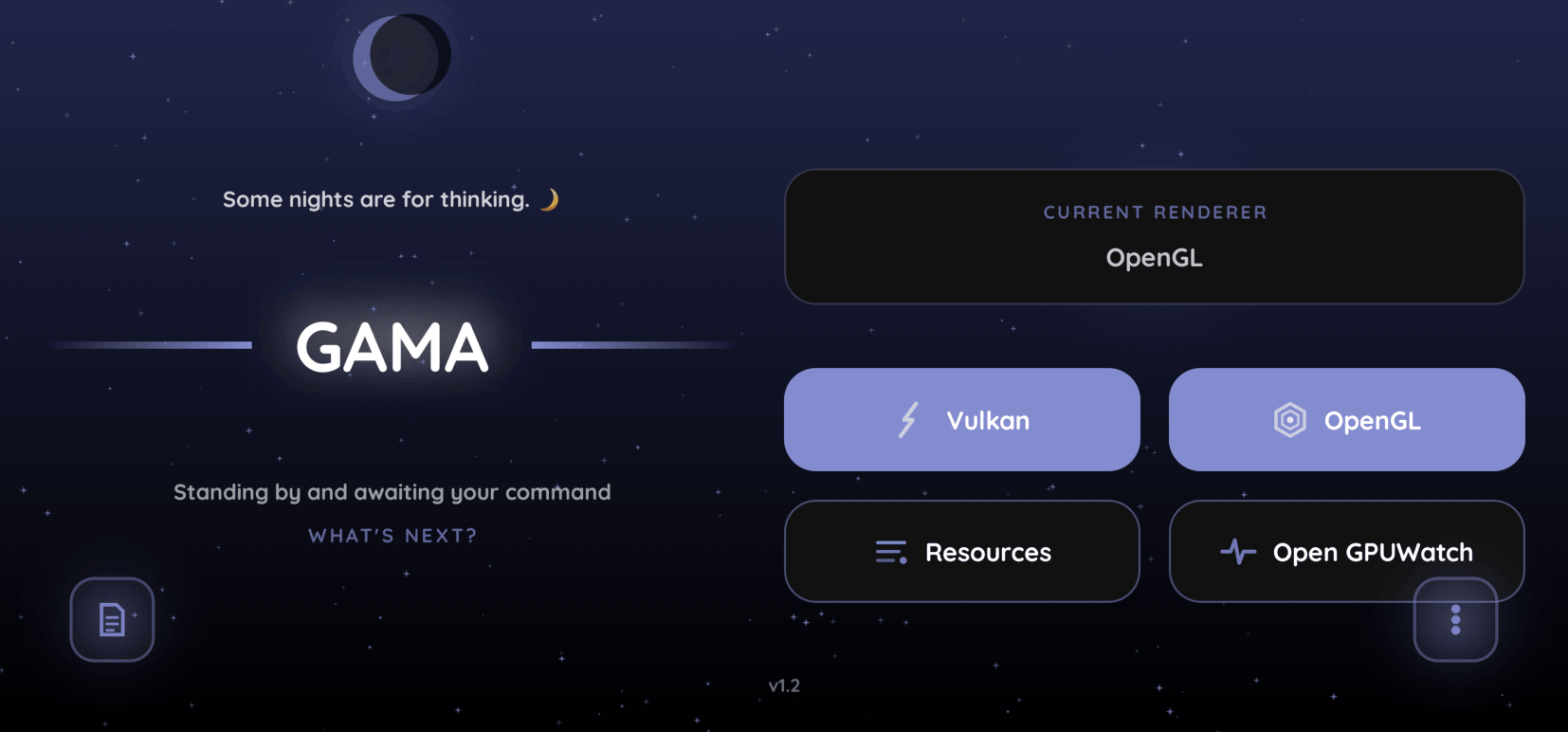
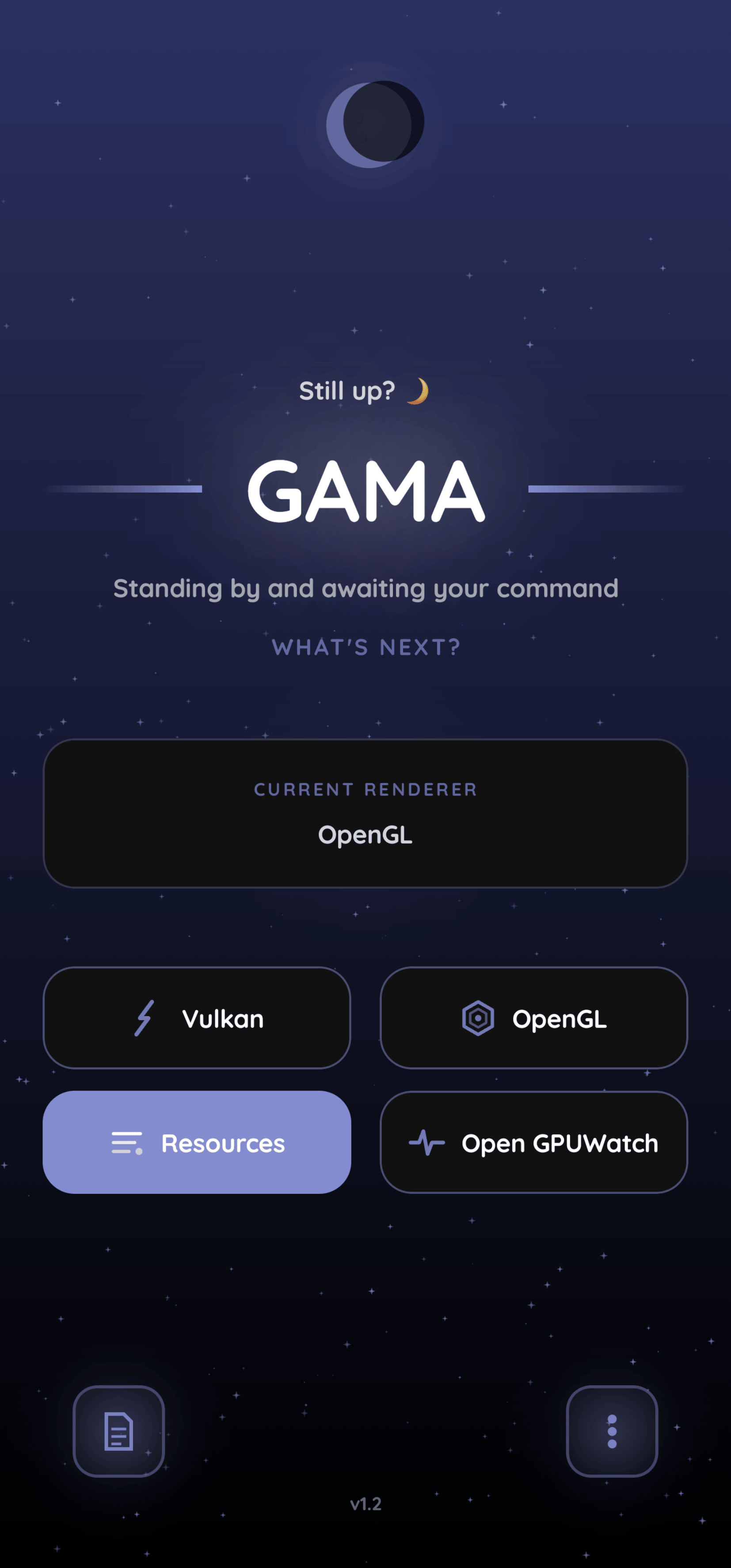
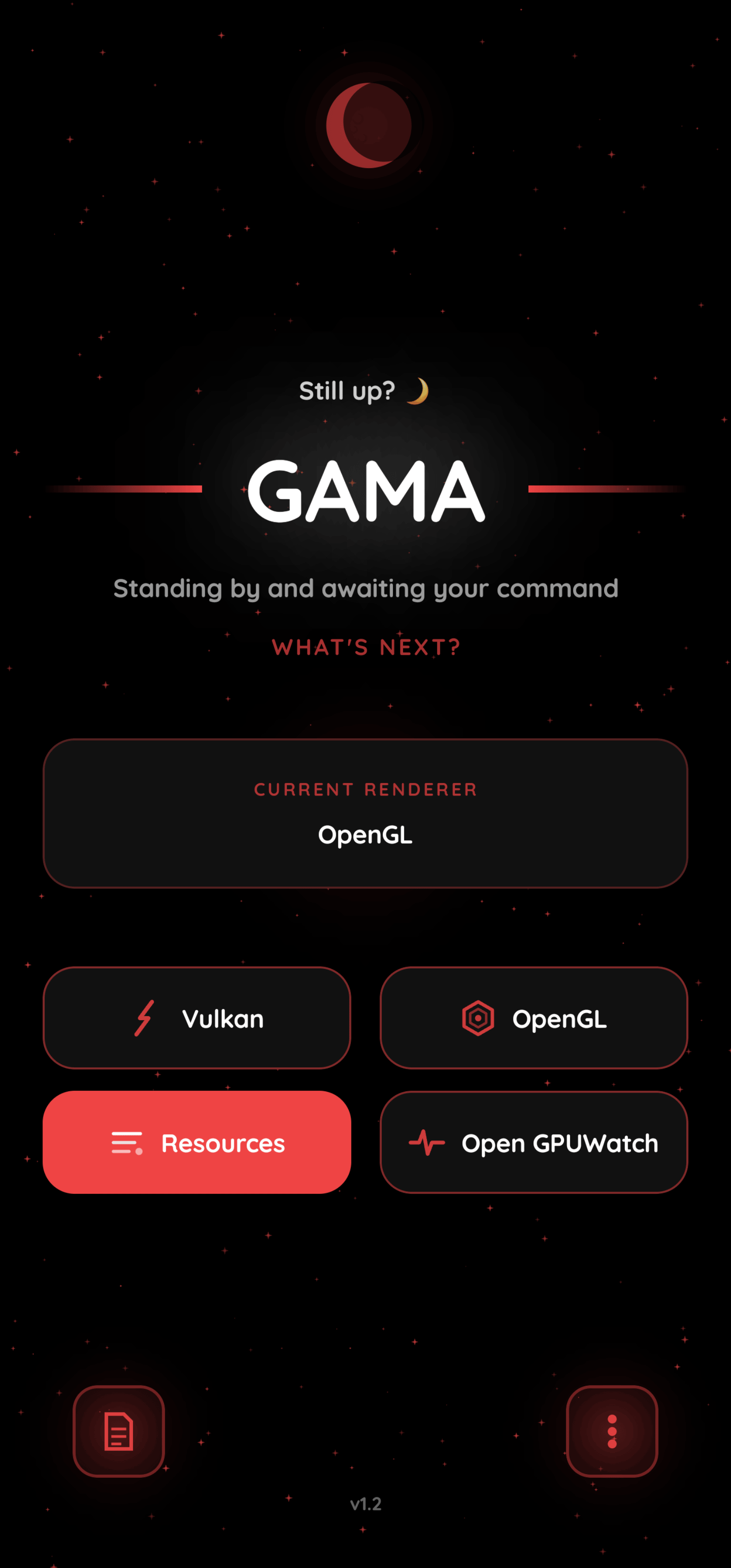
- Vulkan - Lower temps, Better battery
- OpenGL - Fallback option
Heads up: GAMA can re-apply your saved Vulkan choice after a reboot when Shizuku or root is available. On some devices, especially with aggressive battery management, you may need to open GAMA and switch manually if the boot restore worker is stopped.
Note: Vulkan might not run perfectly on every Android device due to the wide variety of hardware and Android skins, but it’s worth giving it a try! If your phone freezes or shows a black screen, just hold VOLUME DOWN + POWER to force a restart. GAMA forces Vulkan rendering using the setprop debug.hwui.renderer command. The setting is cleared by Android on reboot, after which GAMA attempts to restore the saved renderer when its boot worker can access Shizuku or root; a manual switch may still be needed if the device blocks background work.
Automation via Tasker
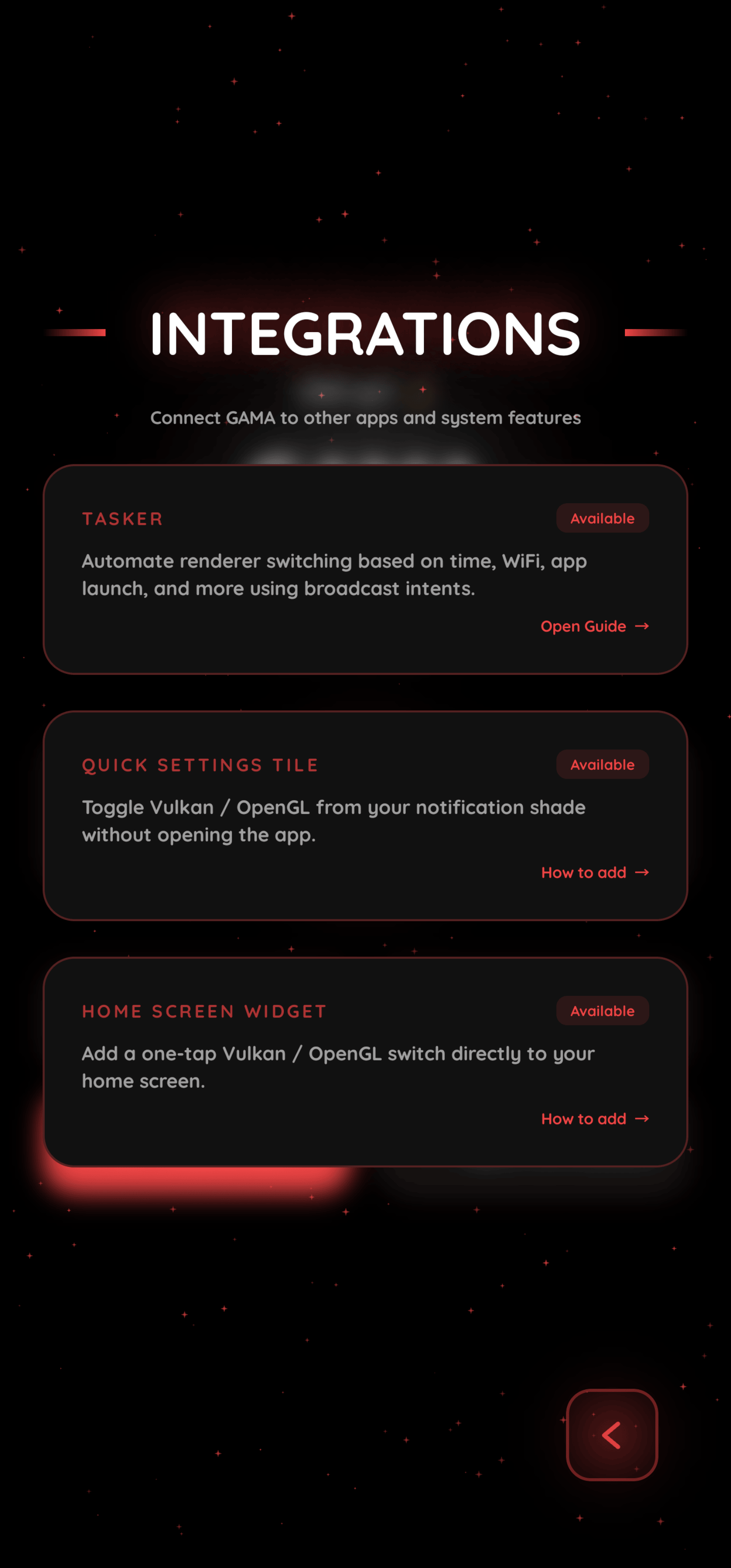
Open Library → Tasker → Set up in GAMA, copy the generated token, then follow the step-by-step Tasker guide. The token protects GAMA's exported automation receiver, so keep it private and add it as the required token:<copied token> extra in every Tasker task.
Photos
Caveats
🔸 Some apps won't run under Vulkan
A great majority of apps installed on your device will run under Vulkan flawlessly. If an app reverts to OpenGL, it's normal behavior and there's nothing to worry about - the app simply doesn't like Vulkan, and it probably also runs under OpenGL on S24/S25/S26-series!
🔸 Good Lock modules get deactivated (sometimes)
If OneUI detects that System UI has crashed multiple times in a short period, it may assume that a Good Lock module is responsible. Since these modules integrate deeply with System UI, OneUI may automatically disable all Good Lock modules to prevent what it believes to be a continuous crash loop.
In most cases, however, the Good Lock modules themselves are not actually the cause if you're using GAMA. The issue is usually triggered when the user switched APIs repeatedly in quick succession, which causes System UI to soft-crash several times (GAMA needs to soft-crash System UI in order to successfully apply the selected API).
To avoid this, try not to change APIs too quickly one after another.
If OneUI has already disabled your Good Lock modules, simply re-enable them in the Good Lock app and restart your device. After the reboot, the previously disabled modules should function normally! You can now apply Vulkan via GAMA, but please, do it cautiously.
🔸 The Aggressive Profile
Using the Aggressive profile for stopping background apps is, dare I say, kind of nuclear, and you shouldn't really use it... but if you do plan on using it, please be aware of the side effects:
-
Resets Defaults - Your default browser and keyboard will be reset.
- It's intended behaviour. You will need to manually set everything back up. Sorry for the inconvenience!
-
Connectivity Loss - Loss of WiFi-Calling / VoLTE capability.
- Go to Settings > Connections > SIM manager, then toggle SIM 1/2 off and on again.
- Thanks to Fun-Flight4427 and ActualMountain7899 for the fix.
... and probably some other stuff we haven't documented yet.
Release Notes & Changelog
GAMA v1.4 - Complete Detailed Changelog
From v1.3 to v1.4
Scale of the change: 34 → 67 main source files, ~14,600 → ~26,200 lines of app code; 0 → 4 translation files (~6,000 lines); 0 → 20 unit tests + 1 instrumentation test; 0 → full CI pipeline; 19 → 26 panel composables.
1. Architecture and code organisation
- The v1.3 monoliths were broken up further:
GamaComponents.kt(2,935 lines) shrank to 115 lines, its contents redistributed intoGamaCards.kt,GamaButtons.kt,GamaTitle.kt,GamaSelectors.kt,GamaPanelScaffold.kt,PanelButtons.kt,GamaAnimations.kt,GamaHaptics.kt,GamaModifiers.kt. - New subsystems that did not exist in v1.3:
RendererState/RendererController/RendererSwitchStateMachine/RendererActionHistory(renderer transaction core),GamaLocalization(i18n),SettingsSearchPanel,SettingsHubPanel,TaskerAuth,ShizukuBackend,SupportBundle,OpenGLReminderWorker,GamaMatrixRain. - Dialog layer split: v1.3's
GamaDialogs.ktbecameGamaDialog.kt(base modal),GamaDialogs.kt,InfoDialogs.kt,WarningDialogs.kt,ActionDialogs.kt. GamaUI.ktremains the largest file (4,391 lines) but is now mostly orchestration; all panels, cards, buttons, selectors, and animation primitives are extracted.
2. Navigation and panel framework
- New unified
PanelScaffold. In v1.3 every panel re-implemented its own backdrop, padding, back button, and scroll handling. v1.4 has one scaffold used by all panels:- Full-screen
BouncyDialogcontainer; content scroll resets to top on open. - Dismissal: tap-outside only (gated by the new
dismiss_on_click_outsidepreference, default on), floating back button, or system back. There is no drag-to-dismiss. - Sub-dialog layering: when a child panel/dialog opens, the parent dims to 38% alpha (
tween 300 ms emphasizedDeceleratein,190 msout) and, on API 31+, gets GPUModifier.blur(20.dp)- blur radius deliberately snaps rather than animating, to avoid rebuilding the RenderEffect every frame. API < 31 only dims. The panel is composed once (v1.3's double sharp+blur composition is gone). - Layout constants: back-button space reserved 120 dp (small screens) / 132 dp; horizontal padding 24 dp portrait, back-button-size + 48 dp landscape; content width capped 500 dp portrait / 800 dp landscape; card spacing 16/20 dp; status-bar inset padding; landscape two-column card grid.
- Root-panel exit cascade: root panels hold their chrome 85 ms while cards leave top-first.
- Full-screen
- Only one main panel open at a time - v1.4 explicitly hides parents when a child is visible (
showSystem && !showNotifications && …). v1.3 could stack panels visually. - Back handling is centralised in
GamaUIwith per-panelBackHandlers: 35 → 69 call sites, each restoring its logical parent (e.g. Particles sub-panels return to Particle Settings, System sub-panels to System). - Floating buttons became a system (
PanelButtons.kt, 942 lines, new):PanelBackButton,PanelSearchButton,PanelGlobalButton, plus the main-screen settings button.- Gesture model: tap = action; hold 2,900 ms = enter repositioning mode. A ring indicator appears after 500 ms and fills to 2,900 ms. While repositioning, the button follows the finger, snapped to an adaptive grid (4 vertical steps, 4–20 horizontal cells), with X clamped 0.04–0.96 full-width / 0.16–0.84 half-width and Y clamped 0.50–0.96. Position commits on release and persists (12 anchor coordinates: portrait/landscape × left/right/settings).
- Back-button avoidance (new): cards with shadows/
avoidBackButtondetect overlap with the back button's footprint (radius = button/2 + 16 dp) and shrink their content to dodge it, spring-animated (damping 0.7, stiffness 300), with a 140 ms cooldown on the dodge/return haptics. Toggleable (back_button_avoidance_enabled, default on). - Back-button inversion (new):
back_button_inversedswaps the back button and the leading Search/Global controls between sides. - "Reset floating button positions" action added to System.
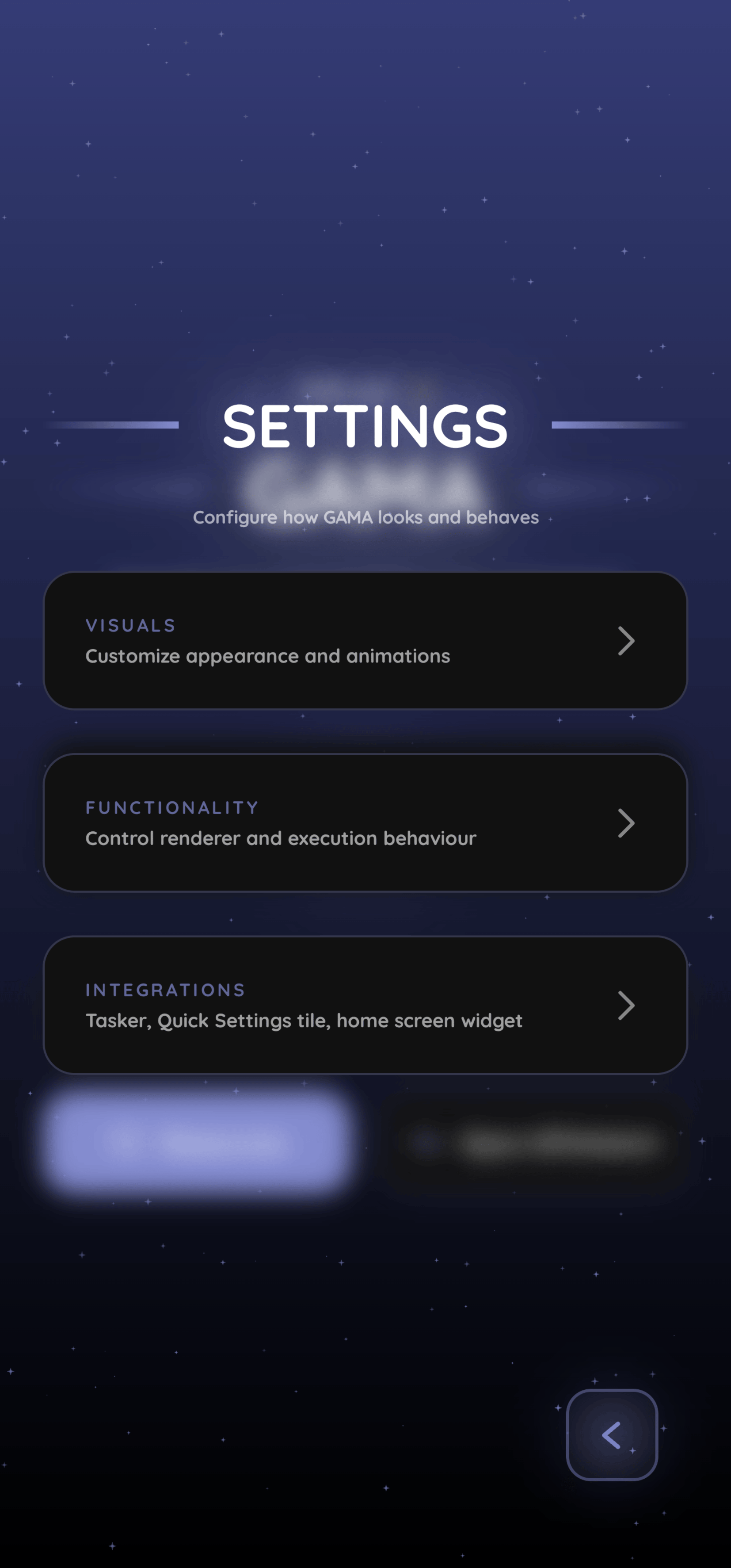
- Settings hub (new): v1.3's settings opened straight into a single Visuals panel. v1.4 has a hub with three sections - VISUALS, RENDERER, SYSTEM - each a card with title/description, leading into dedicated panels.
3. Settings search (entirely new)
- Magnifier button in the settings hub opens a search panel with a hard-coded catalog of 42 entries: 10 panel shortcuts + 32 individual controls.
- Each entry carries a localized title, keywords, a breadcrumb path (e.g.
SETTINGS → VISUALS → EFFECTS), and renders the real live control - toggling a switch in search results changes the actual setting immediately, without navigating. - Matching algorithm: lowercase haystack + tokenisation, scored by:
- whole-haystack substring 120, exact word 115, word prefix 96, word contains 82, first-3-chars 72, first-2-chars 54, else Levenshtein similarity ×82; threshold ≥45; max 8 results; 90 ms debounce.
- Navigation: panel-shortcut results close search and open the panel; control results stay in place and mutate the setting.
- GLOBAL mode: a globe button lists all 42 settings in a flattened list (only when the query is empty).
- Keywords and titles are fully localized, so search works in the active language.
4. Localization (entirely new)
- v1.3 was hard-locked to English (
localeFilters = ["en"]). v1.4 ships four languages: English, Português (Brasil), Română, Tiếng Việt. - New runtime localization engine: JSON dictionaries parsed from assets, English fallback per key, cached, with a composition-local
LocalStringsand a blocking lookup for non-Compose surfaces (notifications, tiles, workers). - Language panel: searchable list (name/native name/code), flag, native name with English subtitle, animated "Active" badge, accent bar; switching applies instantly with no restart, persists (
selected_language), and fires a dedicated "language signature" haptic. - Localized: all panels, settings search, notifications, QS tile label, dialogs, settings keywords.
5. Renderer experience (rebuilt)
State machine (new): every switch is a transaction with phases IDLE → REQUESTED → APPLYING → VERIFYING → VERIFIED → COMPLETE, or FAILED with a reason. Illegal transitions throw; a completed transaction cannot fail. A process-wide mutex serializes switches, and the whole transaction runs in NonCancellable so a SystemUI restart can't split the prop write from the persisted state commit.
Verification (new): after setprop debug.hwui.renderer skiavk|opengl, GAMA reads the property back and only accepts the switch if it matches (with a special case where the shell prints "Success" for the OpenGL default). The durable state (last_renderer, desired_renderer, last_switch_time, last_switch_uptime, last_switch_boot_time) is written with synchronous commit() before any restart can kill the process. Unverified switches never update state or history.
Action history (new): the renderer card shows the last action with source and result - Last action succeeded · <source>: <detail> (red on failure). Sources: GAMA, Quick Settings, Boot restore, Tasker. Detail strings are localized for the six known outcomes; detail is capped at 500 chars. Only the most recent action is kept. The separate "Graphics API last changed Xm ago" label is driven by last_switch_time with buckets just now / minutes / hours / yesterday / days.
Backends:
- Shizuku and root are both supported; root (
su -c, cached 30 s,su -c idmust containuid=0) takes precedence, with fall-through to Shizuku if a root command errors. Root is only probed after explicit user action so Magisk/KernelSU prompts don't appear randomly. - Shevery (new): detected as an optional Shizuku-compatible manager (
com.hamondev.shevery); official Shizuku always wins when both are installed. Execution still uses the upstream Shizuku protocol. Android 11+<queries>added for both packages. - Renderer detection is a three-source chain: the prop itself →
getprop | grep -Ei 'hwui|renderer'→dumpsys hwui; "Unknown" only if all three fail. - Shell timeouts 3 s; large-output commands (package list, dropbox) use concurrent stream draining with 30 s timeouts to avoid pipe deadlocks on MIUI.
Switch side effects (options): aggressive mode (am force-stop for all third-party packages except a large protected list), restart launcher + System UI (with a 15 s SystemUI cooldown, skipped on MIUI/Xiaomi), restart keyboard on switch (captures and restores the IME), all off by default. Tasker-triggered switches always force launcher/keyboard restarts off.
Quick Settings: v1.3's three separate tiles (Vulkan, OpenGL, Doze) were replaced by one "GAMA · Renderer" toggle tile. Subtitle shows Vulkan · tap for OpenGL / OpenGL · tap for Vulkan, "Switching…", "Failed - tap to retry", or "requestListeningState after every verified switch.
Boot restore (reworked): v1.3's WorkManager pipeline was extended with a separate desired vs actual renderer, boot-time drift detection (5-minute tolerance, legacy 12-hour window), and a distinct "restore unavailable" record so a failed boot restore no longer lies about the active renderer. Receiver accepts BOOT_COMPLETED and both QUICKBOOT_POWERON variants; initial delay 20 s, exponential backoff from 30 s, max 5 attempts, Shizuku wait up to 90 s polling every 2 s. Posts a gama_boot (IMPORTANCE_LOW, ID 3001) success/failure notification when permitted.
Tasker (rebuilt security): v1.3 used a custom manifest permission (TASKER_PERMISSION, protection level normal). v1.4 uses a 256-bit capability token: 32 SecureRandom bytes → 43-char URL-safe Base64, stored in a separate tasker_auth prefs file, validated with constant-time comparison. Broadcast contract: action com.popovicialinc.gama.ACTION_SET_RENDERER with extras renderer=vulkan|opengl, token=…, optional aggressive=true|false. Unauthorized calls are silently dropped; work is enqueued as unique REPLACE work outside the receiver's ANR window. The Library panel shows the token with a "Copy token" button (clip flagged sensitive on Android 13+) and links the PDF guide.
Reminders (reworked): v1.3's in-app 15-minute loop became a real periodic WorkManager job (gama_opengl_reminder, 15-minute period, UPDATE policy), which only fires when the actual renderer is OpenGL and the desired renderer is OpenGL (so intentional OpenGL users aren't nagged). Intervals 2/4/6/12/24 h (default 6 h), channel gama_reminder_channel (ID 2001), five randomized personalized messages using your name, plus a "Send test alert" preview in the Alerts panel.
6. Animation system
- MotionTokens expanded. v1.3 already had durations/easings/springs; v1.4 adds
enter,exit, andovershootbeziers, asnapBackspring (0.72/600), a retuned spring set, and a newSpeedUtilthat scales every duration and stiffness. - New animation speed control: Slow / Normal / Fast (default Normal). Slow = base × 1.5 (cap 9 s), Fast = base × 0.7 (floor 50 ms), stiffness ×0.8/×1.2. This is a second axis on top of the existing Full / Reduced / Off level: Reduced swaps springs for 210 ms tweens, Off snaps everything.
- Motion usage roughly tripled: token references 106 → 321; tween/spring/keyframe calls 97 → 183;
Crossfade0 → 11;AnimatedVisibility7 → 18;graphicsLayer67 → 122; glow/shadow references 66 → 183. - Stagger (
AnimatedElement): enter delay 60 ms per index (was 95 ms), enter duration 420/300 ms (was 680/460 ms), exit cascades top-first at 18 ms for root panels and reverse at 22 ms for sub-panels; can be disabled (stagger_enabled, default on). - Press physics: dedicated
pressDown(0.92/1500, no bounce) andpressUp(0.46/440, one clean overshoot) springs drive all interactive cards/buttons; press scale 0.97. - Card shadows are now a live animated system (
directionalShadow): black 18%, offset 4/6 dp, blur 12 dp, corner 28 dp, alpha driven by the card's own reveal progress, 180 ms fade when enabled and instant off when disabled; global toggle (new, default on, forced off in dark/OLED). - Panels/dialogs: BouncyDialog enter scale 0.88→1 with a 0.42/190 spring (full), 210 ms tween (reduced), snap (off); exit 0.78 in 170 ms with an optional 105 ms root-panel delay. Panel chrome fades, zooms 0.94→1, and lifts 20/8/0 dp by level.
- Titles: CleanTitle's one-shot shimmer now plays once per install (
title_shimmer_playedpersisted), 900 ms silk tween after a 250 ms delay, with a 35%-wide band sweeping outward on both 4 dp gradient bars; titles also parallax at 0.4× scroll. The main-screen GAMA wordmark keeps its glow layers and chromatic-aberration fringes (red shifted left, blue shifted right) and long-press easter egg. - Selectors:
GlideOptionSelectorindicator is anchored to the selected stop (spring 0.78/220, or 430 ms velvet on reduced), options select on touch-down and follow the finger while held; disabled state scales to 0.80 and blocks touches.
7. Haptics (rebuilt into a system)
v1.3 had inline, ad-hoc haptics. v1.4 has a dedicated feedback layer (references 307 → 898) with six independent categories, each with its own toggle and 0–100 strength, all default on:
| Category | Default strength | Pattern |
|---|---|---|
| Regular clicks (contact/selection/press) | 58 | 12–16 ms one-shots, amplitude interpolated 36–138 |
| Hold-release bloom | 82 | 4-segment bloom on hold; 7-segment fading tail on release |
| Renderer actions | 68 | 18 ms contact; 4-segment commit waveform |
| Language change | 70 | 6-segment signature: contact → bloom → tail |
| Dodge left | 38 | 8/26 ms double tick |
| Return settle | 66 | 16/30 ms double tick |
- Master "Haptics engine" switch; per-category previews and a "Test haptics here" press pad; "Restore default profile" action.
- Hold-release threshold 230 ms: quick taps produce exactly one contact pulse; the release tail only fires after a real hold. A 110 ms suppression window prevents a generic click from firing on top of a recent surface haptic.
- Strengths interpolate between min/max amplitudes per pattern; graceful fallback to platform haptic constants (
CLOCK_TICK,CONTEXT_CLICK,LONG_PRESS,CONFIRM,REJECT) if vibration effect creation fails.
8. Visual effects
Particles (expanded): master toggle; Stars/Matrix style selector; Time Mode (sun/moon by real clock) and Star Mode toggles; Speed (Slow 1× / Medium 3× / Fast 6×); Parallax with Low/Medium/High sensitivity (rotation-vector sensor, 10-sample calibration, low-pass filter); Count Low/Medium/High = 75/150/300 with silent RAM-based caps (50/100/150 on ≤1/2/3 GB devices); Refresh Rate Native / 1/2 / 1/4 controlling both physics and sensor polling (physics clamped 8–144 Hz); celestial bodies with time-of-day arcs and landscape-tuned trajectories.
Matrix rain (new): discrete row-stepping katakana/digit/Latin rain with three depth layers (30% far, 40% mid, 30% near), per-column speed variation, glyph mutation, a 64-entry color LUT with quadratic tail fade, and a fake bloom pass (three scaled draws instead of BlurMaskFilter). Controls: Speed (Slow/Medium/Fast ≈ 7.5/15/30 rows/s), Density (Sparse/Medium/Dense column widths), Glyph size (11/15/20 sp), Trail length (22%/55%/full), plus preference-only background opacity. Colors derive from the accent/dynamic color and animate on theme changes without resetting the rain.
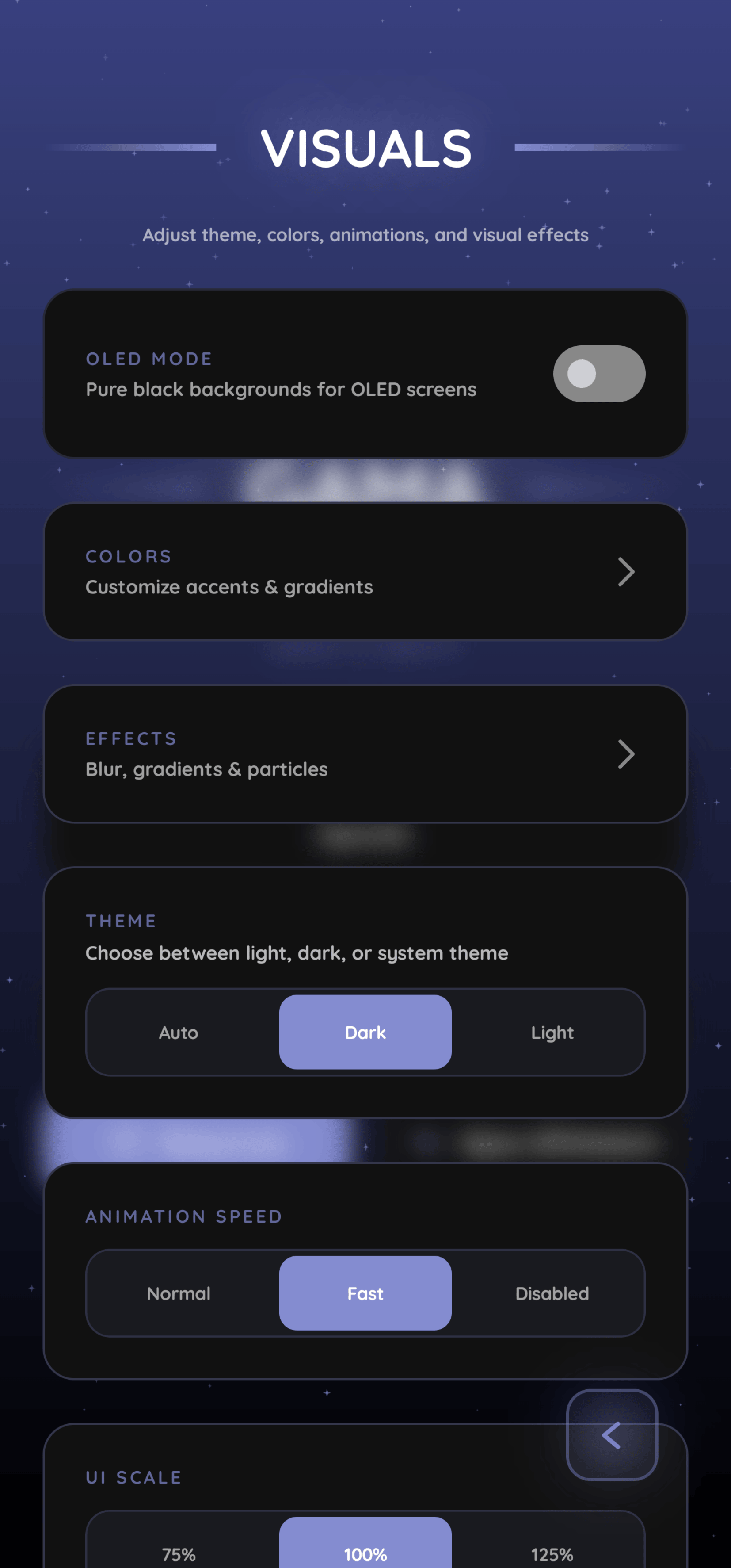
Theme: OLED is now the dark theme itself (no separate OLED toggle); legacy oled_mode/oled_accent_color/use_dynamic_color_oled are migrated and removed. Themes Auto/Dark/Light, dynamic Material You color (API 31+), hex color picker (new), accent/gradient pickers, gradient background (unavailable in dark/OLED), UI scale 75/100/125%, card shadows toggle, animation level + speed, stagger, back-button avoidance/inversion, tap-outside-to-close, and "your name" for greetings/notifications.
9. Settings inventory (v1.4, by panel)
- VISUALS: Effects (blur, card shadows, particles entry), Colors (dynamic color, hex picker, accent), Background gradient (toggle, start/end colors), Theme, Animations, UI Scale, Stagger, Back-button avoidance, Your Name.
- RENDERER: Aggressive mode (warning dialog with "don't show again"), Restart launcher & System UI, Restart keyboard on switch, GPUWatch shortcut.
- SYSTEM: Haptics, Alerts, Backup & Restore, Language, Logs, Verbose output, Tap outside to close, Back button position (Normal/Inverted), Reset floating button positions.
- PARTICLES: master toggle, style, Shape & Look, Motion, Performance, Matrix glyph/motion sub-panels.
- ALERTS: permission card with grant button, reminders toggle (context-aware description), interval selector, test alert.
- HAPTICS: engine toggle, Core Feel, Layout Motion, per-category strength cards with live preview, reset profile.
- LANGUAGE: searchable language list with flags/native names and instant switching.
- LIBRARY: GitHub, Discord, Shizuku cards; Tasker setup card with token; Quick Settings tile card; GPUWatch lives in Renderer settings.
- LOGS: GAMA crash logs (parsed, save/view/clear) and system crash/ANR logs via
dumpsys dropbox(50 fetched, 20 shown, privacy warning on export), plus support-bundle export.
10. Diagnostics and backup
- Crash logging (v1.3 had a basic file) now has a dedicated panel with parsed entries (timestamp, thread, summary, full text), per-entry save, clear-all, and a system-crash list via root/Shizuku.
- Support bundle (new): app version, device model, Android version, current/desired renderer, backend state (root/binder/permission), last renderer action, and the last 12,000 chars of the crash log - exported as
GAMA_support_yyyy-MM-dd_HH-mm.txtvia the system file picker. - Backup/restore reworked: versioned JSON schema (v1.3 = v1, v1.4 = v2), per-key type validation, invalid entries skipped rather than aborting, string-set caps (512 items × 256 chars), device-specific state deliberately excluded (uptime, last-sent reminder, permission-requested flag, first-launch cosmetics), 1 MB import cap. v1.3 backups import cleanly (verified by round-trip test); settings for removed/renamed features are ignored.
11. Build, security, tests, CI
targetSdk35 → 36; Kotlin 2.0.21 → 2.2.10; AGP 9.0.0 → 9.2.1.- Signing credentials removed from source (v1.3 hardcoded keystore path, alias, and passwords in
build.gradle.kts); now read from a gitignoredkeystore.propertiesor env vars, with release builds working unsigned when absent (needed for F-Droid). - Release builds are now minified and obfuscated with targeted keep rules (v1.3 shipped
-dontobfuscateplus a blanket keep of the whole app). - Tests (new): 20 JVM tests (backup round-trip/validation, renderer state, state machine, support bundle) + an instrumentation launch test; CI builds, lints, unit-tests, and smoke-tests on emulator API 29–36.
- Permissions trimmed: no INTERNET, no REQUEST_INSTALL_PACKAGES.
12. Removed
- Home-screen widget (Glance) and its configuration sheet/theme picker.
- Doze Quick Settings tile and the separate Vulkan/OpenGL tiles (→ one toggle tile).
- Separate OLED toggle (merged into dark theme).
- v1.3's custom Tasker permission (→ token).
13. Compatibility
- Update from v1.3 installs directly (same signing identity), and v1.3 backups restore into v1.4.
Declared Android Permissions
8 totalShizuku API Permissions
This application connects to the Shizuku service to execute system-level operations with ADB elevated privileges.
Standard Android Permissions
Specifications
Install via ShizuStore to enable automatic updates and silent installations using Shizuku.
More in Customization
Other applications in this category

TapTap
KieronQuinn
Port of the double tap on the back of the device feature from Android 12 to any Android 7.0+ device

essentials
sameerasw
Essential tools, mods and workarounds for Pixels. Also compatible with other devices