hikari-adblock
v1.2.3Screenshots
(5)About Application
🌞 Hikari AdBlock
Free, open-source, no-root ad blocker for Android.
System-wide ad, tracker and malware blocking over a local full-tunnel VPN.
Built with Kotlin, Jetpack Compose (Material 3) and a Go TUN stack.


📥 Download
Grab the latest APK — one click:

New here? Head to the Releases page and download
app-universal-release.apk (works on every phone — if you don't know your CPU, pick this one).
On most modern phones app-arm64-v8a-release.apk is a smaller download.
⚠️ Before installing an update, uninstall the older Hikari AdBlock first (each release is signed with its own key, and Android will refuse to overwrite a different signature).
📸 Screenshots
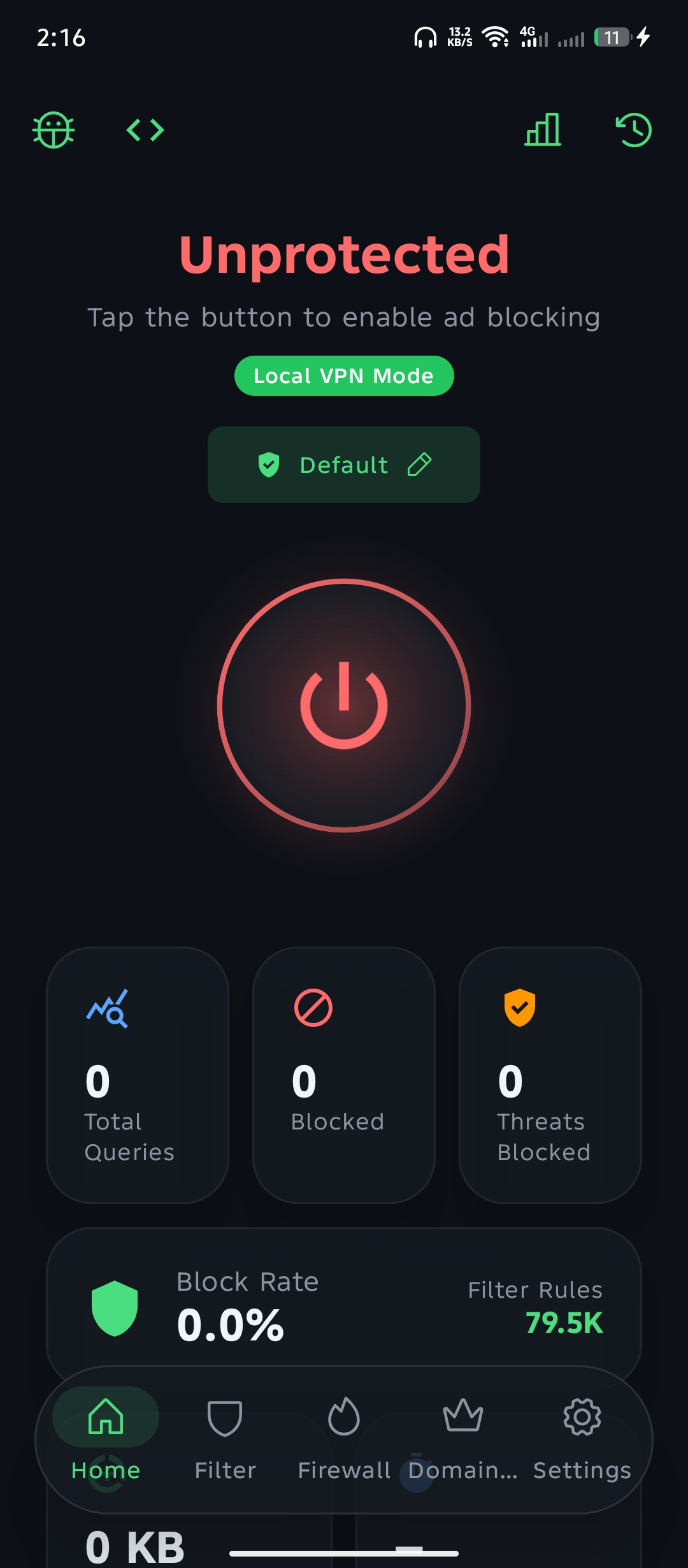 | 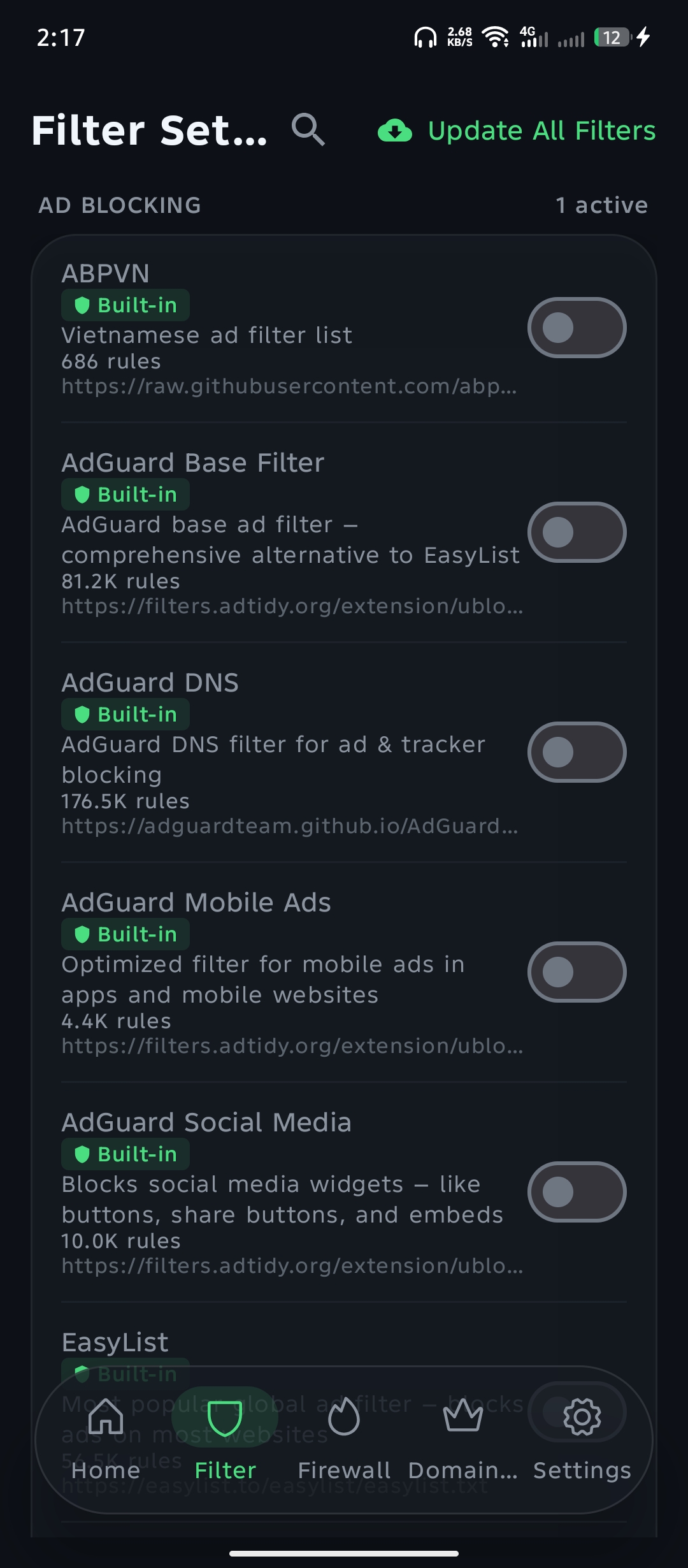 | 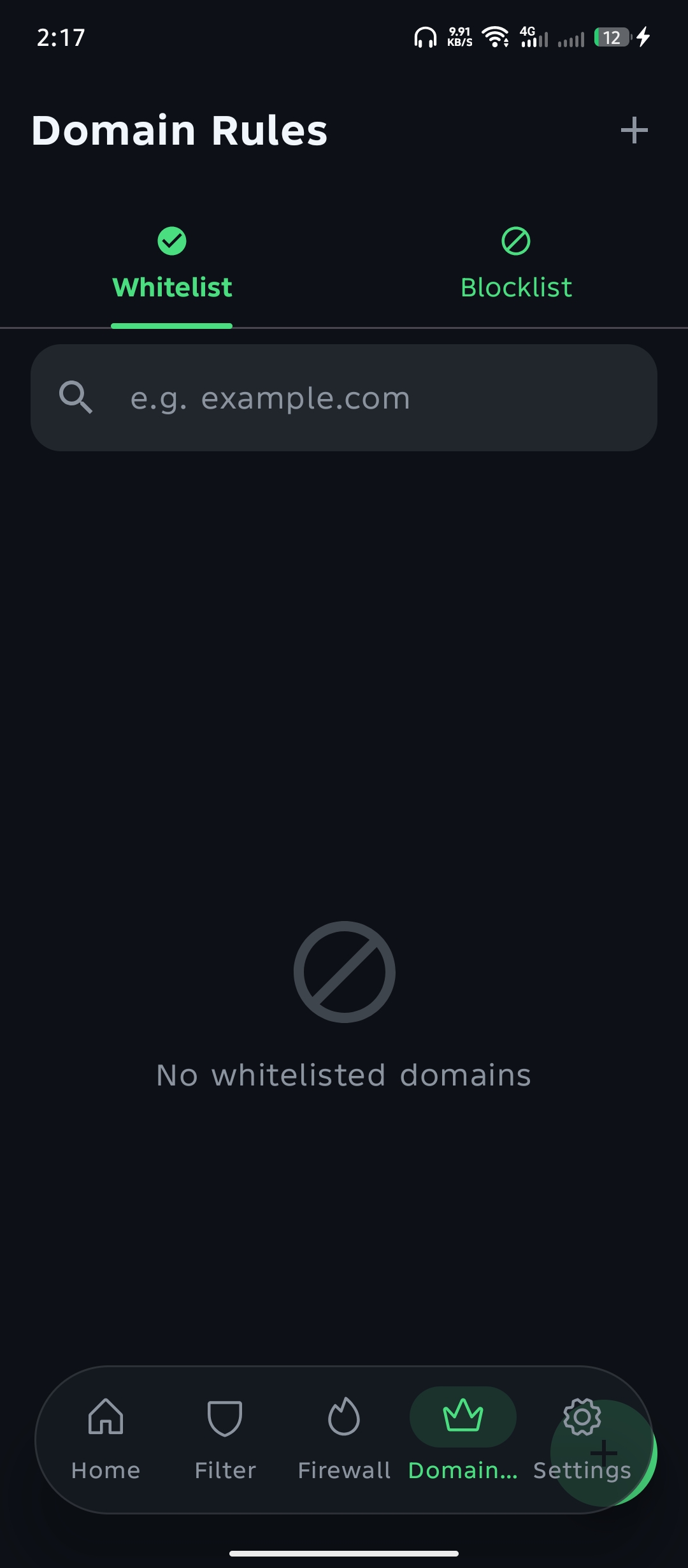 |
| Home — protection status & stats | Filter Sets — ad-blocking filter lists | Domain Rules — whitelist / blocklist |
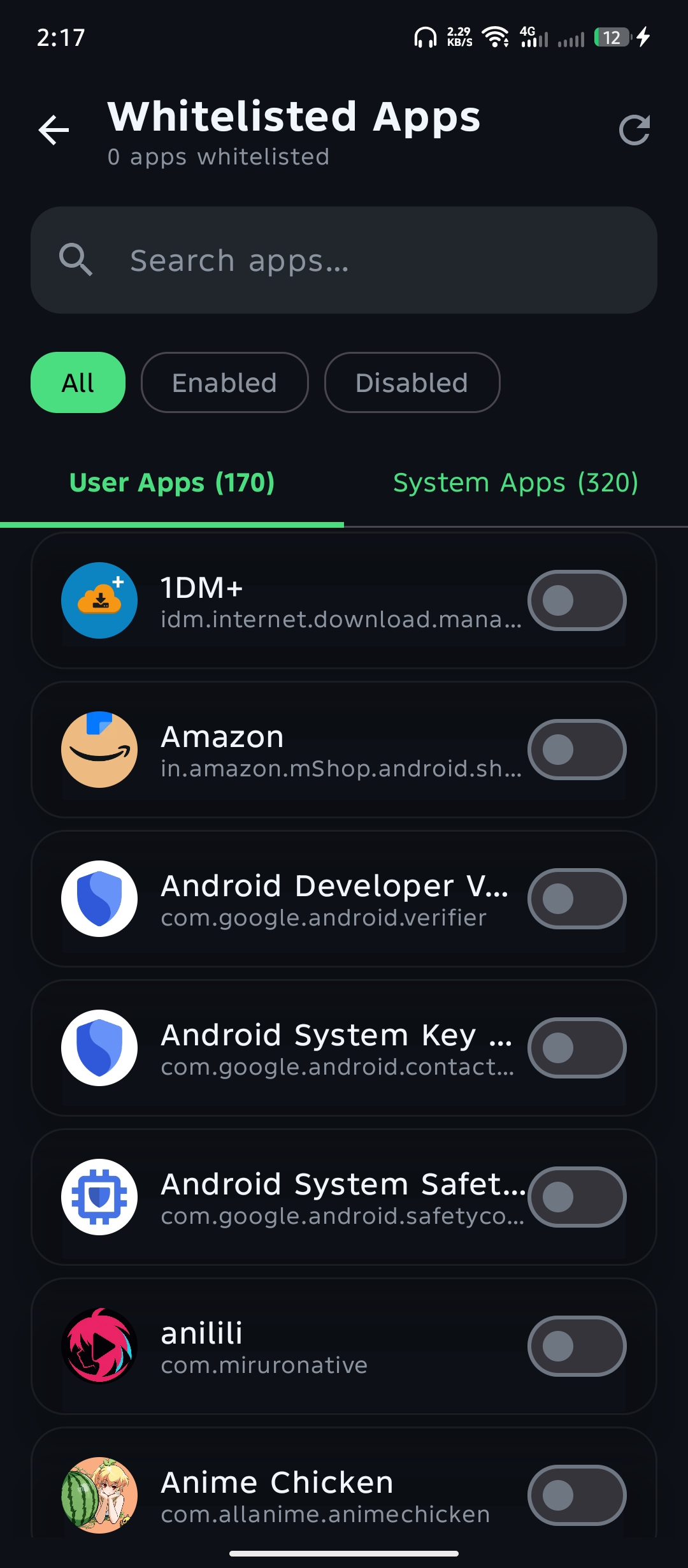 | 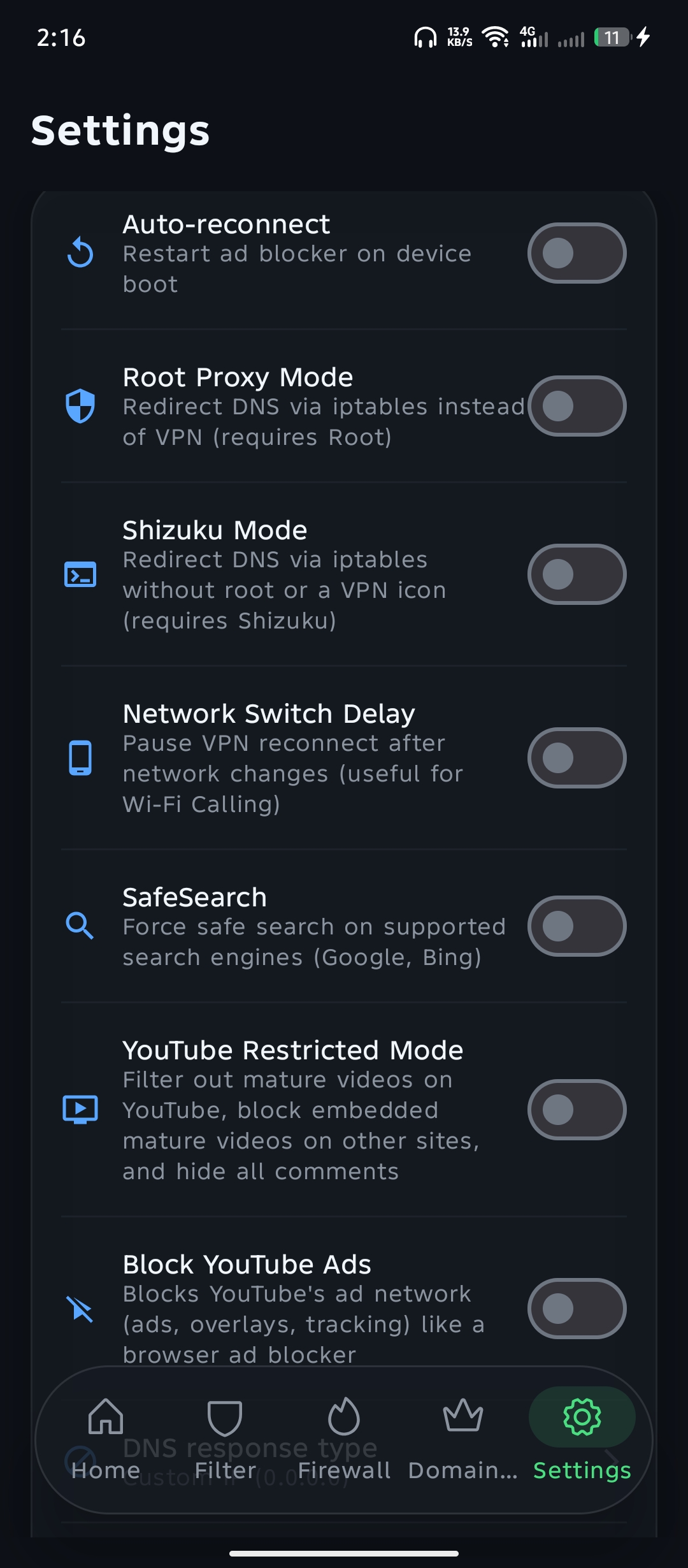 | |
| Whitelisted Apps — per-app control | Settings — VPN, Root & Shizuku modes, YouTube ad blocking |
Changelog
See the full, per-version changelog on the Releases page.
Highlights:
- v1.1.0 — New Block YouTube Ads toggle (Settings → Protection) that blocks YouTube's ad network instantly, no restart. Releases are now signed with a stable keystore.
- v1.0.1 — Green launcher icon, "Sponsor us" row removed, refreshed UI colors/wording, and instant whitelist / blacklist / app-whitelist (no more restarts or filter updates to apply a change).
- v1.0.0 — Initial release.
Features
- System-wide ad blocking via a local full-tunnel VPN — no root required
- Real TCP/IP stack (gVisor) inside the tunnel: DNS answers on
:53, every other packet is forwarded to your real network, so internet keeps working while ads are filtered - Blocks ads, trackers, phishing and malware domains via powerful filter lists
- HTTPS / cosmetic filtering (optional): hides ad banners visually in selected browsers using a locally-generated root CA — never intercepts banking/Google traffic
- Firewall per-app allow/deny rules
- WireGuard tunnel profiles (import
.conf) - Root proxy mode (iptables redirect) for rooted devices
- Trusted networks: auto-pause on your home/office Wi-Fi
- Protection profiles with schedules and per-profile DNS providers
- Live query log with search, blocked/all filter and per-domain details
- Statistics: total queries, blocked count, block rate and charts
- Home-screen widget and Quick Settings tile toggle
- Tasker / automation intents, start-on-boot, auto filter updates
- Dark / light / system theme (Material 3) and custom accent colors
How it works
Hikari AdBlock builds a VpnService tunnel and runs a full TCP/IP network stack (gVisor,
shipped as a prebuilt gomobile AAR) inside it. The stack answers DNS queries itself on :53:
- query for a blocked domain → an
NXDOMAIN/block response is synthesized, so the ad/tracker never resolves; - everything else (DNS and all regular TCP/UDP traffic, including YouTube and other apps) is forwarded through the real network, so the internet keeps working normally.
Filter lists are fetched from the blockads-default-filter repository, compiled locally, and periodically auto-updated.
Building
Requirements
- Android Studio (Ladybug or newer) — or just JDK 17 + Android SDK 36
- min SDK 24 (Android 7.0), target/compile SDK 36
- The prebuilt tunnel AAR at
app/libs/tunnel.aar(already committed)
Steps
git clone https://github.com/codegeasse1/hikari-adblock.git
cd hikari-adblock
./gradlew :app:assembleDebug          # debug APK
./gradlew :app:assembleRelease        # release APK (debug-signed unless CI key is provided)
Install the debug APK on a device with adb install app/build/outputs/apk/debug/app-debug.apk.
Rebuilding the tunnel AAR (advanced)
The Go tunnel is at github.com/nqmgaming/blockads-tunnel (GPL). To rebuild app/libs/tunnel.aar:
cd <tunnel-source>
GOFLAGS=-buildvcs=false gomobile bind -target=android -androidapi 24 -trimpath \
  -ldflags="-s -w -buildid= -extldflags=-Wl,-z,max-page-size=16384" \
  -o <this-repo>/app/libs/tunnel.aar github.com/nqmgaming/blockads-tunnel
CI
.github/workflows/build.yml:
- builds debug + release APKs and runs unit tests on every push to
main; - a manual
workflow_dispatchrun with the release checkbox creates a GitHub Release with an APK signed by a CI-generated keystore.
License
GPL-3.0 — see LICENSE.
Credits
- This app is a fork of BlockAds (GPL-3.0)
- Go tunnel stack: blockads-tunnel (GPL-3.0)
- Filter lists: blockads-default-filter
Release Notes & Changelog
Hikari AdBlock — free, open-source, no-root Android ad blocker.
What's new in v1.2.3
Shizuku mode now fails fast and tells you why
- Added a clear error dialog for Shizuku mode. If your ROM and kernel deny
permission for
iptables/nftables, Shizuku mode can't work on your device. Previously the app could sit on "Connecting..." and silently retry for a very long time before giving up with no real explanation. It now detects the block immediately and explains exactly what happened. - One-tap "Switch to Direct (VPN) mode". The blocked dialog now has a button that switches you straight to Direct (VPN) mode and starts protection, so you still get ad blocking even when Shizuku is unavailable on your ROM.
- Added a pre-flight probe. When you select Shizuku mode, the app now runs a single cheap, read-only netfilter command first. If the ROM/kernel refuses it, you're told right away and the service is never started, so no filters are fetched and no retry loop runs.
Under the hood
- The pre-flight probe is used from the Settings toggle, from the power-button toggle, and when a pending Shizuku start is retried after returning to the app. The service also runs the same probe as a safety net.
- Filters are loaded exactly once before the retry loop, so retries no longer re-fetch or re-seed the filter lists.
- Bumped the version to 1.2.3 (versionCode 7).
If your ROM and kernel deny
iptablespermission, Shizuku mode cannot work on your device. Use Direct (VPN) mode (the dialog can switch you over with one tap) or the root backend instead.
📥 How to download
app-universal-release.apk— works on every phone (pick this if you're not sure)app-arm64-v8a-release.apk— most modern phones (recommended, smaller download)app-armeabi-v7a-release.apk,app-x86-release.apk,app-x86_64-release.apk— other CPU types
Declared Android Permissions
15 totalShizuku API Permissions
This application connects to the Shizuku service to execute system-level operations with ADB elevated privileges.
Standard Android Permissions
Specifications
Install via ShizuStore to enable automatic updates and silent installations using Shizuku.
More in Network
Other applications in this category

WG Tunnel
wgtunnel
A FOSS Android client for WireGuard and AmneziaWG with auto-tunneling.