
hotspot_channel_setter
v1.1.1Screenshots
(4)About Application

Hotspot Channel Setter
Sets the Wi-Fi hotspot (SoftAP) channel on Android, with Shizuku or root.
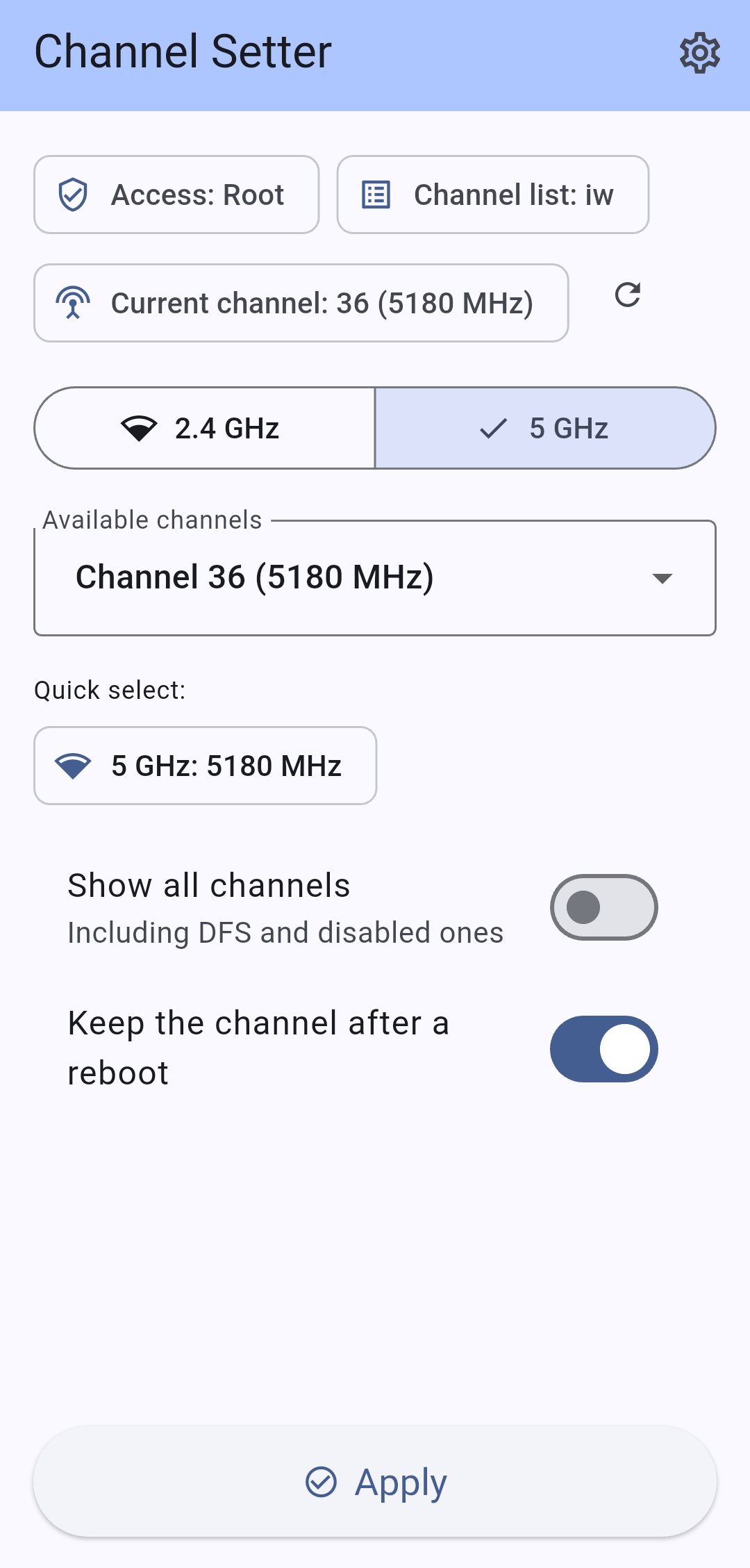
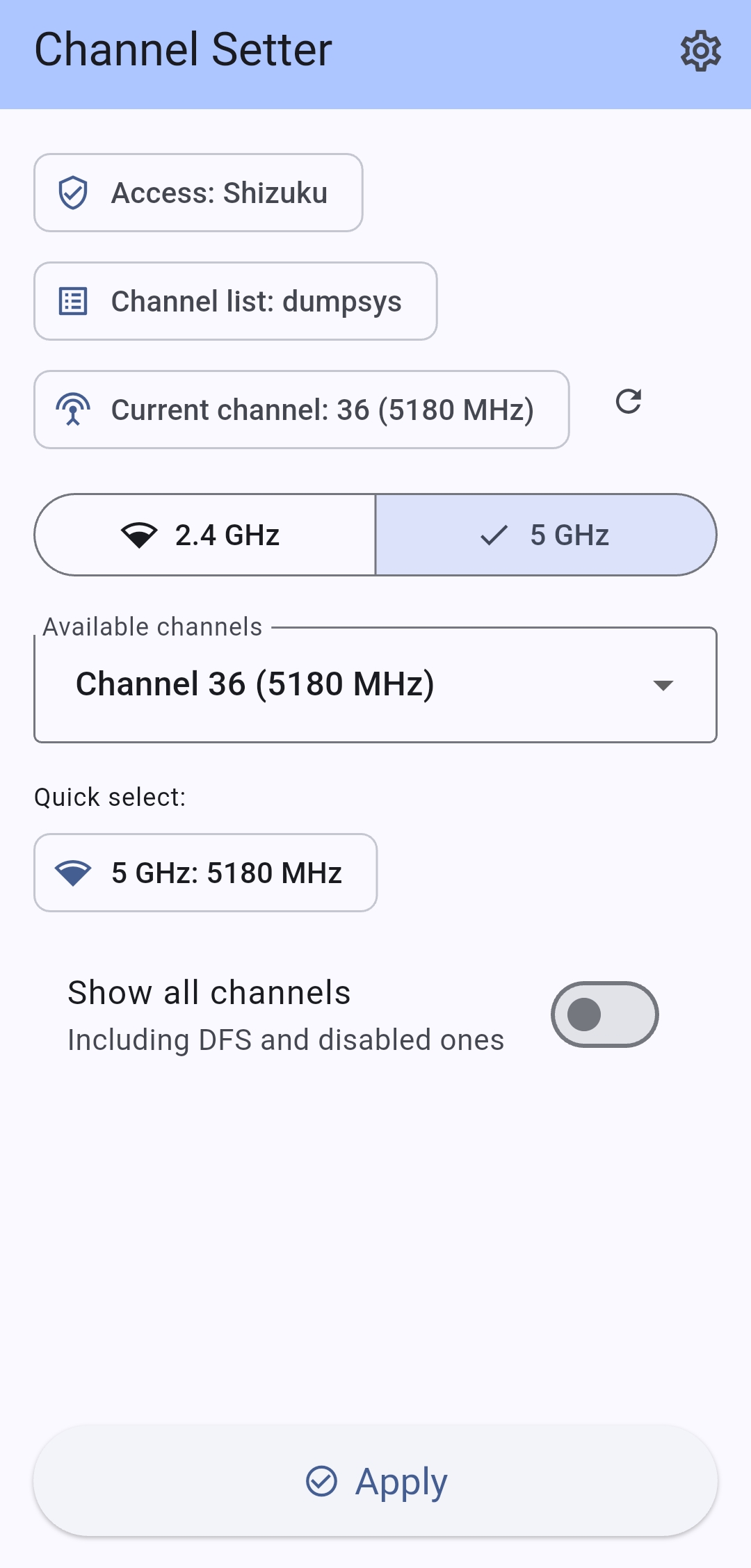
Features
- Lists the channels the device reports for the 2.4 GHz and 5 GHz bands, with an option to include DFS and disabled ones.
- Stores the selected channel in the hotspot configuration, so the choice survives a reboot.
- Shows the channel currently stored in the hotspot settings.
- Two access methods, Shizuku (no root) and root; the selected one is remembered.
- English and Russian.
Requirements
- Shizuku installed and running, or root.
- Android 12 or newer for Shizuku mode.
Version support
List and apply were checked on emulators: Android 10, 11, 12, 14, 15, 16 and 17. Android 13 was checked on a real device.
| Android | Shizuku — list | Shizuku — apply | Root — list | Root — apply |
|---|---|---|---|---|
| 10 | not available | — | iw list | — |
| 11 | standard list when the system reports nothing | ✓ | iw list | ✓ |
| 12–17 | system capability | ✓ | iw list | ✓ |
If the channel list is missing in Shizuku mode right after a reboot, start the hotspot once — some devices report the hotspot capabilities only after the hotspot has been running. Then press the refresh button next to the current channel.
Methods the app uses:
Channel list
| Method | Mode | Android |
|---|---|---|
| System hotspot capability | Shizuku | 12+ |
dumpsys wifi — mCurrentSoftApCapability (second source) | Shizuku, root | 13+ |
iw list (main source) | root | 10+ |
| Standard channel list | Shizuku | 11 |
Apply
| Method | Mode | Android | Lasts |
|---|---|---|---|
Hidden setSoftApConfiguration | Shizuku, root | 11+ | after a reboot |
cmd wifi force-softap-channel | root | 11+ | until a reboot |
On Android 10 the channel cannot be applied: the system API for it does not exist, and cmd wifi of that version has neither force-softap-channel nor get-allowed-channel.
How it works
-
Channel list — Shizuku mode reads the hotspot capability the system reports (Android 12 and newer), with the framework dump as a second source (Android 13 and newer); on Android 11 it shows the standard list. Root mode uses
iw listand the dump. -
Apply — the channel is written into the hotspot configuration, which is what the system hotspot uses:
getSoftApConfiguration() -> copy with the new channel -> setSoftApConfiguration() -
Current channel — read back with the same configuration API.
In Shizuku mode this code runs in a Shizuku user service with shell identity, in root mode in a helper process started with app_process.
Root mode can also apply the channel for the current session only, with the legacy command that Android 12 and newer allow to root alone:
cmd wifi force-softap-channel enabled <frequency>
Install
Download the APK from the Releases page. Builds of 1.0.x are signed with a different key, so the old version has to be uninstalled before installing 1.1.x.
Build
flutter pub get
flutter build apk --release
Release builds are signed with the keystore described in android/key.properties, which is not tracked by Git.
Changelog
See CHANGELOG.md.
Release Notes & Changelog
Channel list fixed on Android 11 and 12
Shizuku mode could not read the channel list before this release.
cmd wifi get-allowed-channel exists only from Android 14, and the
framework dump prints the capability only from Android 13.
The Shizuku user service now registers a soft AP callback and takes the list straight from the system.
- Shizuku mode: channel list on Android 12 and newer.
- Android 11: standard channel list with a warning when the system reports nothing.
- Two sources per mode: system capability and framework dump for
Shizuku,
iw listand the dump for root. - Android 10: list only in root mode, applying is not supported.
Verified on Android 10, 11, 12, 14, 15, 16 and 17 emulators, and on an Android 13 device.
APKs: universal, arm64-v8a, armeabi-v7a. Builds of 1.0.x are
signed with a different key, so uninstall the old version first.
Declared Android Permissions
2 totalShizuku API Permissions
This application connects to the Shizuku service to execute system-level operations with ADB elevated privileges.
Standard Android Permissions
Specifications
Install via ShizuStore to enable automatic updates and silent installations using Shizuku.
More in Network
Other applications in this category


WG Tunnel
wgtunnel
A FOSS Android client for WireGuard and AmneziaWG with auto-tunneling.