NetToggle
v1.2.0Screenshots
(12)About Application
NetToggle






📖 Overview
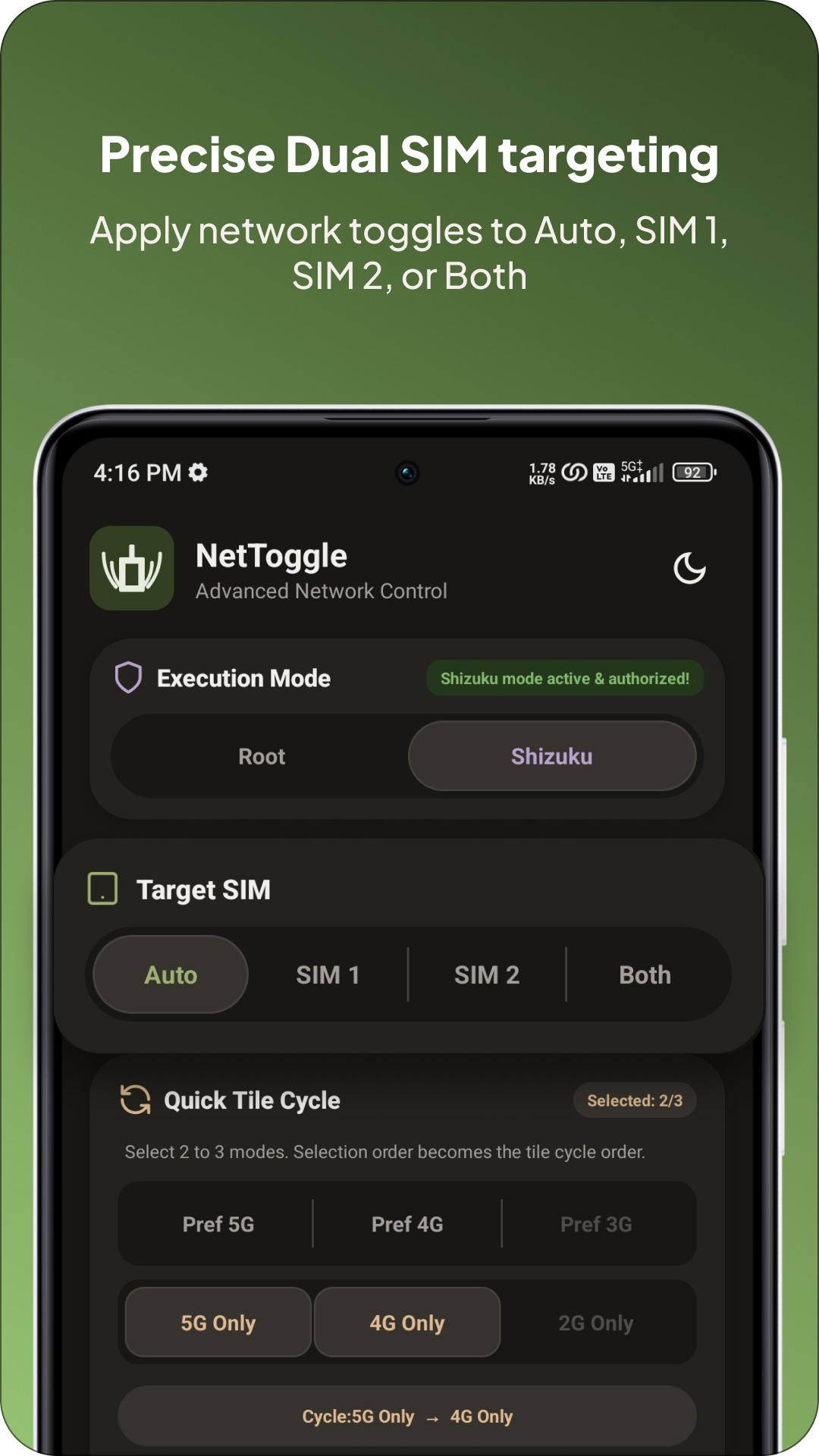
NetToggle is a lightweight Android Quick Settings (QS) tile app for cellular network control. It allows you to create custom tile cycles, target one or both SIMs, build capability-aware shortcuts, execute secure broadcast automations, and troubleshoot network states with detailed diagnostics.
NetToggle executes privileged telephony commands via Root or Shizuku that standard Android apps cannot access. For older Android releases (Android 7–11), it utilizes an efficient headless reflection mechanism, while Android 12+ relies on native direct command dispatching.
⚙️ Network Modes
- Preferred 5G (5G/4G/3G/2G): Recommended for daily use. Allows 5G SA and NSA (including UW, UC, 5G+, or 5G++ where supported) with LTE and legacy fallback.
- 5G Only (NR Only): Disables 4G, 3G, and 2G. Intended strictly for 5G SA networks. Service and calls may drop on NSA networks or without SA and VoNR provisioning.
- Preferred 4G (4G/3G/2G): Disables 5G while retaining LTE and legacy fallback. Useful for battery saving, reducing device heat, or stabilizing connections in fringe 5G areas.
- 4G Only (LTE/LTE-A): Locks to LTE without 3G/2G fallback. Calls require VoLTE; carrier aggregation is controlled by the modem and network.
- Preferred 3G (3G/2G): Disables 4G and 5G while allowing supported 3G and 2G networks.
- 2G Only (GSM/EDGE): Locks to 2G where legacy service remains available.
Note: If calls or cellular service fail in an Only mode, switch back to Preferred 5G or Preferred 4G.
🔄 Quick Tile Cycle
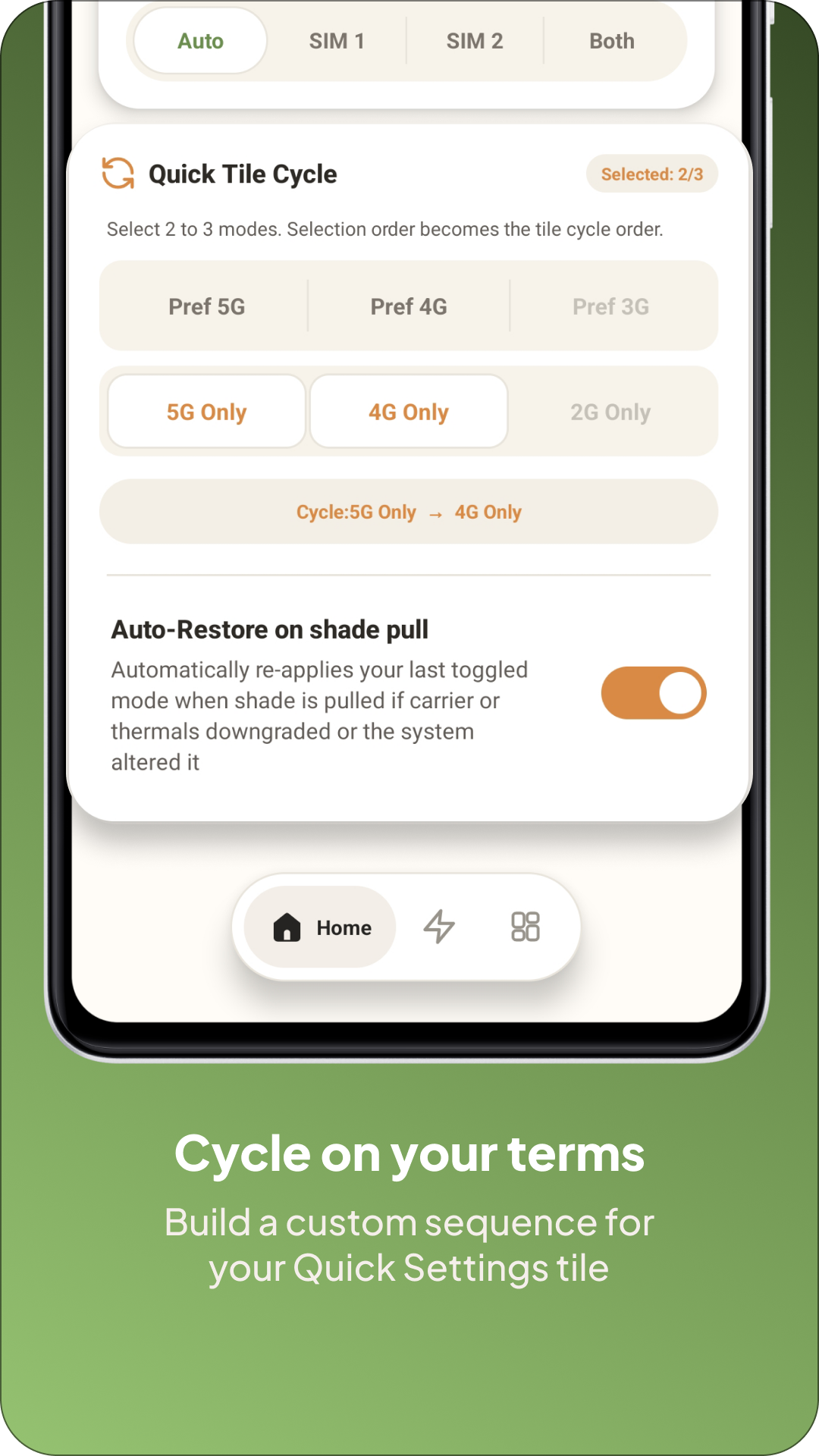
- Custom Sequence: Choose an ordered cycle of 2 or 3 modes.
- Live State: Shows the active mode with an Auto, SIM 1, SIM 2, or Both badge.
- Auto Restore: Automatically restores your preferred mode after a configurable cooldown if Android, thermal management, or the carrier reverts it.
- Efficient Refresh: Controlled checks avoid continuous polling and unnecessary battery drain.
📱 Target SIM Selection
- Auto: Dynamically resolves the active data subscription and maps it to the physical SIM slot using native Android APIs.
- SIM 1 or SIM 2: Applies network mode changes to the selected physical SIM slot.
- Both SIMs: Reconciles and synchronizes mutually supported modes across both SIMs simultaneously and reports any partial failures.
Tip: If Auto detection fails on unusual hardware, select a SIM manually.
🪄 Shortcuts & OS Routines
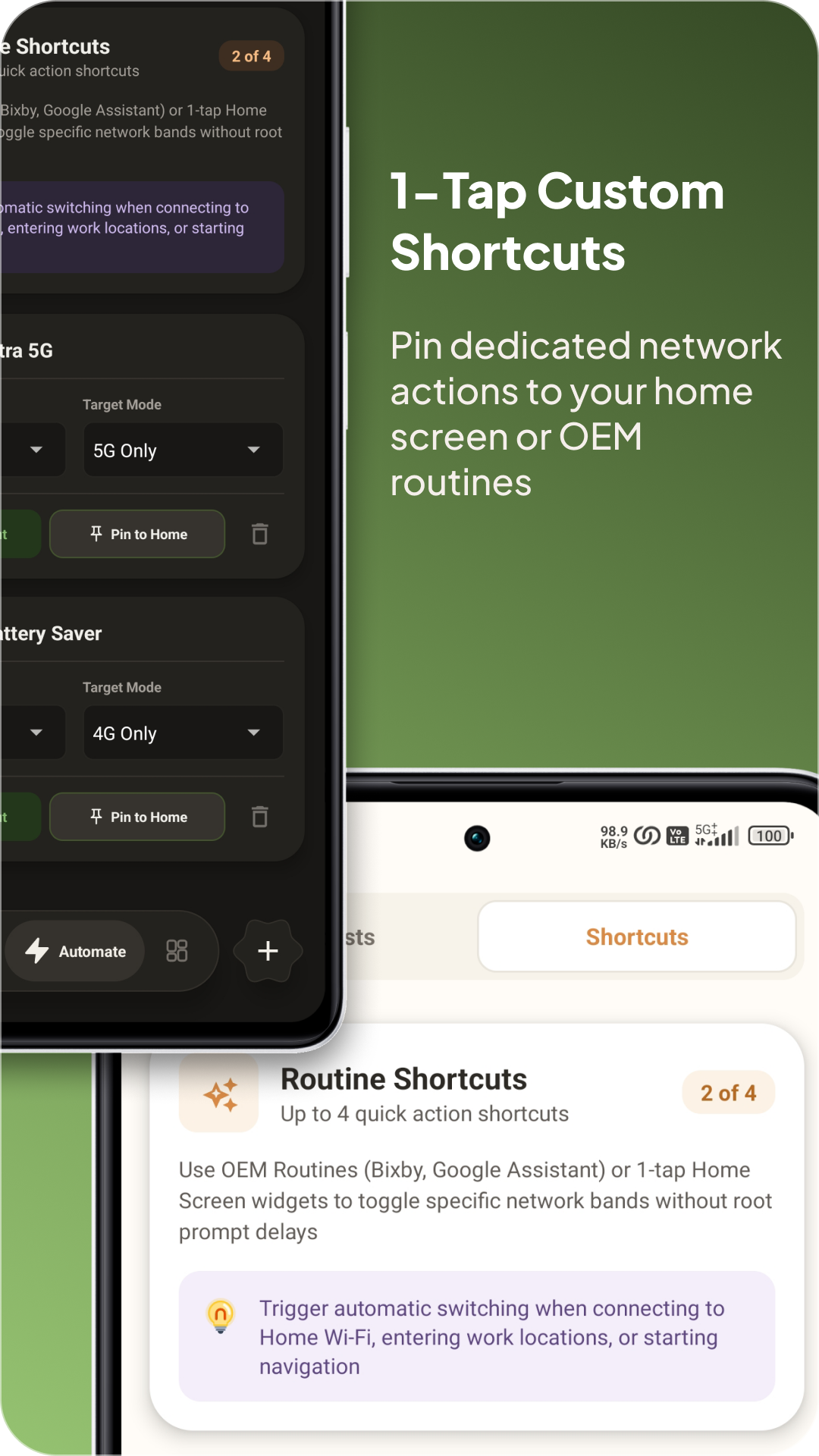
- Capability-Aware Actions: Create up to 4 routine shortcuts with custom names, network modes, and SIM targets.
- 1-Tap Launcher Widgets: Pin direct toggle actions to your home screen launcher.
- OEM Automation: Integrates seamlessly with Samsung Modes & Routines, Google Assistant, and third-party taskers.
📡 Broadcast Automation & ADB
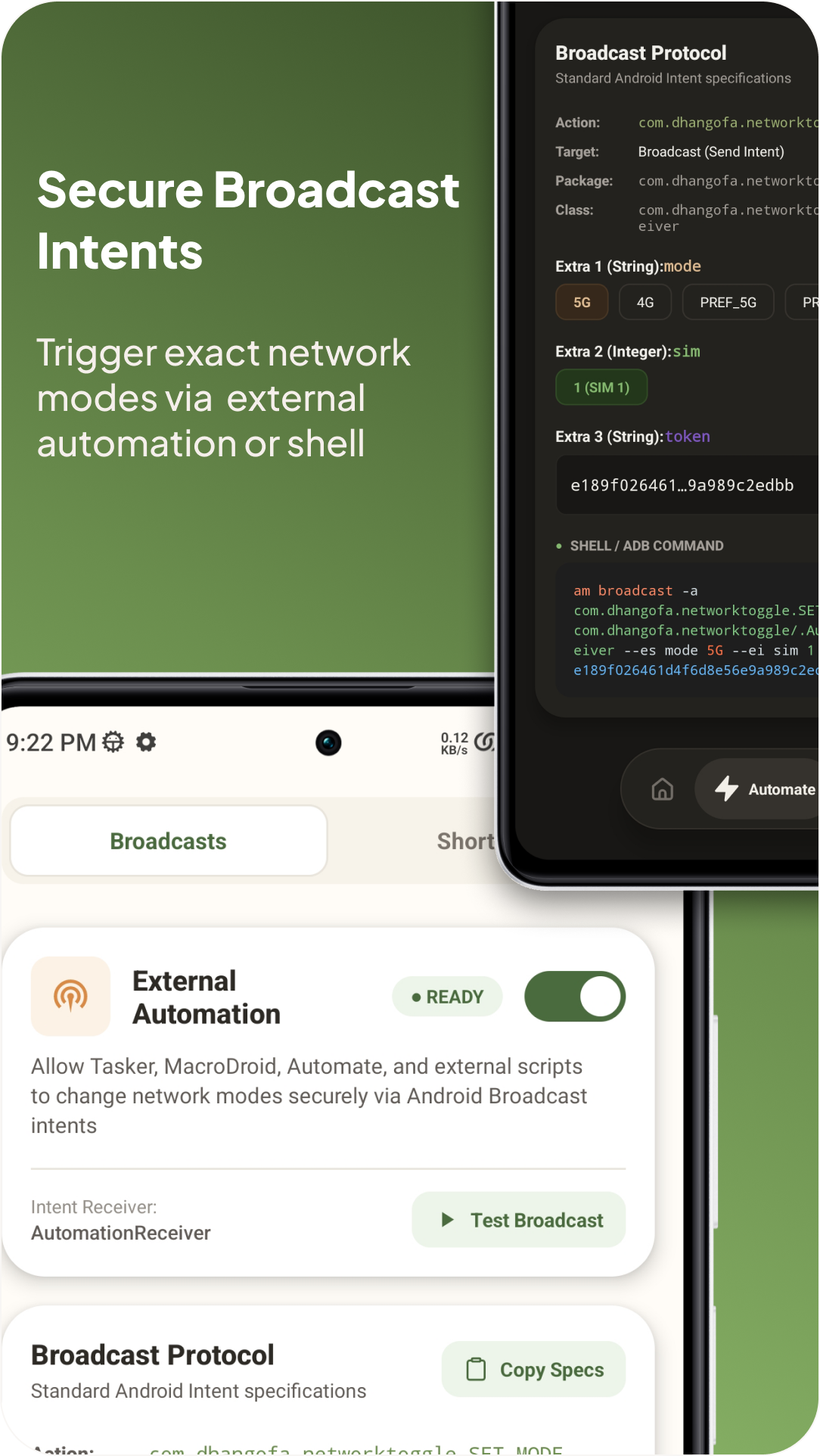
Control NetToggle programmatically from Tasker, MacroDroid, Automate, or ADB shell scripts:
- Opt-In Security: External automation is disabled by default and requires opt-in with a secret authorization token.
- Live ADB Command Preview: Interactive builder generates ready-to-run shell commands and intent extras with one-tap clipboard copy.
- Sample ADB Shell Broadcast:
am broadcast -a com.dhangofa.networktoggle.SET_NETWORK_MODE \ -n com.dhangofa.networktoggle/.AutomationReceiver \ --es mode "5G" \ --ei sim 1 \ --es token "YOUR_SECRET_TOKEN" - Supported Modes:
5G_ONLY(or5G),4G_ONLY(or4G,LTE),PREF_5G(orPREFERRED_5G),PREF_4G(orPREFERRED_4G),PREF_3G(orPREFERRED_3G),2G_ONLY(or2G) - Supported SIM Values:
1(SIM 1),2(SIM 2),3(Both)
🔌 Requirements & Permissions
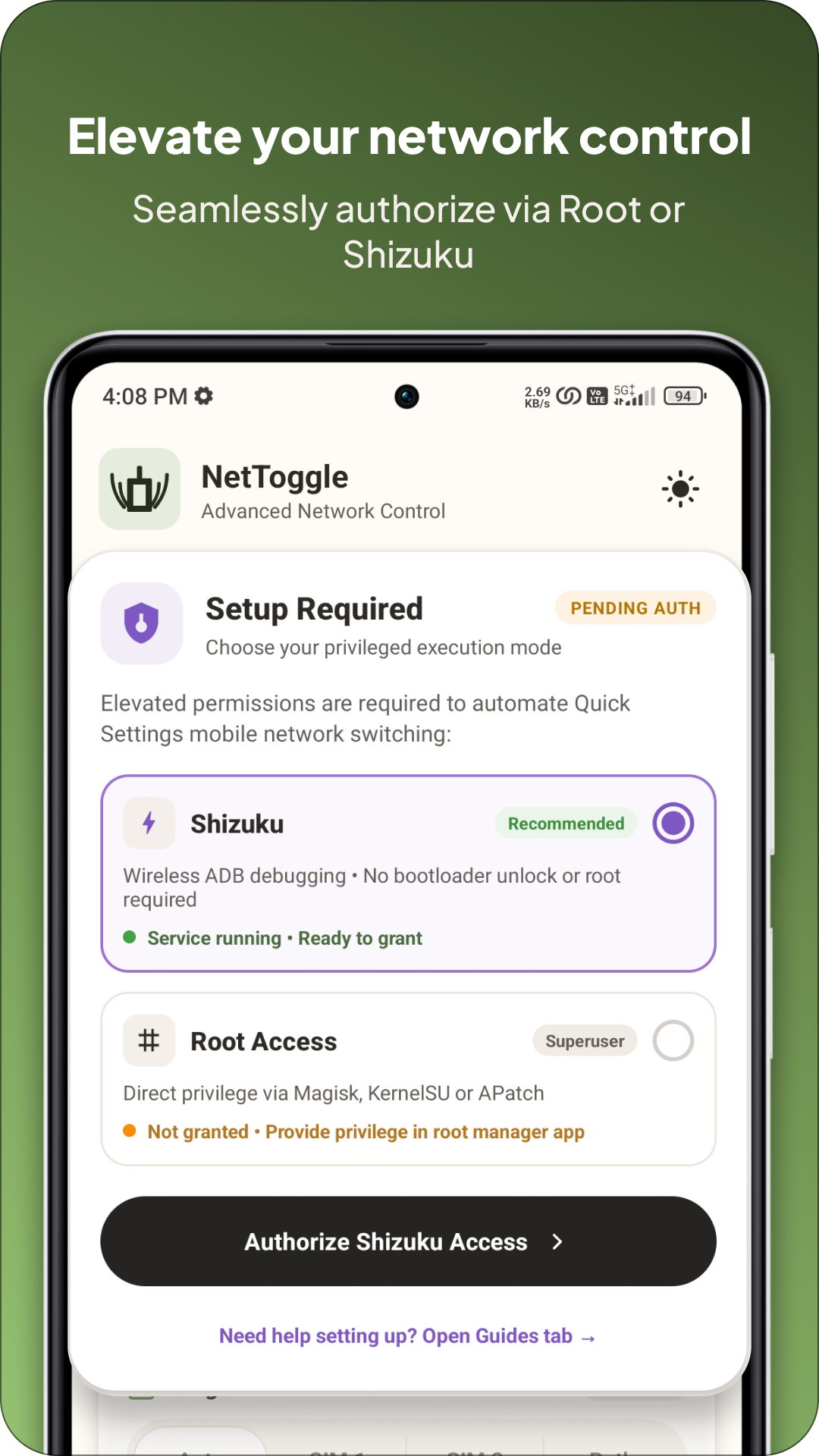
- Root or Shizuku Required: Either must be active and authorized. Shizuku is recommended and can run through Root, ADB, or Wireless Debugging (trusted forks may add start-on-boot, watchdog, or TCP mode). Root mode supports Magisk, KernelSU, APatch, and compatible
sumanagers. - Read Phone State: Required for fast native SIM mapping and hardware capability detection. Without it, privileged shell fallbacks are used where available.
- Run at Startup: Briefly clears stale tile state after boot or app update. No persistent background service is used.
🧠 Smart Capability Filtering
- Hardware Baseband Detection: Evaluates device baseband properties (
ro.telephony.default_network) to hide unsupported network modes. - Dual-SIM Mutual Support: When targeting Both SIMs, the UI automatically offers only modes supported by both slots.
- 2G/3G Sunset Registry: Built-in global carrier database dynamically hides deprecated legacy network options on known sunset networks.
🎨 Design & Themes
- Clean Material 3 interface optimized for both portrait and landscape orientations.
- Interactive setup card, segmented controls, Fluid Animations.
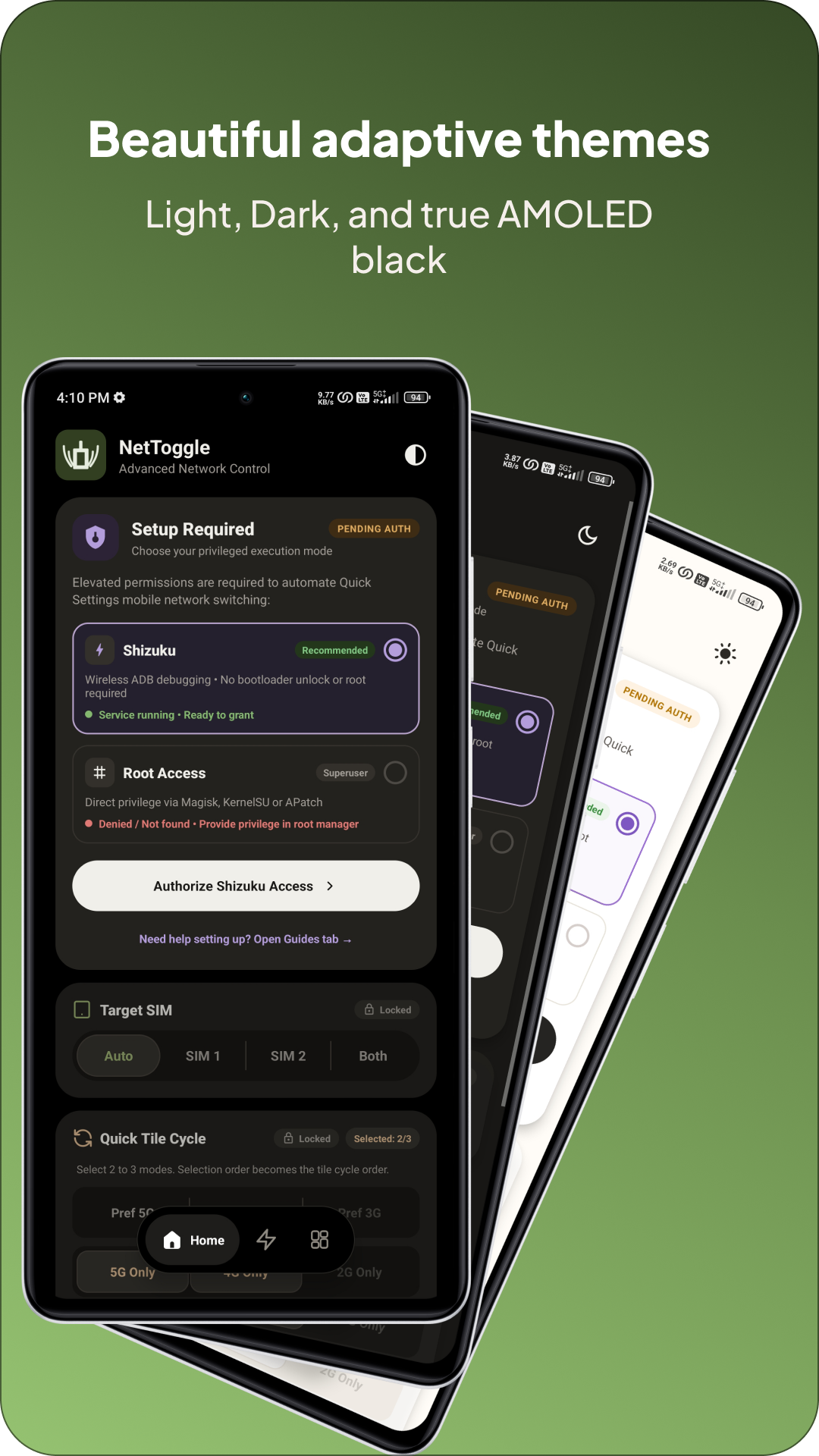
- Supports Auto (System), Light, Dark, and high-contrast AMOLED themes with custom tactile feedback.
🛠️ Diagnostics & Troubleshooting
- In-App Diagnostic Logs: View and copy detailed reports including executed commands, exit codes, raw output (stdout/stderr), exceptions, execution state, and SIM resolution.
- Error Banners: Immediate visual feedback with recovery guidance when a command or permission fails.
📸 Screenshots
 |  |  |  |
 |  | 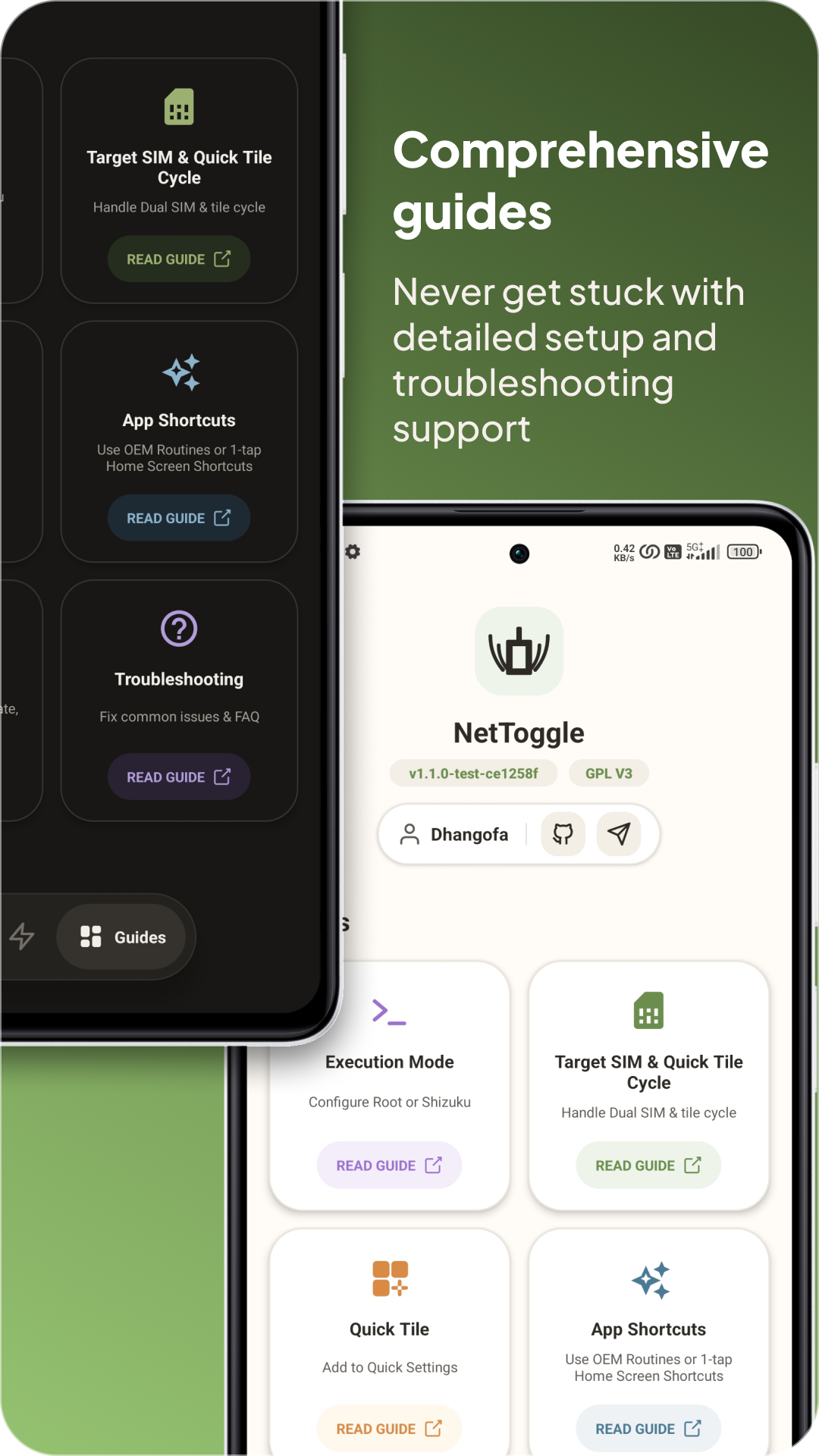 | 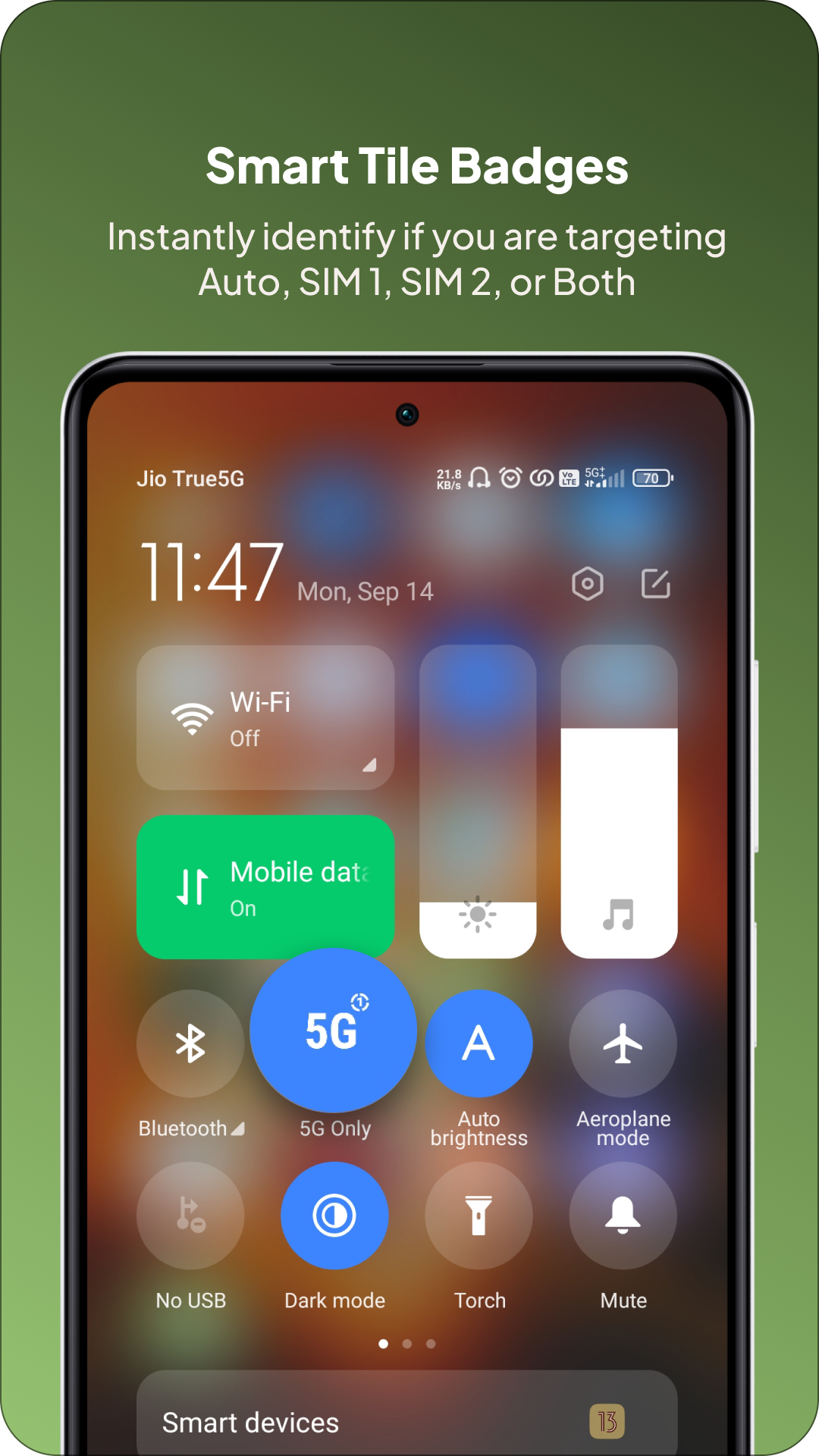 |
📱 Supported Android Versions & ROMs
- Minimum Version: Android 7.0 (Nougat, API 24)
- Target Version: Android 17 (API 37)
🔐 Privacy & Security
NetToggle is built strictly as an offline utility:
- 🚫 Zero Ads
- 🚫 Zero Analytics or Telemetry
- 🚫 Zero Trackers
- 🚫 No
android.permission.INTERNETdeclared (cannot connect to the web) - 🚫 Zero Background Data Transmission
- 🚫 Zero Personal Data Collection
Permission Transparency:
READ_PHONE_STATE: Strictly used to query active physical SIM slot configurations and detect carrier capability ceilings via Android's nativeSubscriptionManager. All operations are executed 100% locally on your device.
🛠️ Build From Source
NetToggle is built with Kotlin, Java, and the standard Android Gradle toolchain.
git clone https://github.com/Dhangofa/NetToggle.git
cd NetToggle
./gradlew assembleRelease
📚 Documentation & Guides
For step-by-step setup guides, routine integrations, and detailed technical troubleshooting, check out the official Wiki:
- 1. Execution Mode Configuration
- 2. Target SIM Setup & Quick Tile Cycle Guide
- 3. Adding the Tile to Quick Settings
- 4. App Shortcuts & Built-in OS Routines
- 5. Broadcast Automation (Tasker, MacroDroid, Automate)
- Frequently Asked Questions (FAQ)
💬 Community & Support
- Bug Reports & Feature Requests: GitHub Issues
- Community Discussion: Telegram Group
📜 License
NetToggle is open-source software licensed under the GNU General Public License v3.0. See the LICENSE file for details.
🧾 Notices
NetToggle uses original vector assets and icons created or customized specifically for this project.
- The NetToggle launcher icon and QS network icons were created for this project.
- UI outlines and vector assets are customized for Material Design 3 guidelines.
- Third-party trademarks (such as Android, Samsung One UI, Magisk, Shizuku, GitHub, Telegram) belong to their respective copyright holders.
See NOTICE.md for further information.
Release Notes & Changelog
🚀 NetToggle v1.2.0
Thrilled to announce the release of NetToggle v1.2.0! This major update introduces a redesigned 3-tab layout, background broadcast automation, native app shortcuts with routine integration, zero-overhead auto-restore on shade pull, pure AMOLED theming, and 5 new language localizations.
🌟 What's New in v1.2.0
🤖 1. Broadcast Automation (Tasker, MacroDroid, Automate & ADB)
- Silent Background Automation: Added
AutomationReceiverto trigger silent network mode switching from third-party tools viacom.dhangofa.networktoggle.SET_MODE. - Security Tokens: Added customizable authentication tokens to safeguard your automation broadcast endpoints from untrusted apps.
- Interactive ADB Generator: Build, test, and copy ready-to-run
am broadcastshell commands with a single tap inside the Automation tab.
📱 2. App Shortcuts & OS Routines Integration
- Launcher Shortcuts & Pinned Widgets: Configure up to 4 quick-action network toggles for your home screen.
- OEM Automation Support: Natively integrated for Samsung Modes and Routines (Bixby Routines) and Google Assistant.
- Instant Execution: Added zero-UI background executor (
ShortcutActionActivity) for instantaneous switching without launching the main dashboard. - Capability-Aware Filtering: Shortcuts dynamically adapt based on each SIM slot's modem capabilities.
🔄 3. Auto-Restore on Notification Shade Pull
- Passive Reversion Guard: Added an opt-in toggle to force your preferred network mode back if the device/carrier unexpectedly reverted to 4G (due to thermal limits, carrier overrides, etc.).
- Zero Background Battery Drain: Rather than running continuous polling services in the background, NetToggle validates and re-applies your set mode passively whenever you pull down the notification shade (protected by a 30-second cooldown period).
🗂️ 4. Redesigned 3-Tab Interface & Theming
- Tabbed Experience: Seamless navigation between Home (QS cycles & SIM targets), Automate (shortcuts & broadcasts), and Guides (step-by-step setup walkthroughs).
- Setup Hero & Progressive Disclosure: Interactive permission cards for Shizuku and Root with live service status indicators and smooth unlock transitions.
- Themes & AMOLED: Choose between Light, Dark, System Auto, and Pure AMOLED Black, with full Material You dynamic color support on Android 12+ on App Icon.
📶 5. Dual-SIM Targeting & Telephony Engine Overhaul
- "Both SIMs" Mode: Simultaneously apply network modes to both active SIM slots with a single toggle.
- Modular Telephony Engine: Rewritten controller pipeline for zero-latency binder switching on Android 11 through Android 16+.
- Phone State Permission Flow: Smooth, persistent permission onboarding ensuring accurate physical SIM slot detection.
🌐 6. Multilingual Localization (i18n)
Full native translations for:
- 🇧🇩 Bengali (
bn) - 🇪🇸 Spanish (
es) - 🇵🇹 Portuguese (
pt) - 🇷🇺 Russian (
ru) - 🇨🇳 Simplified Chinese (
zh-rCN)
🐛 Bug Fixes & Stability Improvements
- Samsung One UI & Android 16 / Recents Persistence: Fixed an issue where closing NetToggle from recent apps would drop Shizuku binder state or cause QS tile failures on Samsung One UI devices.
- Fixed QS tile state desynchronization on device reboot.
- Fixed capability detection on dual-SIM devices where Slot 2 has differing modem capabilities.
- Optimized app startup performance and reduced memory footprint.
💖 Community Thanks & Issue Acknowledgements
A special thank you to our community members for reporting issues, suggesting features, and helping test development builds:
- @rajarshikhatua (#23) — Thank you for requesting the automatic 5G restoration mechanism, leading to the zero-battery-drain "Auto-Refresh on Notification Shade Pull" implementation with cooldown protection!
- @BuddhaDiedLaughing (#26) — Thank you for the detailed logs and report regarding Samsung One UI 8.5 / Android 16 Shizuku binder lifecycles and recents stack clearing, helping us make the Shizuku integration rock-solid!
- Telegram Community ( Hondero_Mad, RainN1ght ) for suggesting features like Automation.
📦 Download & Availability
- GitHub Releases: Download the signed APK directly from the Releases tab.
- F-Droid / IzzyOnDroid: Available shortly once repository scrapers build
v1.2.0 (34).
Full Changelog
https://github.com/Dhangofa/NetToggle/compare/v1.1.0...v1.2.0
Declared Android Permissions
3 totalShizuku API Permissions
This application connects to the Shizuku service to execute system-level operations with ADB elevated privileges.
Standard Android Permissions
Specifications
Install via ShizuStore to enable automatic updates and silent installations using Shizuku.
More in Network
Other applications in this category


WG Tunnel
wgtunnel
A FOSS Android client for WireGuard and AmneziaWG with auto-tunneling.