
ObtainX
Featuredv2.21.0Screenshots
(12)About Application
ObtainX
ObtainX is a modern and supercharged fork of Obtainium. Re-engineered with a stunning Material 3 Expressive UI, it delivers an ultra-smooth interface packed with power-user utilities that make managing your Android apps effortless.
[!TIP] Curious how ObtainX stacks up against Obtainium? Check out my side-by-side ObtainX vs Obtainium comparison featuring full interface screenshots.
🏆 Featured & Recognized
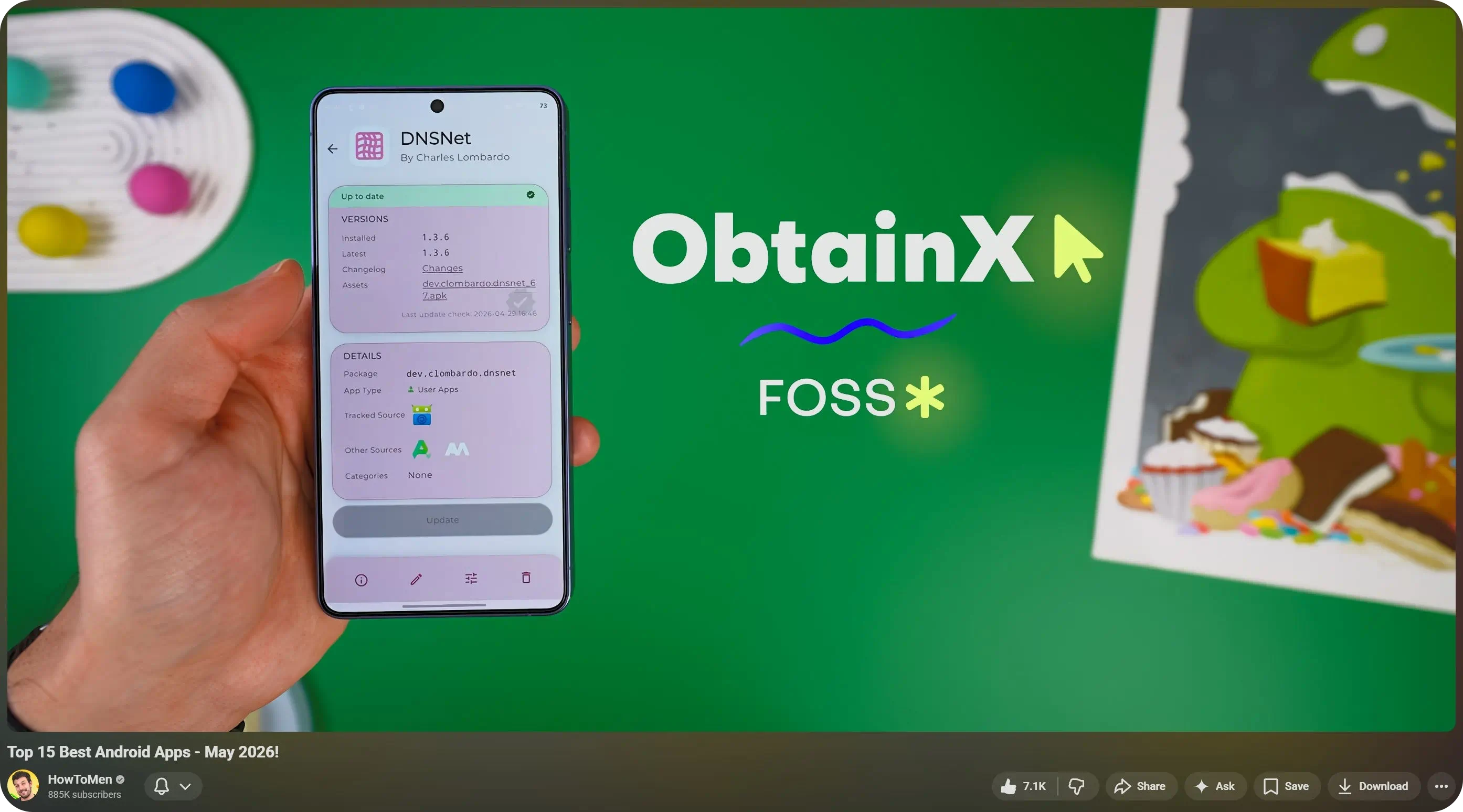
Featured in "Best Android Apps — May 2026!"
By HowToMen
📦 Downloads


Verification info
- Package ID:
dev.bikram.obtainx - SHA-256 hash of signing certificate:
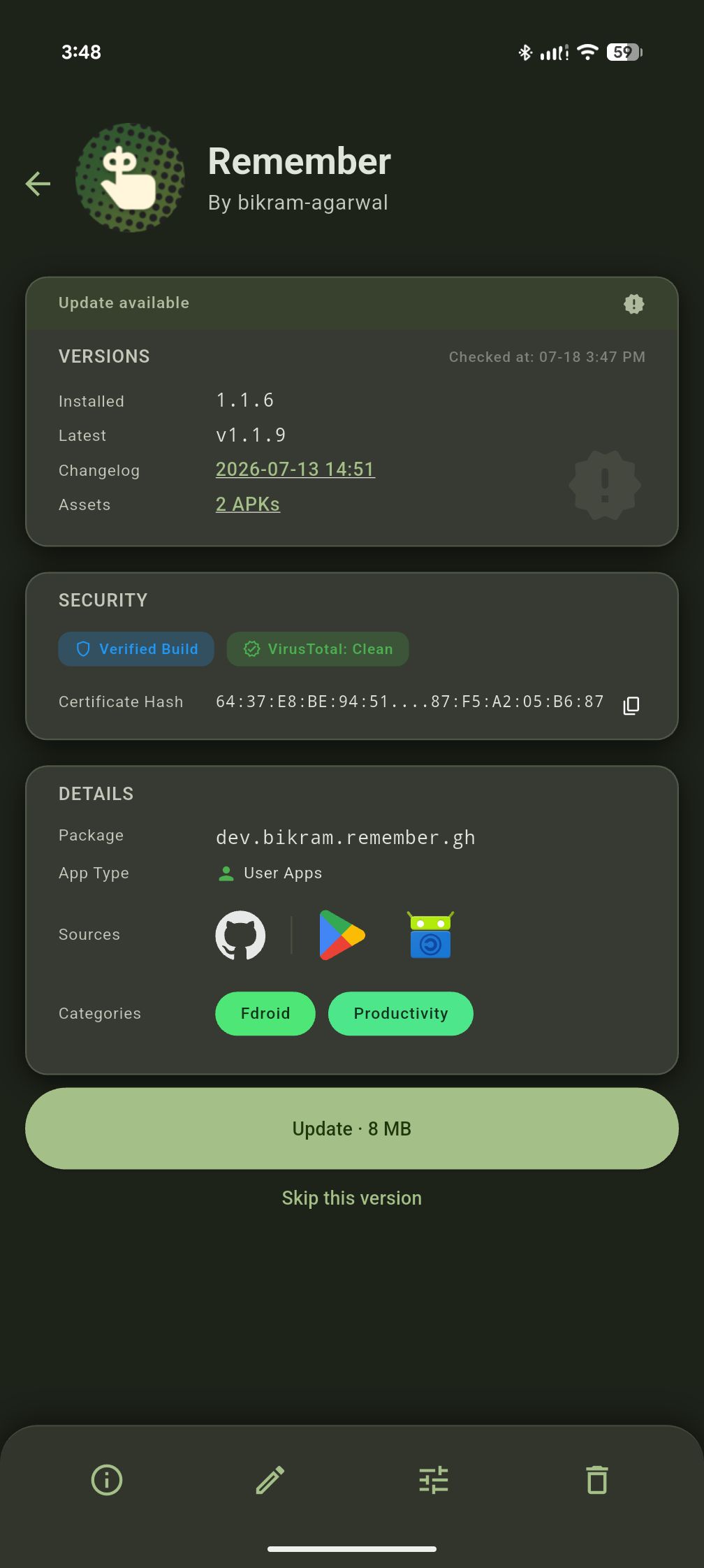
64:37:E8:BE:94:51:BD:7D:02:21:55:11:D3:E5:04:A8:8C:50:BE:72:B6:DD:05:AC:4B:5B:87:F5:A2:05:B6:87 - Note: The above signature is also valid for the F-Droid flavour of ObtainX, thanks to reproducible builds.
🔄 Seamlessly bring your data from Obtainium
If you want to try out ObtainX without losing your current setup, you can bring your existing app list over in seconds:
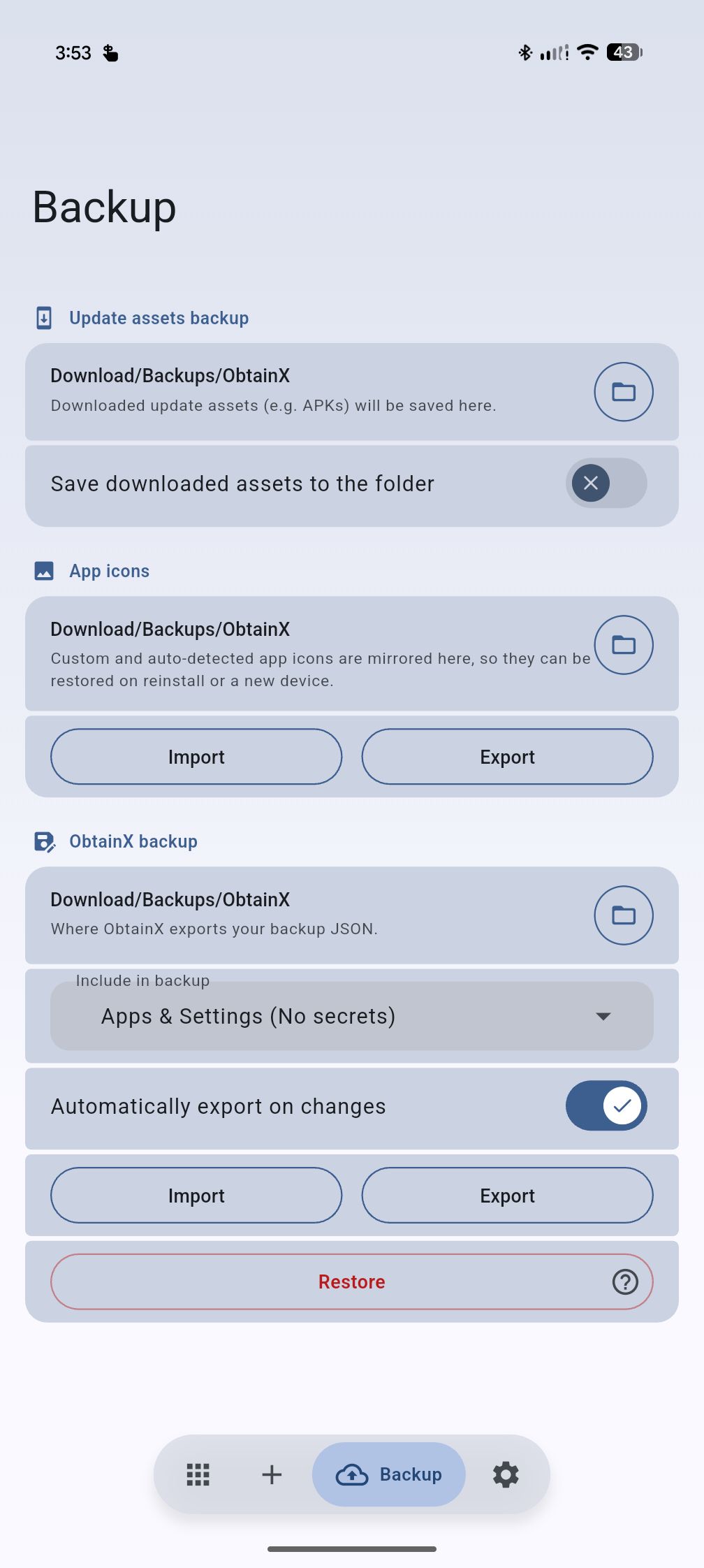
- In Obtainium: Open Settings and find the Obtainium export section, tap Export, and save the resulting .json file. (Older Obtainium versions kept this on a dedicated Import/Export tab.)
- In ObtainX: Go to the
Backuptab, select Import (or Restore), and choose that exact .json file. - Continue where you left off: All your tracked apps and settings will be instantly populated.
✨ Exclusive features in ObtainX
These are built from the ground up and are exclusive in ObtainX.
🏪 One app, many sources
The same apps can be tracked from multiple stores — independently, simultaneously, and interchangeably.
-
🔄 Swap tracked source — Tracking an app on GitHub, but want to switch to F-Droid or APKPure? Change sources in-place in two taps. The app keeps its folders, categories, and history — only where the updates come from changes.
-
📚 Track multiple stores at once — Track the same app across different stores simultaneously. Follow GitHub for nightlies, F-Droid for reproducible builds, and APKPure as a fallback — all simultaneously. Each listing with its own independent version tracking and settings.
🛡️ Security & Integrity
-
🛡️ Build verification checks — Runs automated cryptographic checks (F-Droid/Izzy reproducible builds, GitHub Release Attestations) on apps you add to flag tampered binaries before install. For total integrity, ObtainX's own updates are reproducible (F-Droid) and attested (GitHub). Learn more in the Build Verification Guide.
-
🦠 VirusTotal APK scanning — Optionally scan downloaded APKs with VirusTotal before installation. Flagged or failed scans ask you what to do (including Retry). You can turn scanning off for individual apps while leaving it on globally.
🗂️ Smart Organization
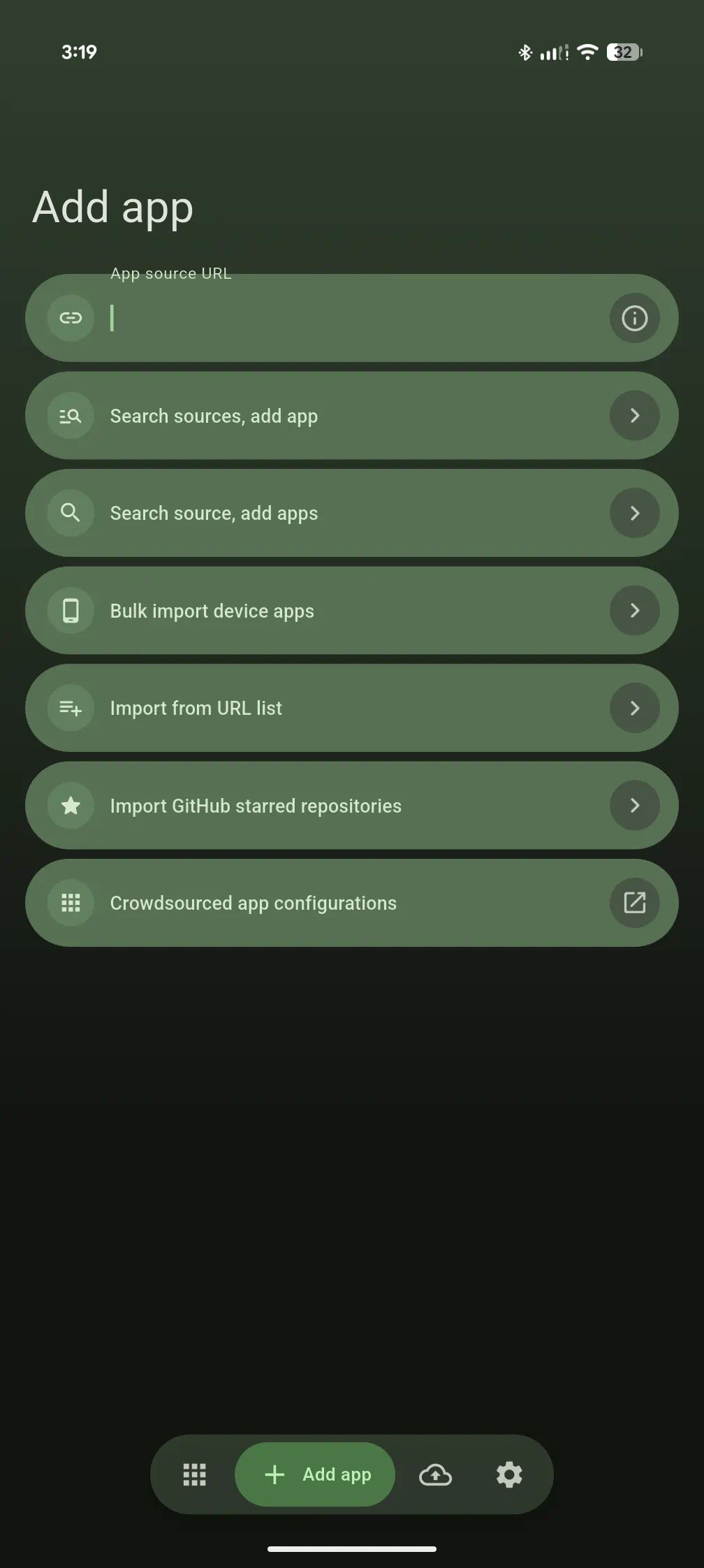
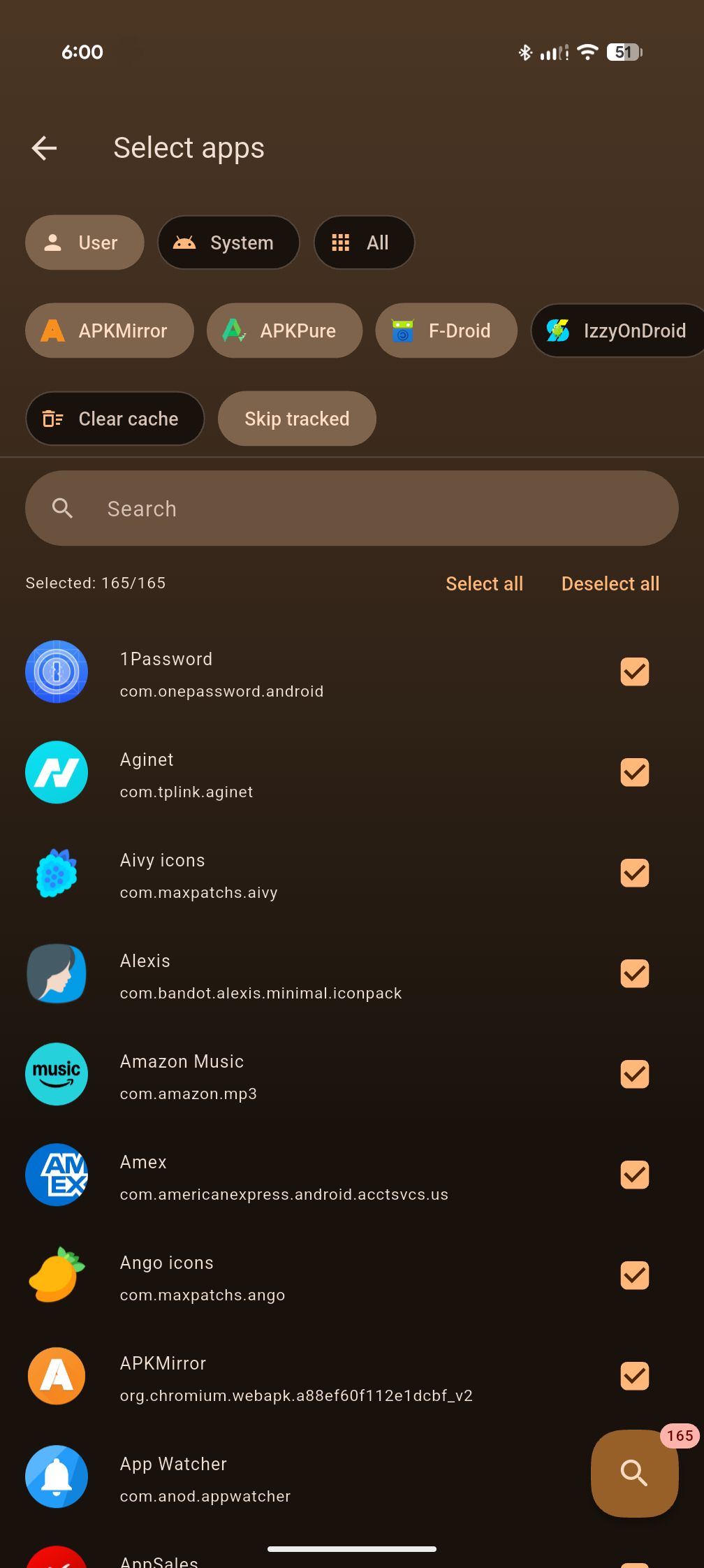
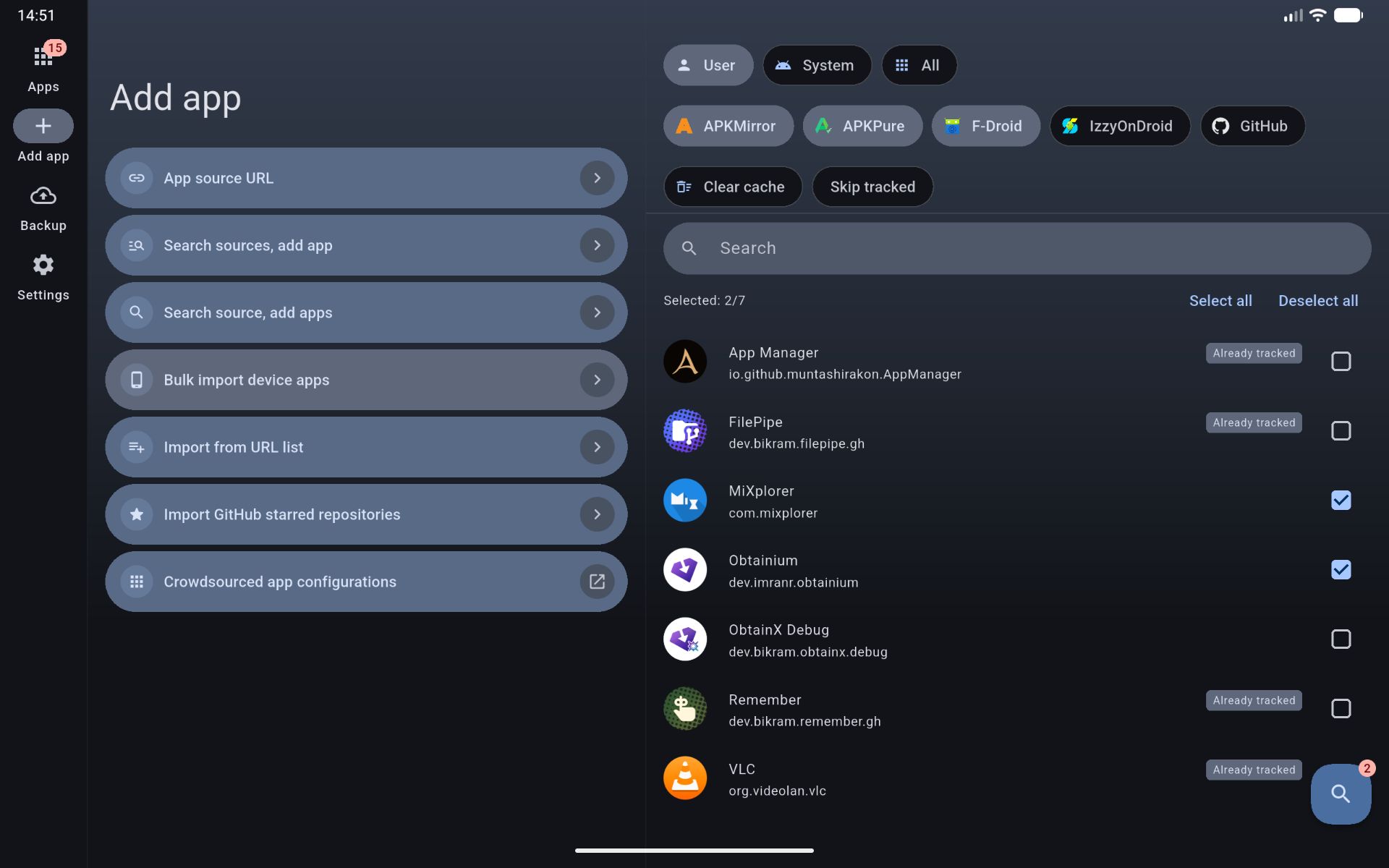
- 📥 Bulk import from fevice — Select any apps already on your phone and ObtainX automatically finds their sources on stores you choose. No URL hunting one by one.
- ✅ Selective import or restore — Insteadd of blindly importing entire backup (all or nothing), pick which apps and settings to import (add to existing content), or Restore (reset ObtainX, then add from backup).
- 🗂️ Dynamic folders — Group apps into folders manually or via automatic routing rules (by name, author, category, source etc.). Each folder retains its own layouts.
- 🕐 On-Demand Only mode — Mark rarely updated apps so they're hidden from the main list and aren't checked during global update scans. Query them only on-demand.
- 👆 Configurable two-way swipe gestures — Left and right swipe actions are independently configurable per row. Choose from Update, Install, Pin, Edit, Delete, Open, App Info, or None.
- ↩️ Undo after delete — Revert accidental app removals instantly via a 5-second toast notification.
- 🖼️ Custom app icons — If the app source publishes no icon, ObtainX smartly finds one: it pulls it from a downloaded APK, or from another store listing (APKMirror, F-Droid, APKPure, Play Store). Or you can set your own icon from the gallery or the web.
- 🖼️ Backup app icons — Backup those custom and auto-detected app icons into a folder you pick, so they can be restored after a reinstall or a move to a new device.
- 🔍 Verified "also available on" store links — Each app detail page shows other stores where the app is available. Long-press a store icon to swap tracking there, add it as a second listing, jump to an existing listing, or copy the link.
🚀 Advanced Update Controls
-
🧩 Advanced filter / RegEx assist — A built-in helper walks you through building regex filters on any field that supports them. No regex knowledge required. Full details in the Additional options guide.
-
⏭️ Skip version — Skip a specific release you don't want without marking the app as "updated." The next release will still show up normally.
-
🚩 Needs attention — Never lose broken apps in a long list again. Apps with issues — like signature mismatches, broken filters, or renamed repos — automatically float to the top of list with clear, plain-English fixes. Once resolved, they drop right back into place.
-
⬇️ Deliberate downgrades — Need to jump off a buggy pre-release back to stable, or deal with a developer rolling back a release? When an app's source build is older than what you have installed, ObtainX provides an explicit Downgrade button with data-safety warnings. It keeps downgrades out of your update badges and background syncs, and adds support for CorePatch alongside Let Me Downgrade.
-
💾 Save assets — Option to automatically save update assets (e.g. APKs) to your chosen folder, during update process itself.
🎨 Interface & Experience
- 🌈 Per-app color theming — Each app's detail page derives its color scheme from the app's own icon. Deep, accurate, and dark-mode safe. Toggle Match app page to icon colors in Settings.
- 🪄 Hero icon transition — Tapping an app row animates its icon smoothly into the detail page. Swipe back and it returns the same way.
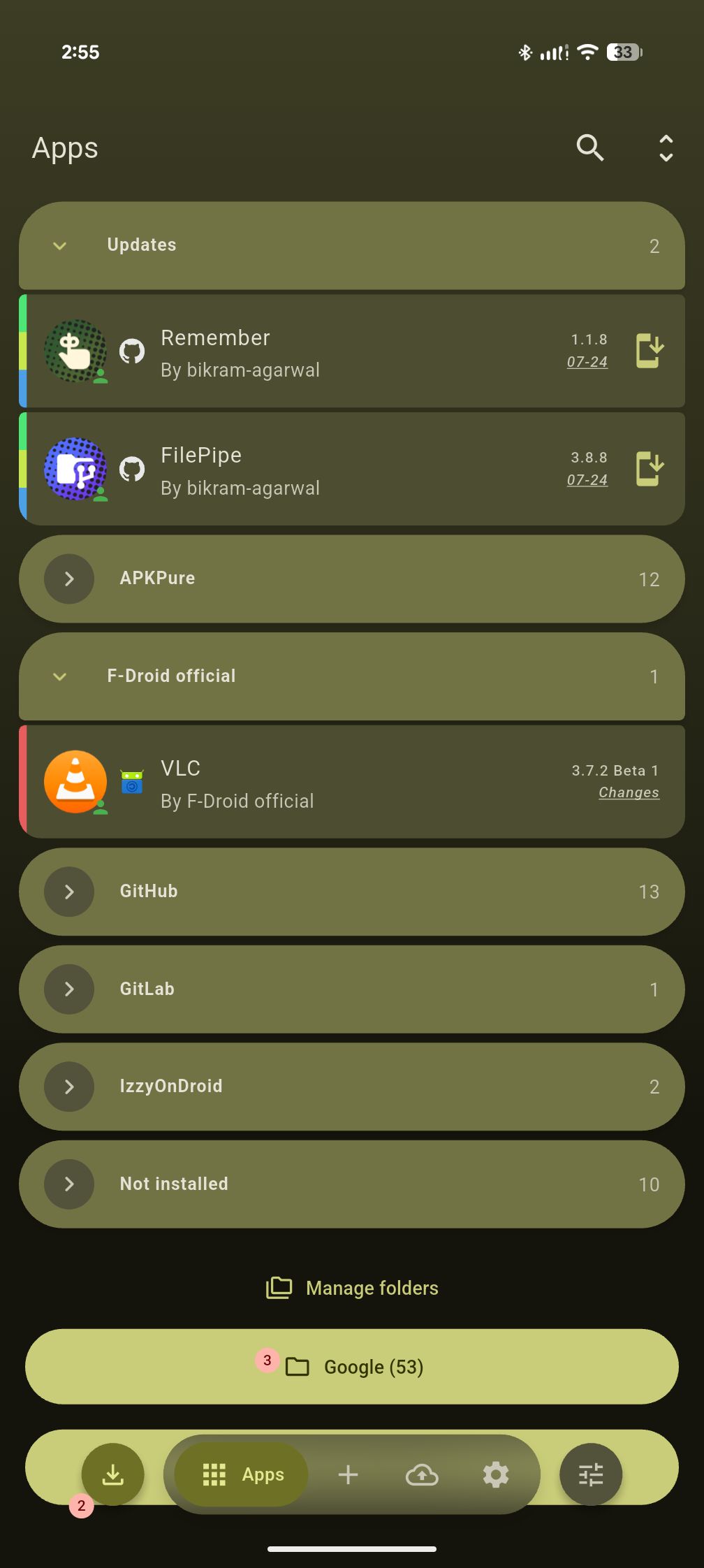
- 🎫 Rich, customizable app rows - See app type, tracking source, author, version, and category tags at a glance. Choose between full text badges or minimal stacked color strips to keep your list clean and uncluttered. Direct / HTML sources show the site they came from.
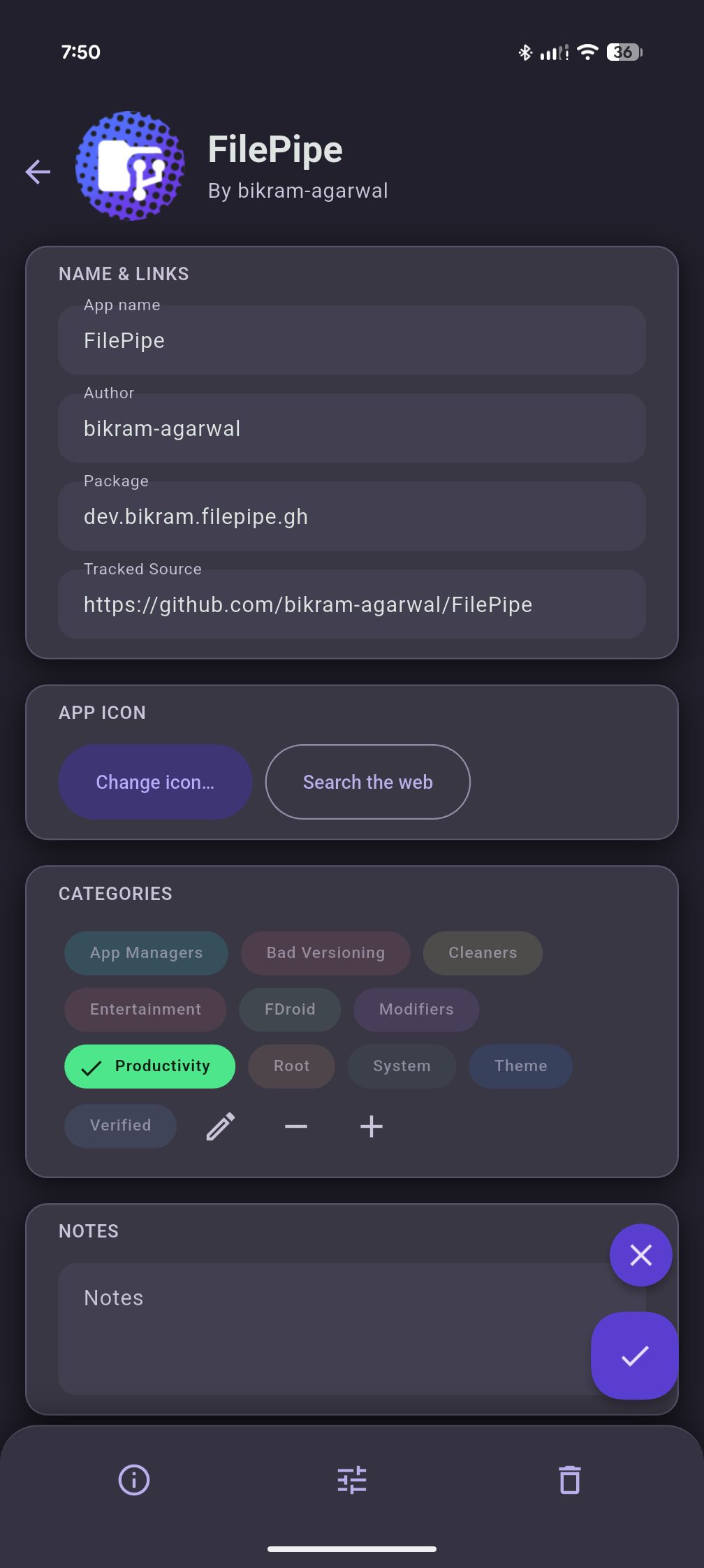
- ✏️ Inline edit on detail page — Edit any app's metadata directly from its detail page. An unsaved-changes guard prevents accidental data loss.
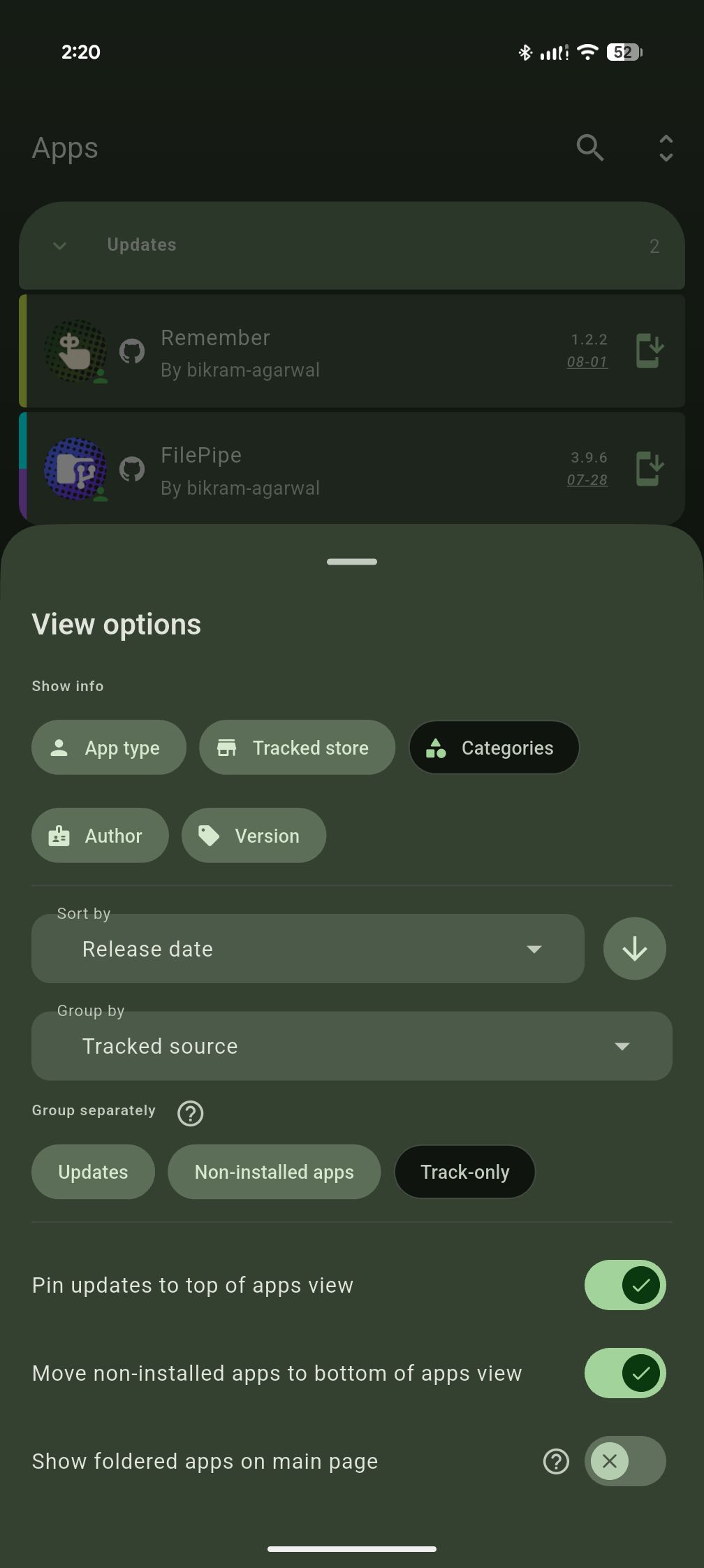
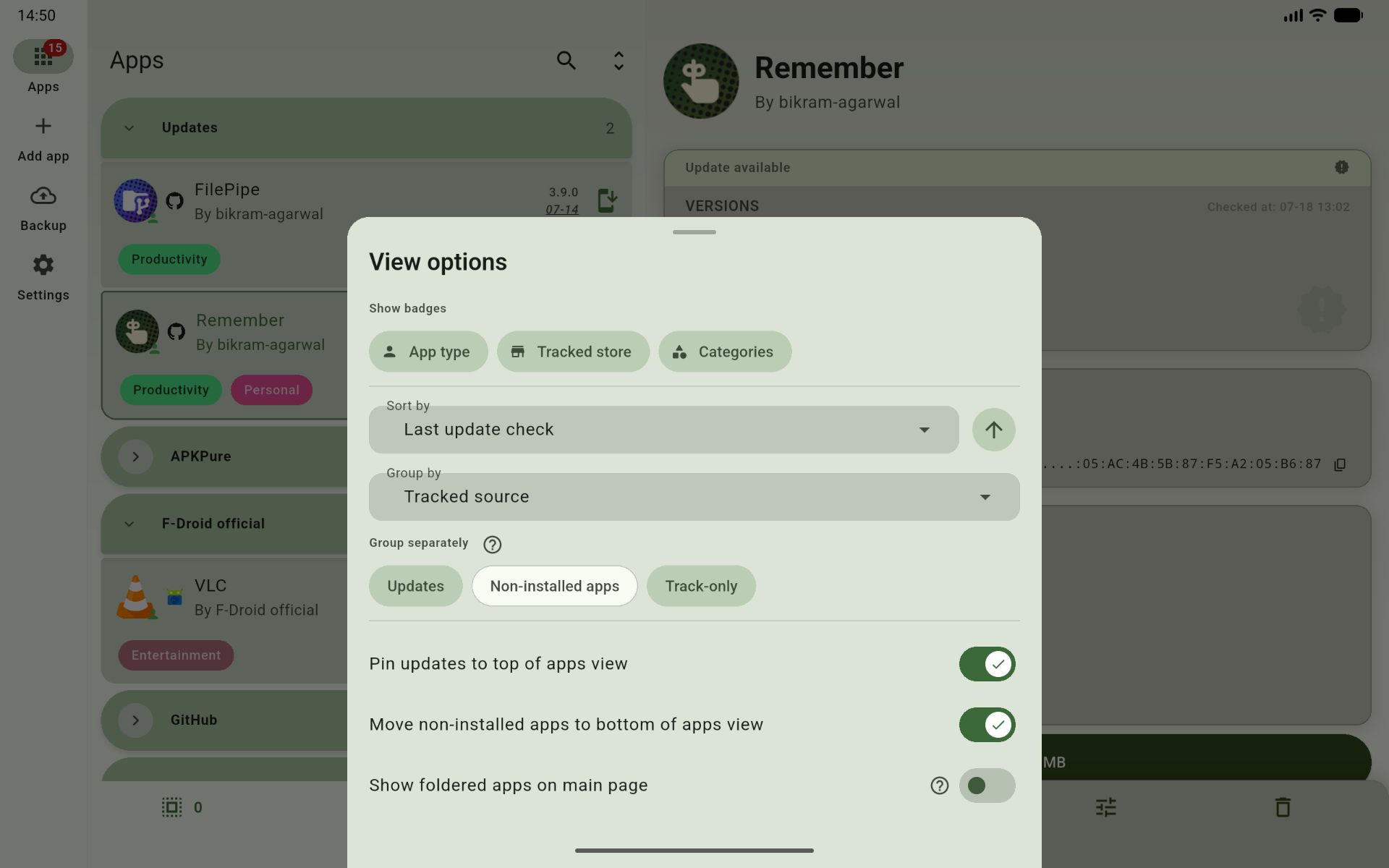
- ⚙️ View options on Apps tab — Grouping, sort order, and other organization controls live on the Apps tab itself (instead of separate settings page) so you can tune the list and see the result immediately.
🧭 Pioneered by ObtainX — now in Obtainium too
These features were also built from ground up and first released in ObtainX; and are now available in Obtainium too.
- 📦 Third-Party Installer Support — Hand off updates to third-party installers like InstallerX or App Manager to review APK metadata (trackers, permissions, target SDK etc.) before installing (data hidden by stock installers). Essential for devices running under Google Advanced Protection.
- ⚖️ Know the update size beforehand — See the exact download size for every update - across supported stores - before you even hit the update button.
- 🛑 Stop download — You can stop any ongoing download from the app, the notification, or the update queue.
- 🏷️ Category customization — Pick an exact color (hex or hue slider) and rename a category so every app carrying it updates automatically.
- Feature still exclusive to ObtainX: automatic black/white label text for readability at any color, and bulk edits that merge (add/remove) instead of overwriting each app's existing categories.
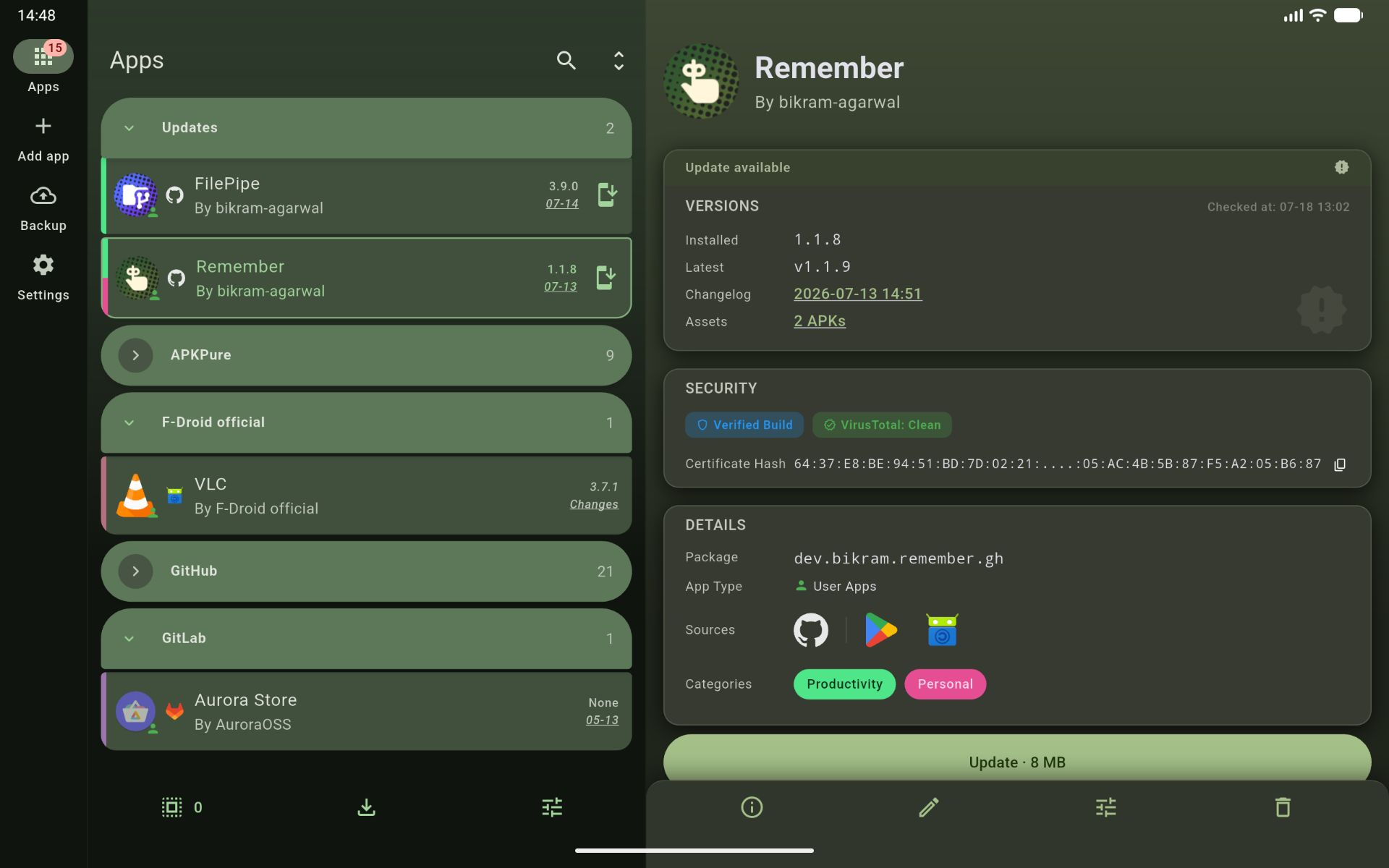
- 📐 Adaptive tablet, foldable & landscape layout — On large screens the app list sits side-by-side with the app's detail page, so tapping or editing a row opens it in place rather than pushing a full screen. Obtainium adopted this two-pane app list later — but that one screen is as far as its tablet support goes.
- Feature still exclusive to ObtainX: a genuinely complete tablet UI. A navigation rail pinned on the left lets you jump between tabs from anywhere, and the Settings, add-app and bulk-import screens all reshape into proper two-panel big-screen layouts too. In Obtainium, every screen except the apps list currently retain their single-pane phone layout.
- 💫 Material 3 Expressive throughout — Full M3 Expressive treatment across every screen: cards, fluid animations, expressive sliders, FAB and controls that feel like one product.
- 🔎 Live search bar — An on-page search bar with the list filtering live as you type (Obtainium originally offered only the filter sheet).
- Feature still exclusive to ObtainX: Obtainium's search bar scrolls away with the apps list, so after scrolling down you must scroll to the top to reach it. ObtainX keeps a small search button pinned at the top (without wasting space), so you can jump into search from anywhere.
- 🗃️ Settings and form options in cards — Settings are visibly grouped into labeled cards instead of one long wall of options.
- Feature still exclusive to ObtainX: each section card is collapsible - independently or collapse-all. And the per-app Additional options screen is sorted into categorized section cards, where Obtainium still shows one long, undifferentiated list.
🔧 Enhanced Features
Optimizations made to legacy Obtainium features.
-
🏪 APKMirror updates — In Obtainium, APKMirror apps are track-only, so the update button has nowhere to take you — you can only mark a version as installed. ObtainX keeps tracking accurate but makes the update action functional, opening the specific release page for the new version. (Bulk Import is also supported.)
-
🧠 Smarter version status — ObtainX handles harmless version label differences more intelligently, so you're only notified when there's genuinely something new. Six distinct states instead of a binary "update / up to date" pair: up to date, update available, device is ahead, same version shown differently, genuinely unclear and Not installed.
-
🎯 Add App — three paths, one screen — URL, Search, and From Device are all on one screen under a segmented control. Search results load inline alongside store chips — no floating sheets, no separate screens. New searches can be started without needing to go back-n-forth.
-
🔭 Track-only source improvements — Shows installed version from the device when the package ID is known. The Update button opens the concrete release page, not just the app listing. In Obtainium, if the wrong package ID is fetched (or none at all), the app shows as "not installed" forever and update notifications never work right — with no way to fix it. ObtainX surfaces this clearly and lets you edit the package ID directly from the app page, instantly restoring correct install detection and update tracking.
-
🔖 Powerful, live filtering — ObtainX rebuilds Obtainium's basic filter into a powerful tool. Filters like up-to-date, installed and track-only become three-state (include / exclude / off) instead of simple on/off toggles, and categories can be included or excluded and matched by Any or All — where Obtainium only lets you include categories, matched as "any." The apps list updates live as you change options, with no apply step required. Active filters also appear as dismissible chips at the top: tap one to clear just that filter.
-
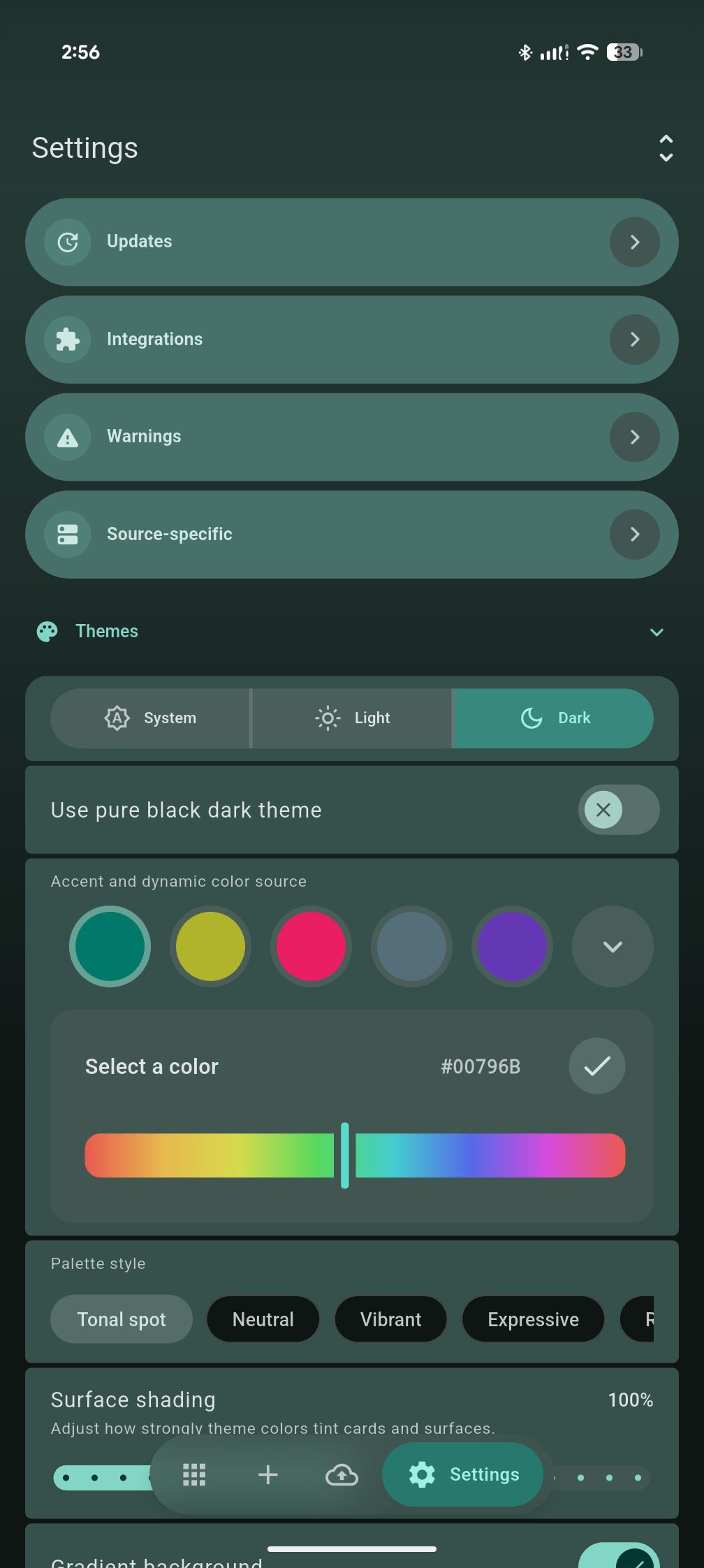
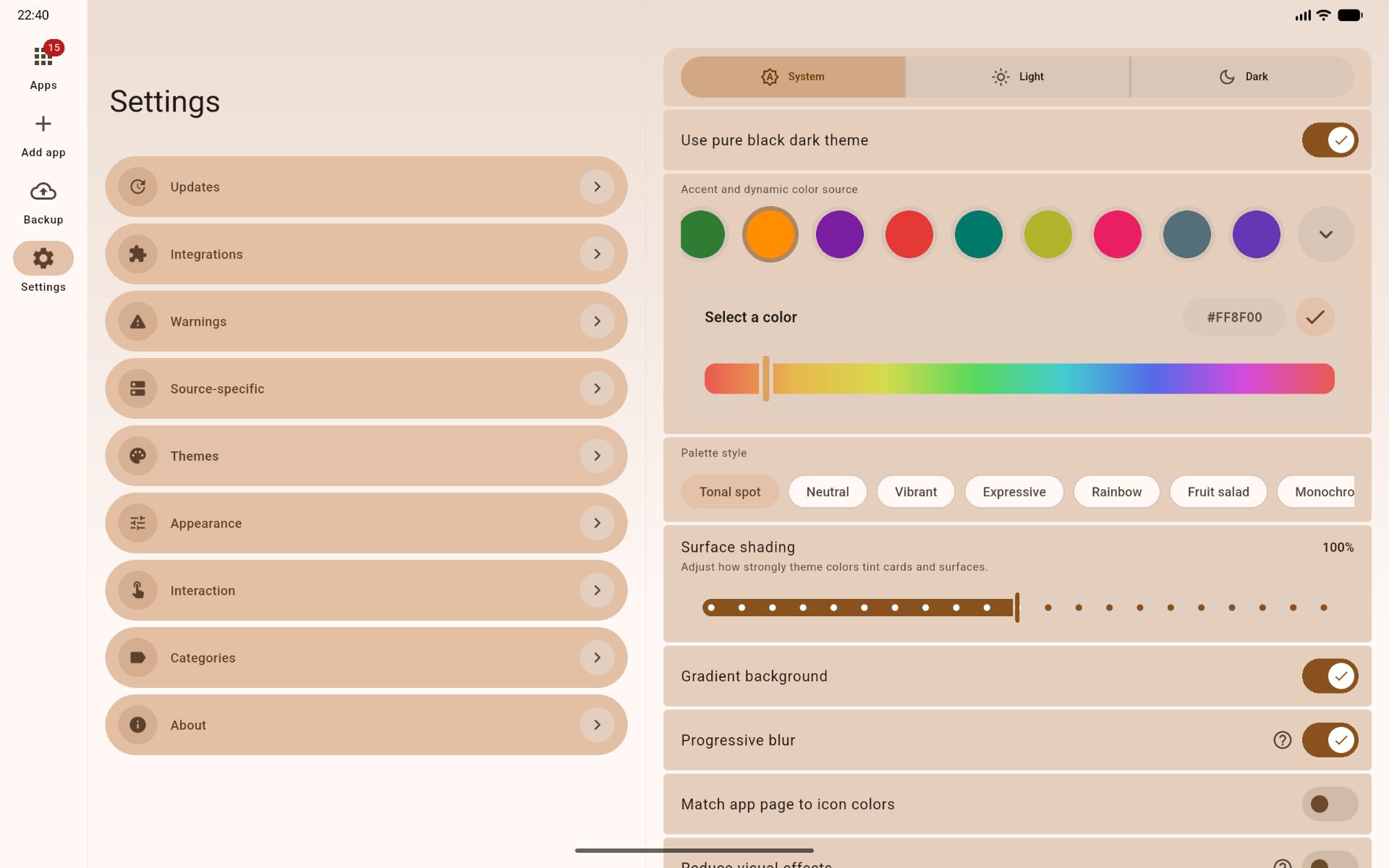
🎛️ Total theme customization — You control the theme (system, light, dark, AMOLED), color (Material You, presets or any HEX), palette, color shading intensity, gradient, progressive blur, roundness of UI corners, UI scale, and more. It's not just an afterthought - it's a full blown theme engine. Make it yours.
-
🗄️ Richer app list grouping — Group by source (Obtainium adopted in July 2026), app type (user/system/privileged), or update status (update available, newer on device, same version, not installed etc.) A separate level of intelligent grouping for "Updates", "non-installed" and "track-only" apps.
🖼️ Screenshots
 |
 |
 |
 |
 |
 |
 |
 |
 |
 |
 |
 |
 |
🎥 Screenrecords
Original Obtainium
ObtainX is a fork of Obtainium, licensed under GPL-v3.
Read the original Obtainium README here.
➕ More Apps
 Remember Notes, tasks, and reminders that keep coming back until they are done. |
 FilePipe Your files, your rules. Automatically sort and move media with smart rules. |




Made with ❤️ by Bikram Agarwal
Release Notes & Changelog
✨ New Features
- Needs attention: apps that are stuck now have their own section at the top of your list, and their page explains the problem in plain words. Examples: a filter no longer matches any release, the package ID changed, the build doesn't fit your device, it's signed with a different key than the installed app, VirusTotal flagged it, or it failed a reproducible-build or attestation check. Renamed repositories show up here too. An app leaves the section once its problem is fixed.
- Downgrade: when your phone has a newer version than the source offers, the app page now shows a Downgrade button, with a warning that the older version keeps the app's data and might break. It needs "Let Me Downgrade", CorePatch, or an installer that can downgrade. For track-only apps it opens the release page, and "Mark downgraded" records a downgrade you did yourself.
|
Allow explicit app downgrades |
Needs attention grouping surfaces apps with problems |
🛠 Improved Features
- Import from list (formerly "Import from URL list") now shows a preview before adding anything. Apps you already track are listed separately and never overwritten. The rest load with their real name and icon, any that fail say why, and you pick which to add.
- You can now paste ObtainX or Obtainium app links, shared configuration links, or exported app JSON into Import from list, mixed with plain URLs. Each app keeps the settings its link carried.
- Opening an app link from another app now shows the same preview. If you already track the app, you're taken straight to it. Links can no longer change your ObtainX settings.
- "Allow downgrade with modules" (Settings → Integrations) now works with CorePatch as well as "Let Me Downgrade".
- "Only while charging" and "Only on Wi-Fi" are now enforced by Android itself, so ObtainX isn't woken up just to skip. With these turned on, background checks also wait, not just installs.
- Background updates no longer keep downloading a release that was already blocked by a security or verification check.
- The "other stores" row on an app's page now fills in the first time you open it (including apps already installed) and after failed checks. It can find an app's GitHub page through its F-Droid listing. Apps added several at a time get their icons and store links in the background.
- Buttons and settings you can't use yet now look greyed out and tell you why when tapped (for example, "Pick a folder first").
- On the app details page, a "Filtered" chip is shown next to the latest version when you have some filter set in options.
- Pull-to-refresh on an app's page now matches the main list.
- The backup import list no longer shows a misleading version numbers from the json.
🐛 Bug Fixes
- F-Droid apps that publish a separate APK for each processor type no longer switch to the wrong one (for example, an x86_64 build on an ARM phone).
- When your filters rule out every release, ObtainX now shows "None" and stops offering an old release they exclude.
- "Include pre-releases by default" now applies everywhere you add apps: bulk add, lists, links and "Track here too".
- Apps from APKMirror are now recognized by their real package name, so they match the app installed on your phone.
- A flaky connection or a busy store no longer marks an app as "not on F-Droid, IzzyOnDroid or Play Store" for good, and one store failing no longer hides the others.
- The "other stores" row no longer shows stores the app isn't actually on.
- Turning off "Allow downgrade with modules" now actually takes effect.
- Background updates that were missed (screen on, unplugged, off Wi-Fi, or a failed download) now retry within minutes instead of waiting for the next full check interval.
- Background installs now run when your phone is plugged in but fully charged, or held at a battery-protection limit.
- Fixed background runs sometimes breaking ObtainX's record of when apps were last checked, until you restarted it.
- Fixed some changes, such as marking an app On-demand only, occasionally being lost after a restart.
- Tapping Export before choosing a backup folder now saves the backup once you pick the folder.
- Downloaded app bundles and leftover copies of ObtainX's own updates no longer pile up in storage.
Declared Android Permissions
21 totalShizuku API Permissions
This application connects to the Shizuku service to execute system-level operations with ADB elevated privileges.
Standard Android Permissions
Specifications
Install via ShizuStore to enable automatic updates and silent installations using Shizuku.
More in Installer & app stores
Other applications in this category