
twig
v1.11.1Screenshots
(12)About Application

Twig
English · 中文
A size-first, dual-pane file manager for Android: every storage source lives in one tree and expands in place, instead of each being its own screen to enter. Native Kotlin and XML views, no Material library, minimal dependencies. When something can reasonably be written by hand, it is: WebDAV, S3 signing, git and restic are all implemented from scratch.
Version 1.11.1 (versionCode 297) · minSdk 24 / targetSdk 34 / compileSdk 36 · GPL-3.0
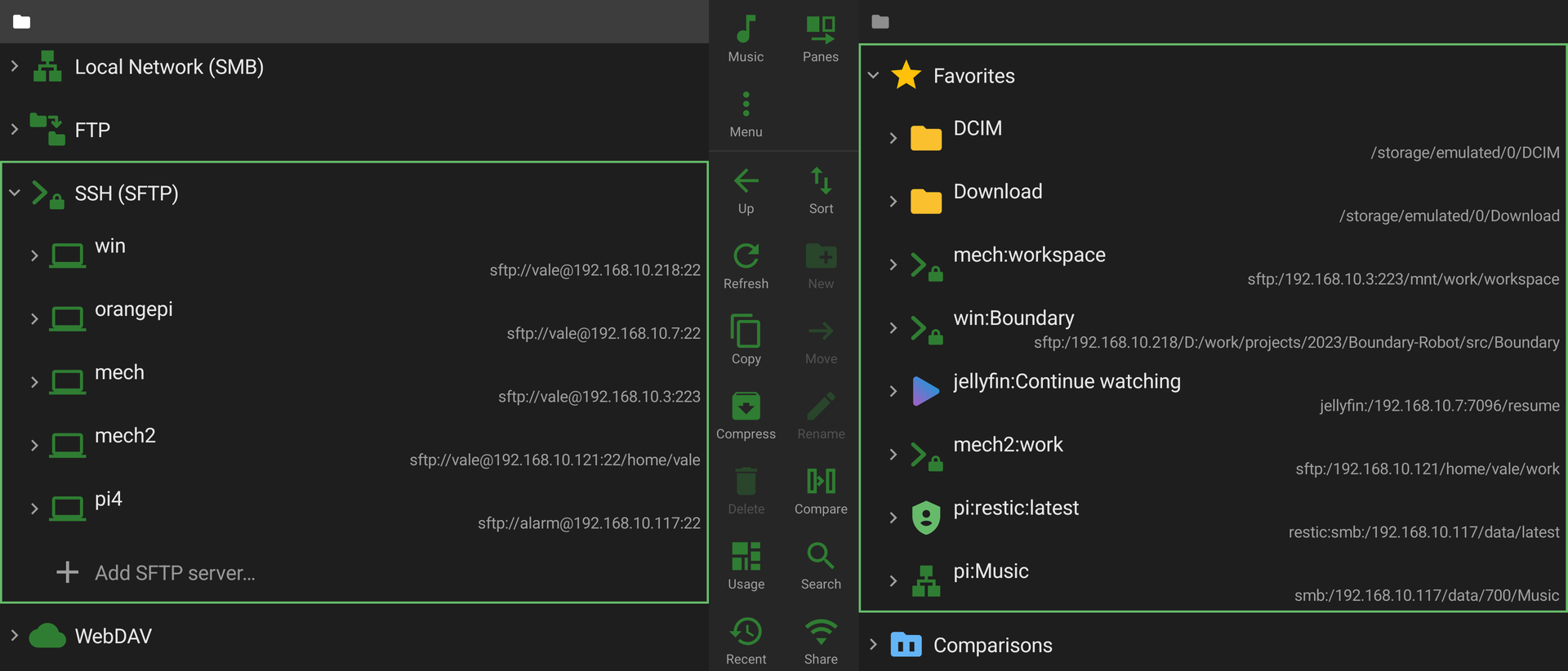
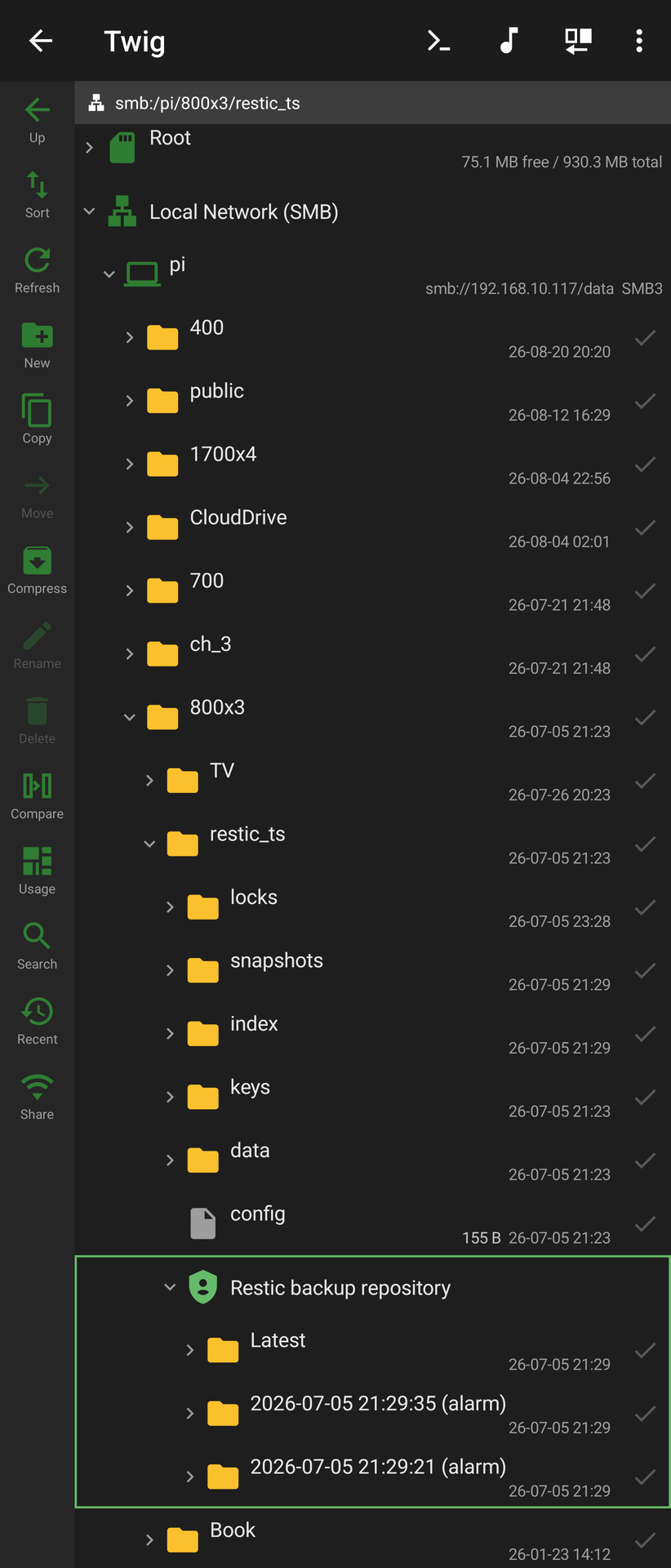
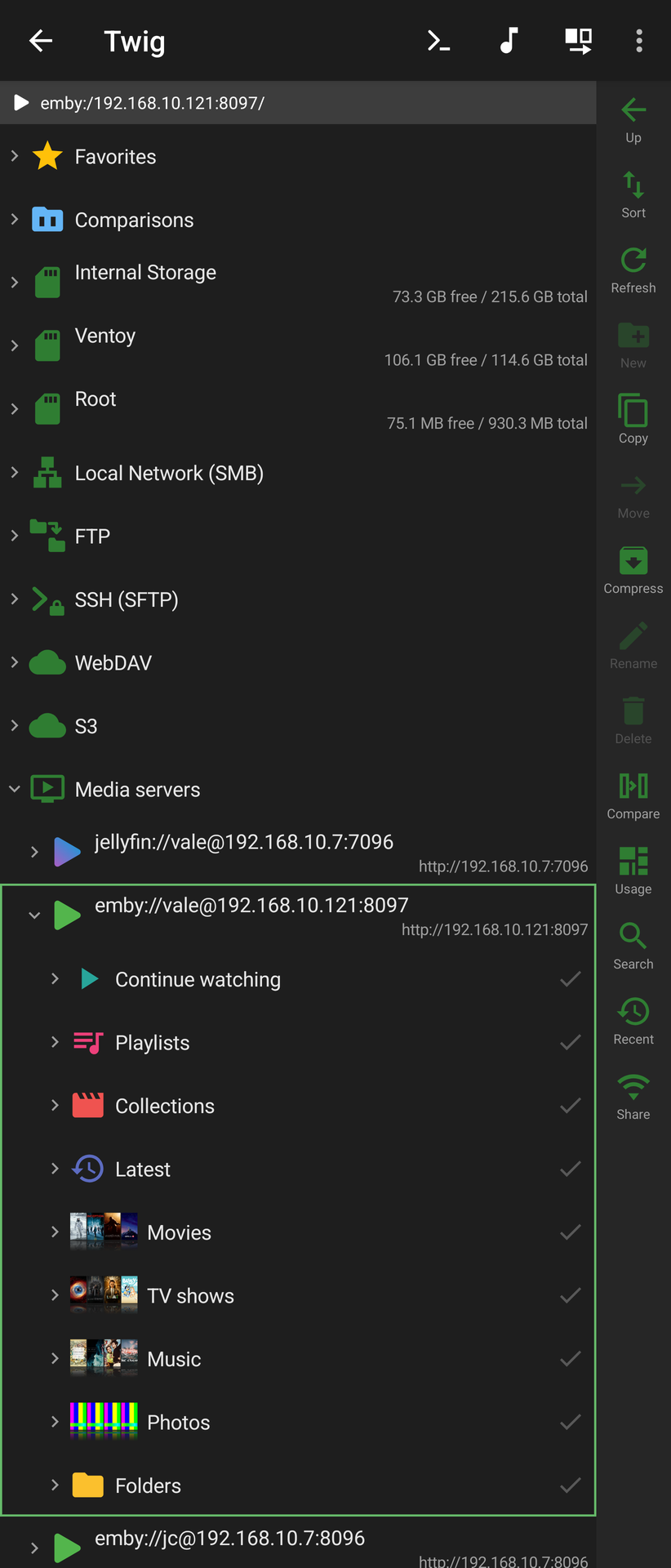
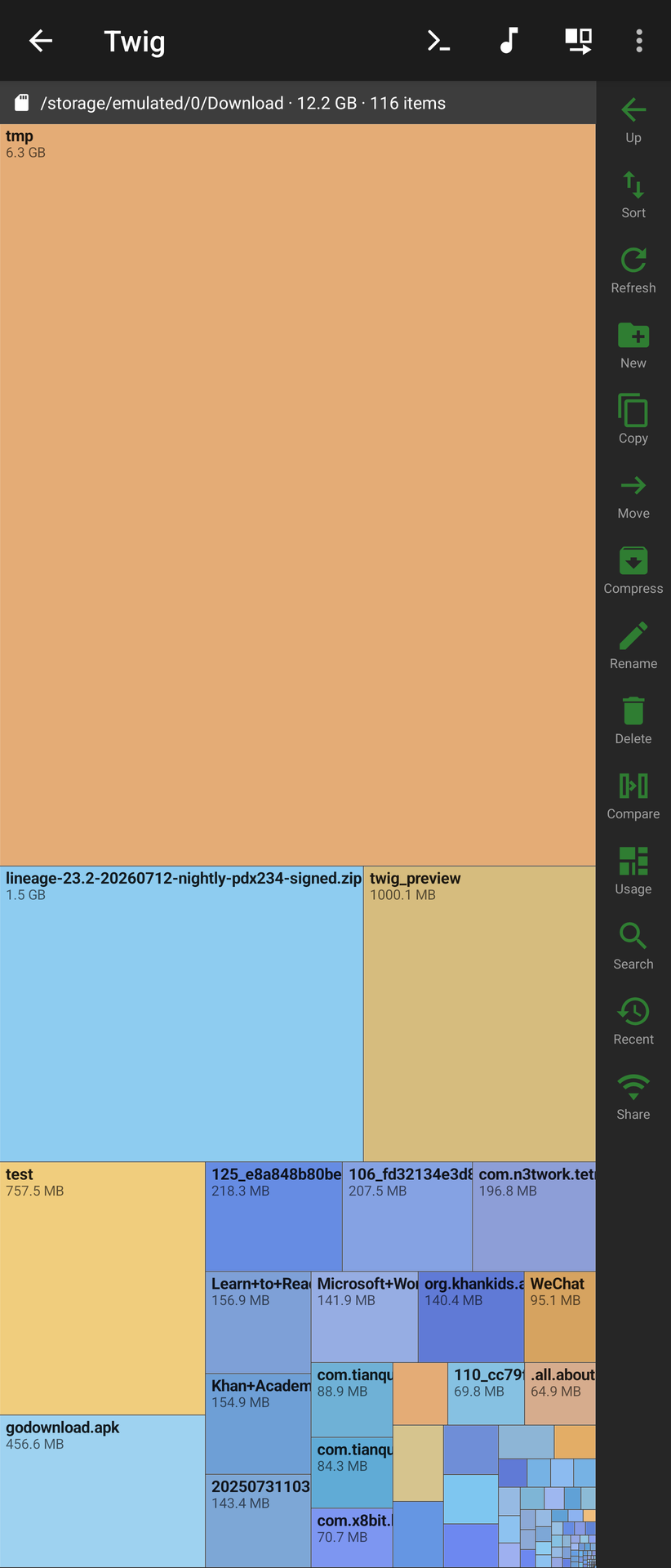
| One tree, every source | restic, decrypted on device | A Jellyfin library as a filesystem | Disk-usage treemap |
|---|---|---|---|
 |  |  |  |
More — directory compare, Wi-Fi sharing, terminal
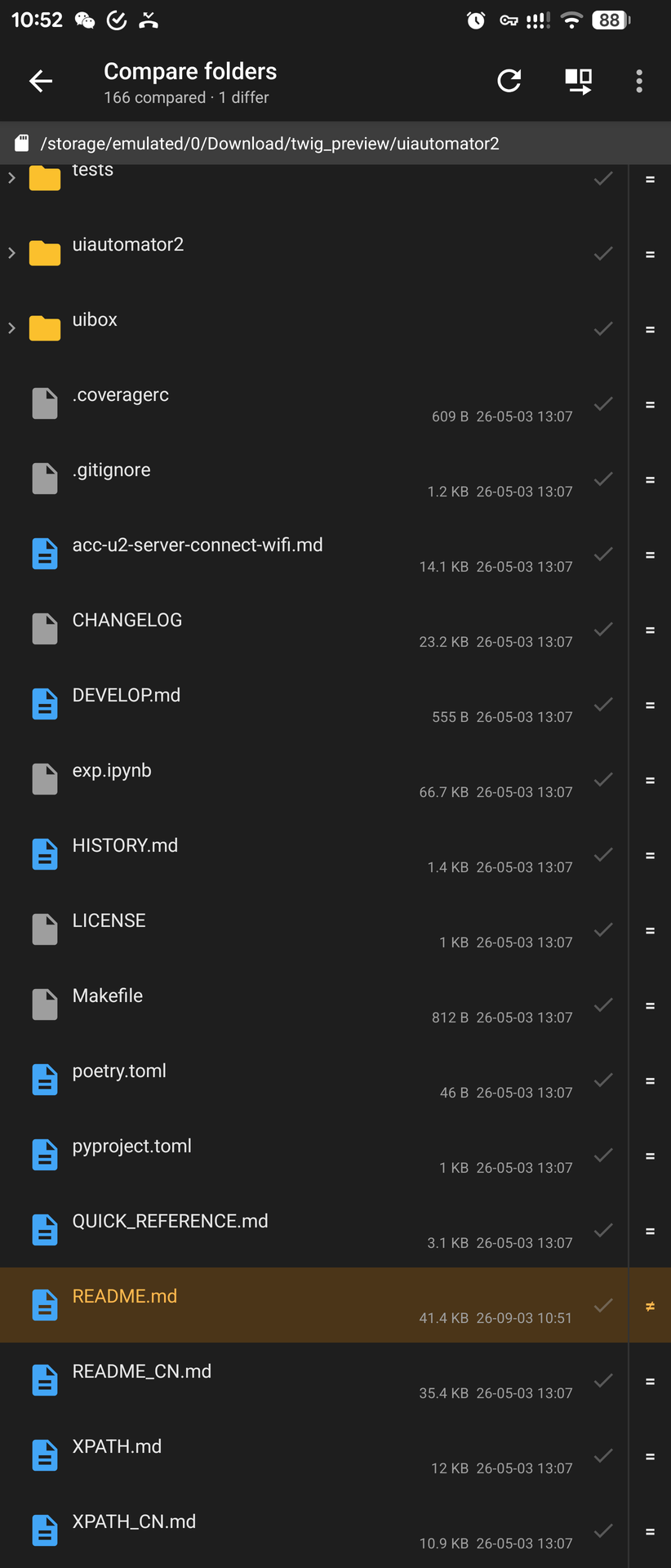
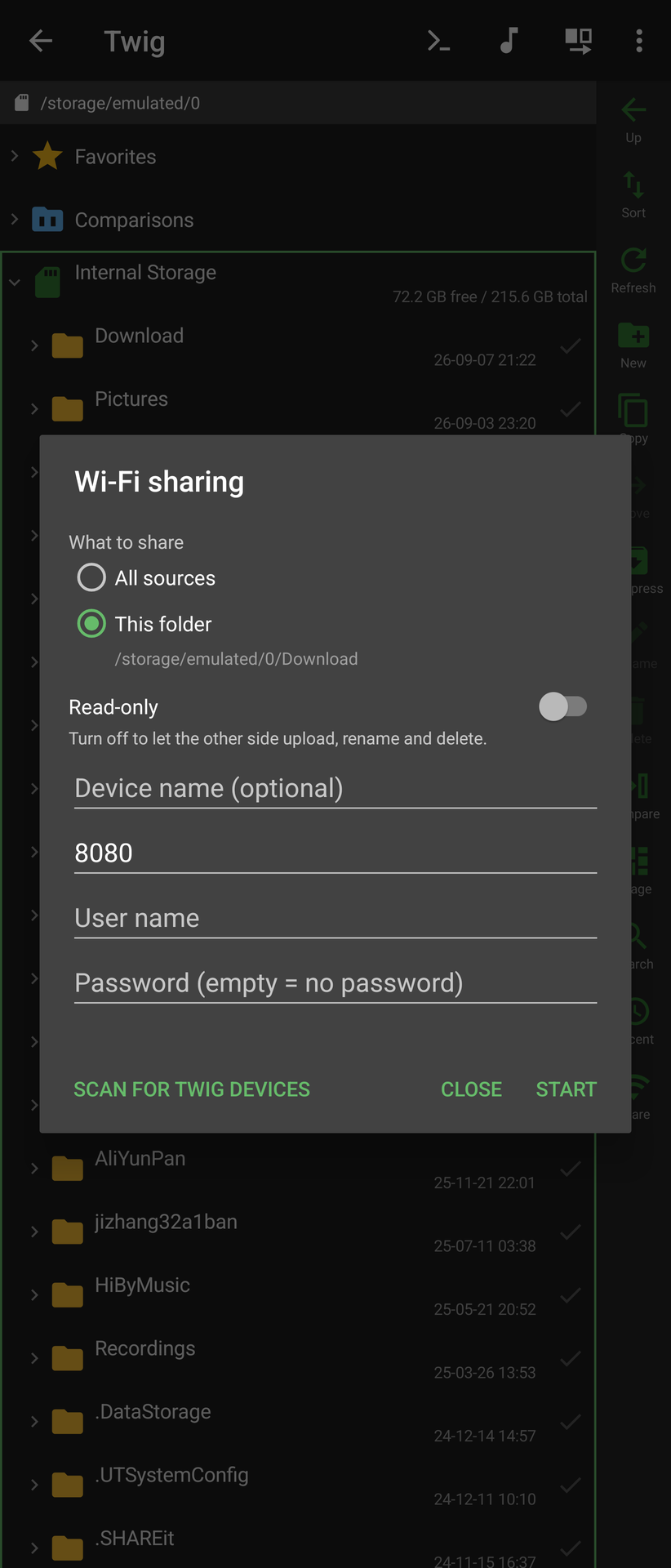
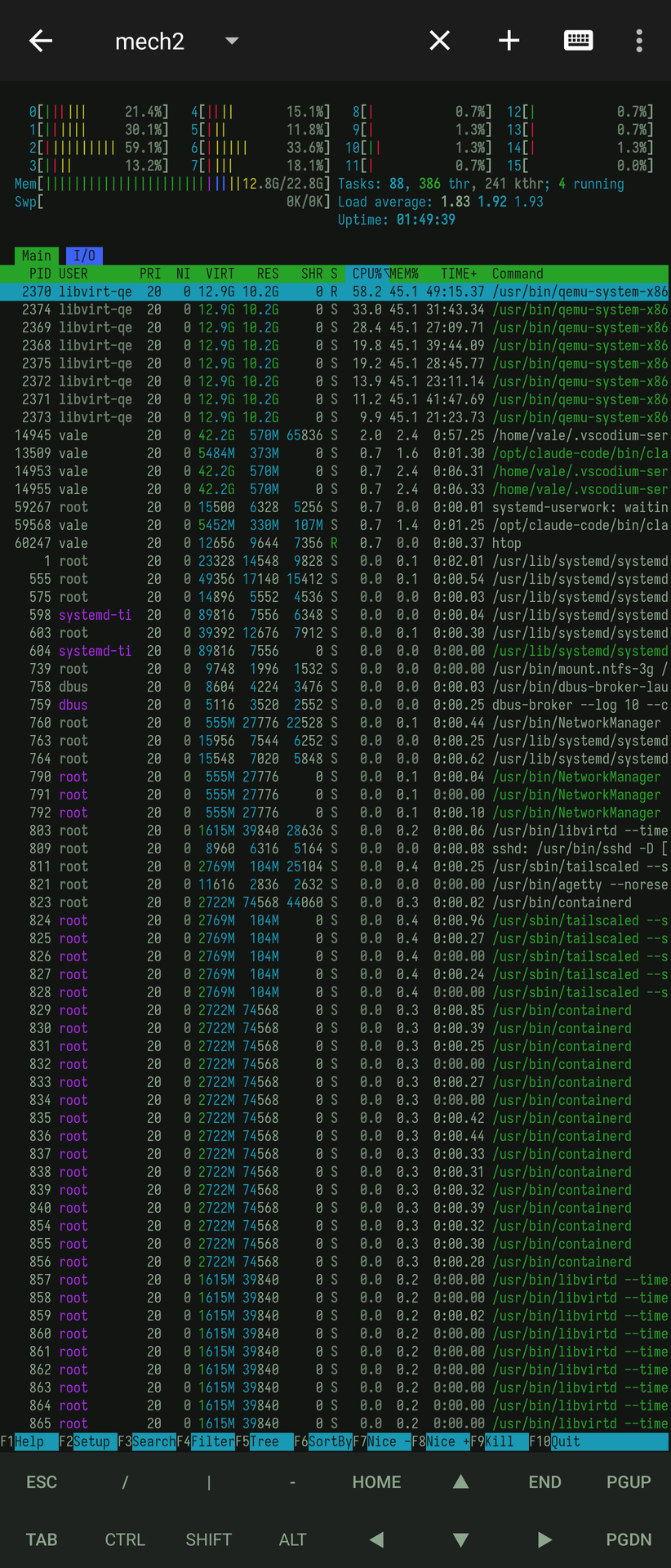
| Directory compare | Wi-Fi sharing | Built-in terminal |
|---|---|---|
 |  |  |
The rest of the gallery — browsing, media servers, viewers, sharing, terminal
Browsing
| Favourites across every source | Long-press menu on a folder | Copying between two sources | Packing into the other pane |
|---|---|---|---|
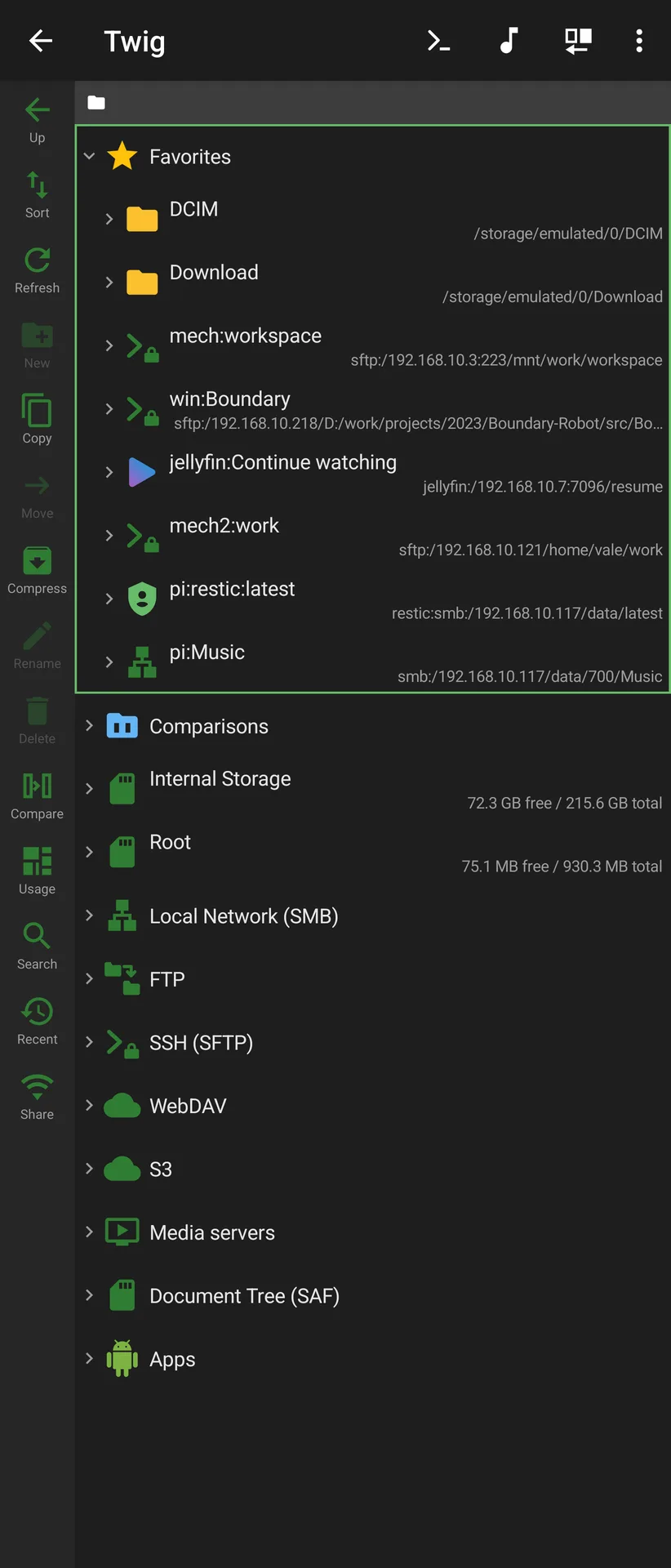 | 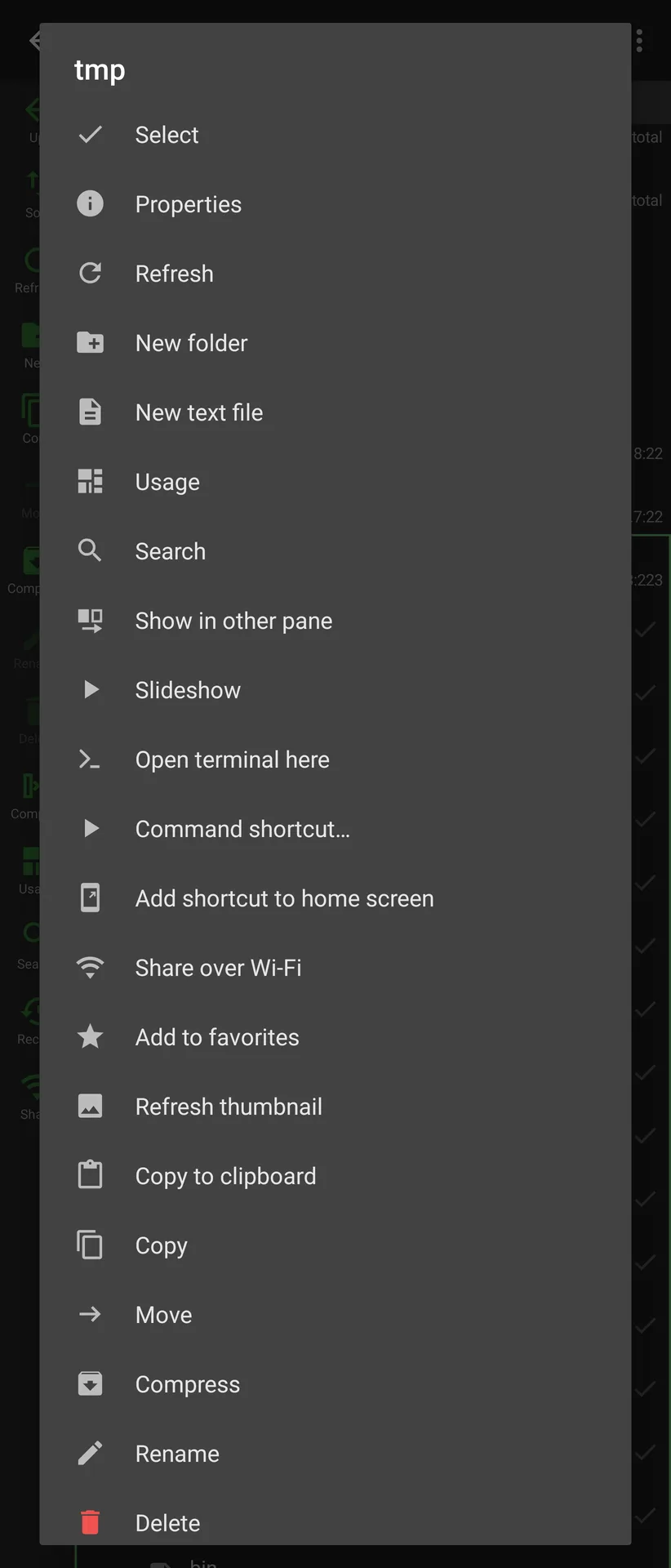 | 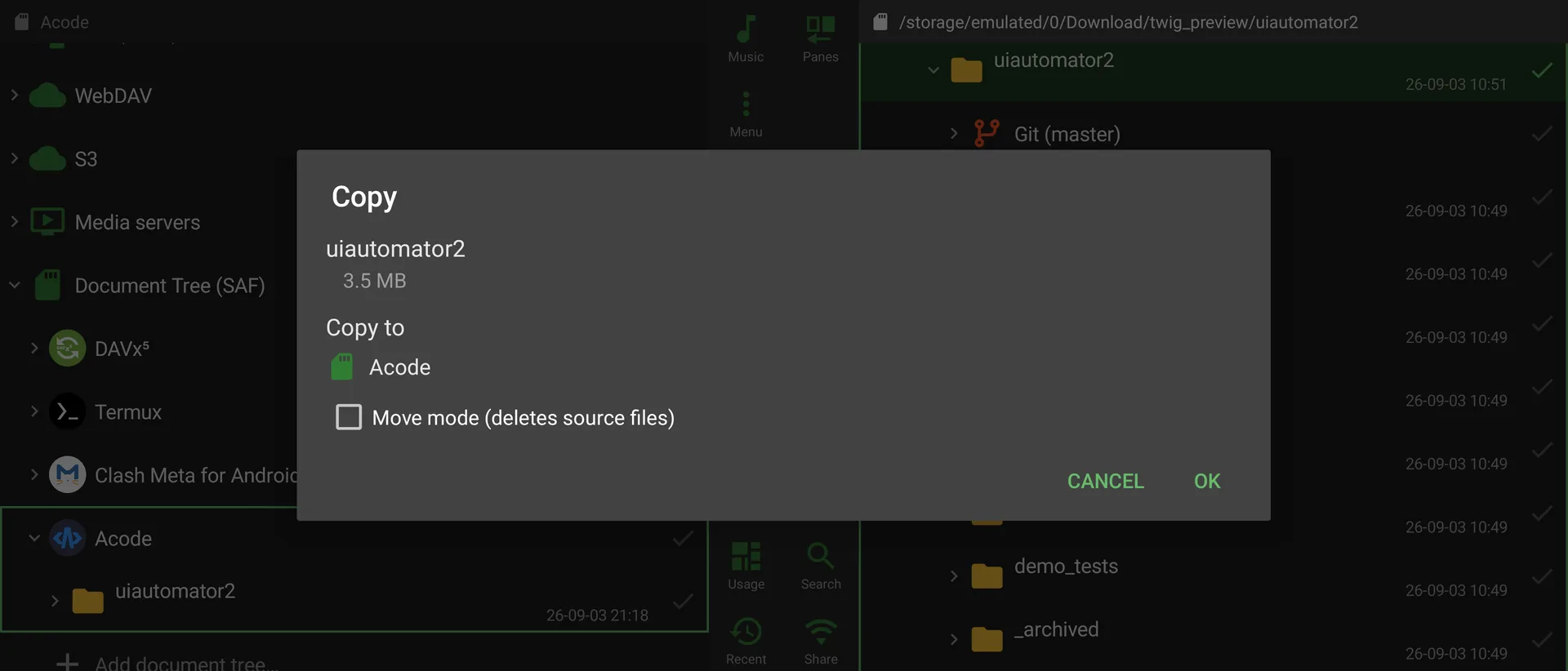 | 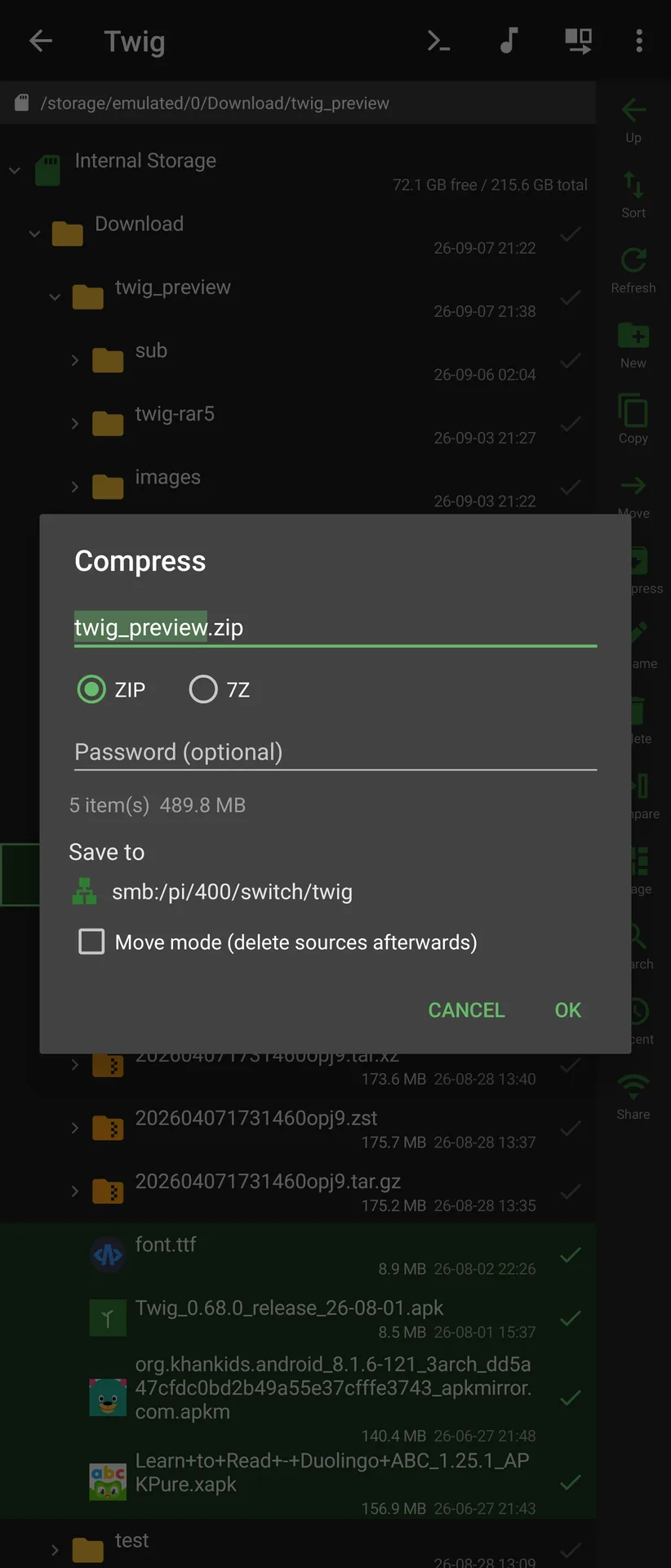 |
Sources, appearance and shortcuts
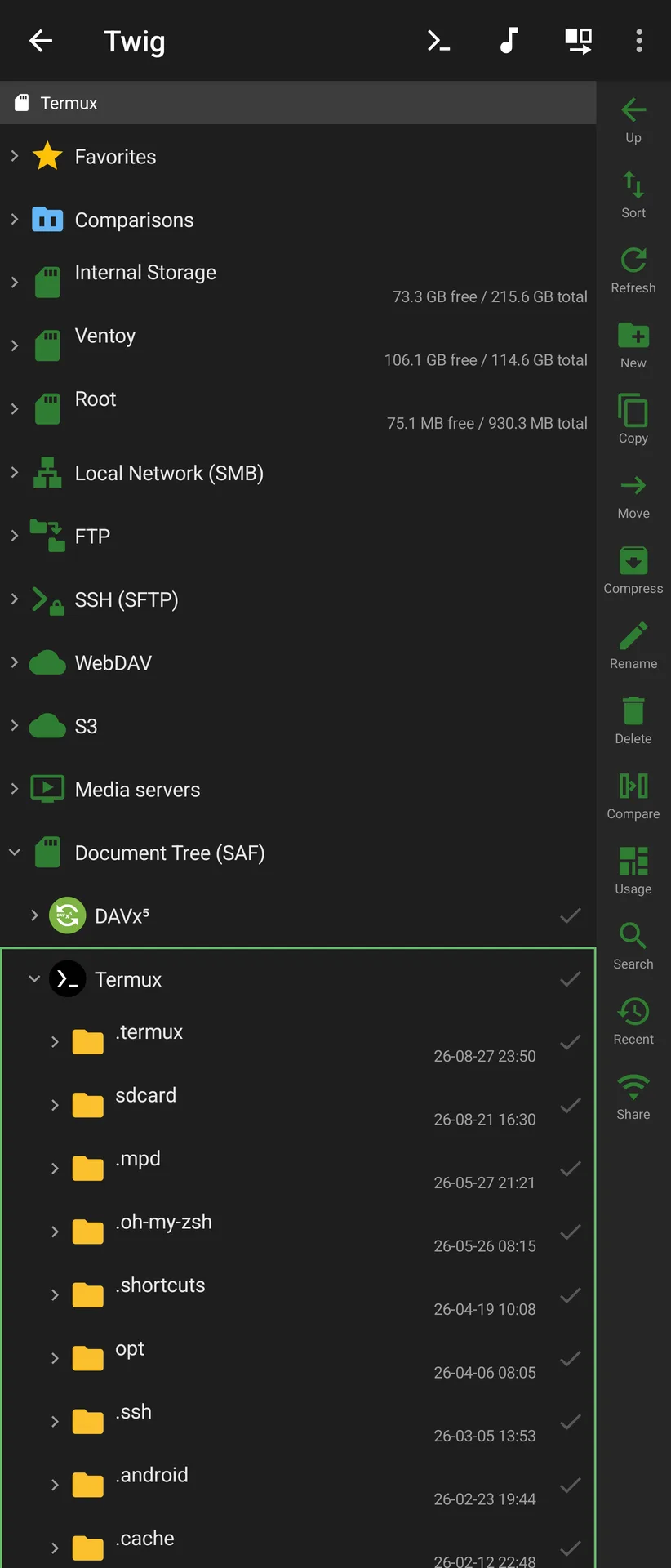
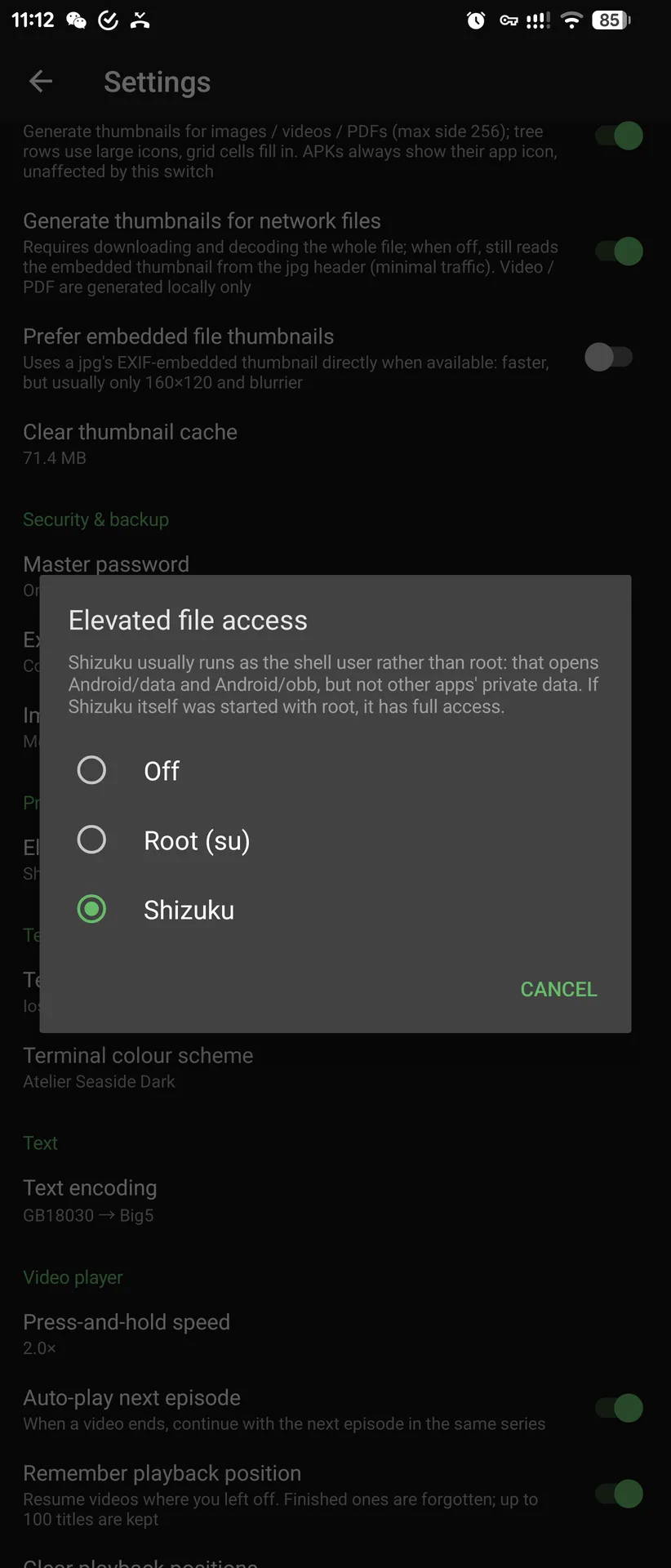
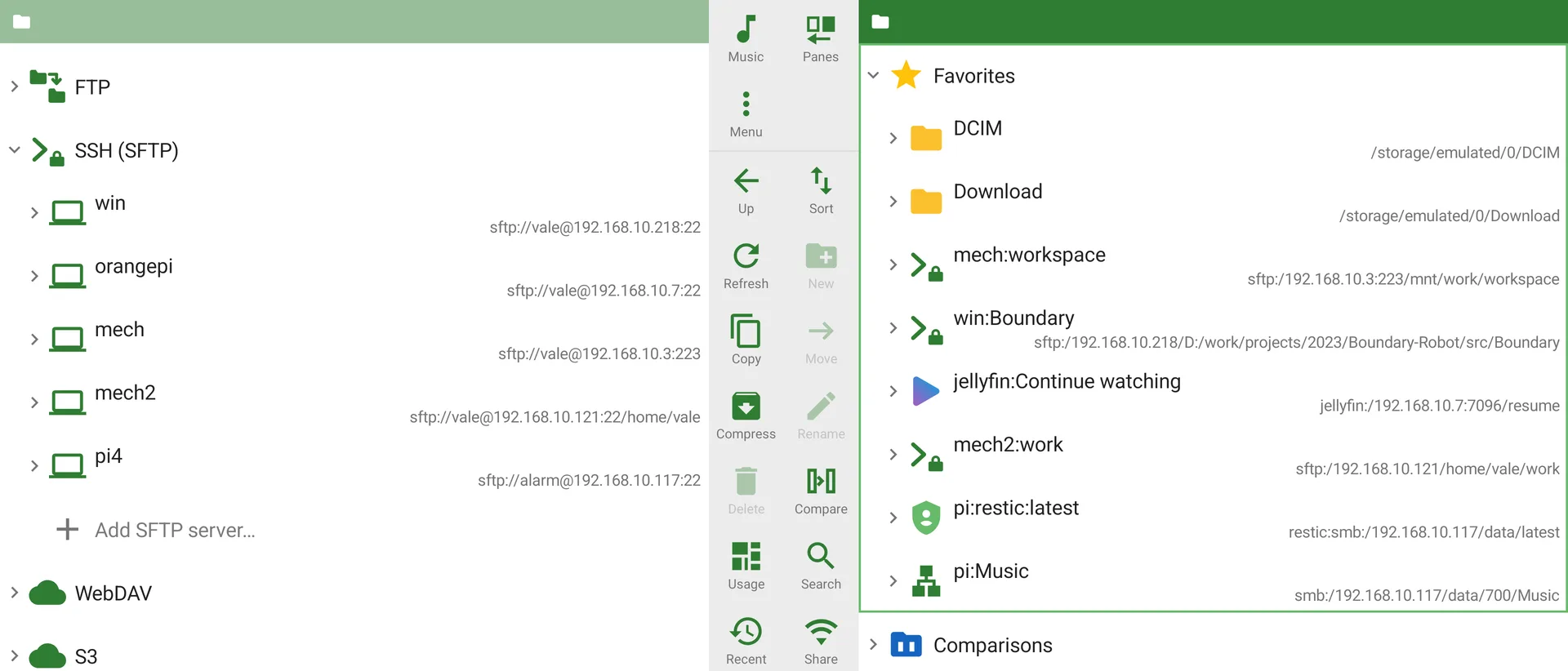
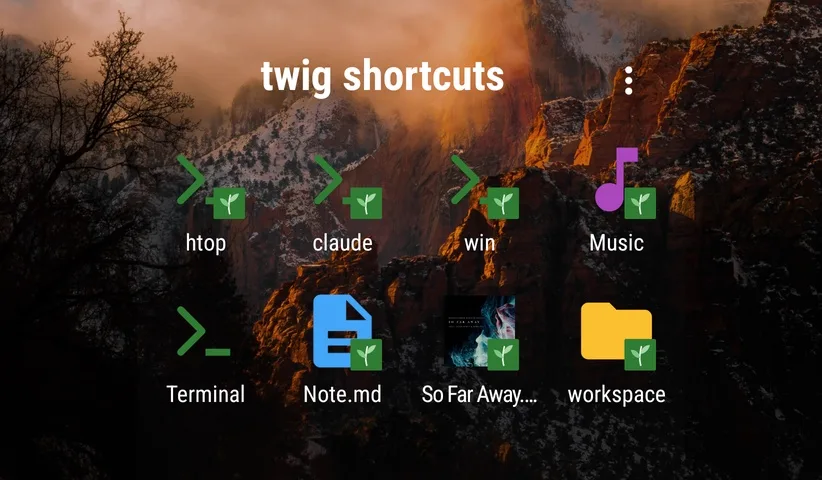
| A document tree named after the app that granted it | Elevated access: root or Shizuku | Light theme, landscape | Shortcuts on the home screen |
|---|---|---|---|
 |  |  |  |
Media servers and music
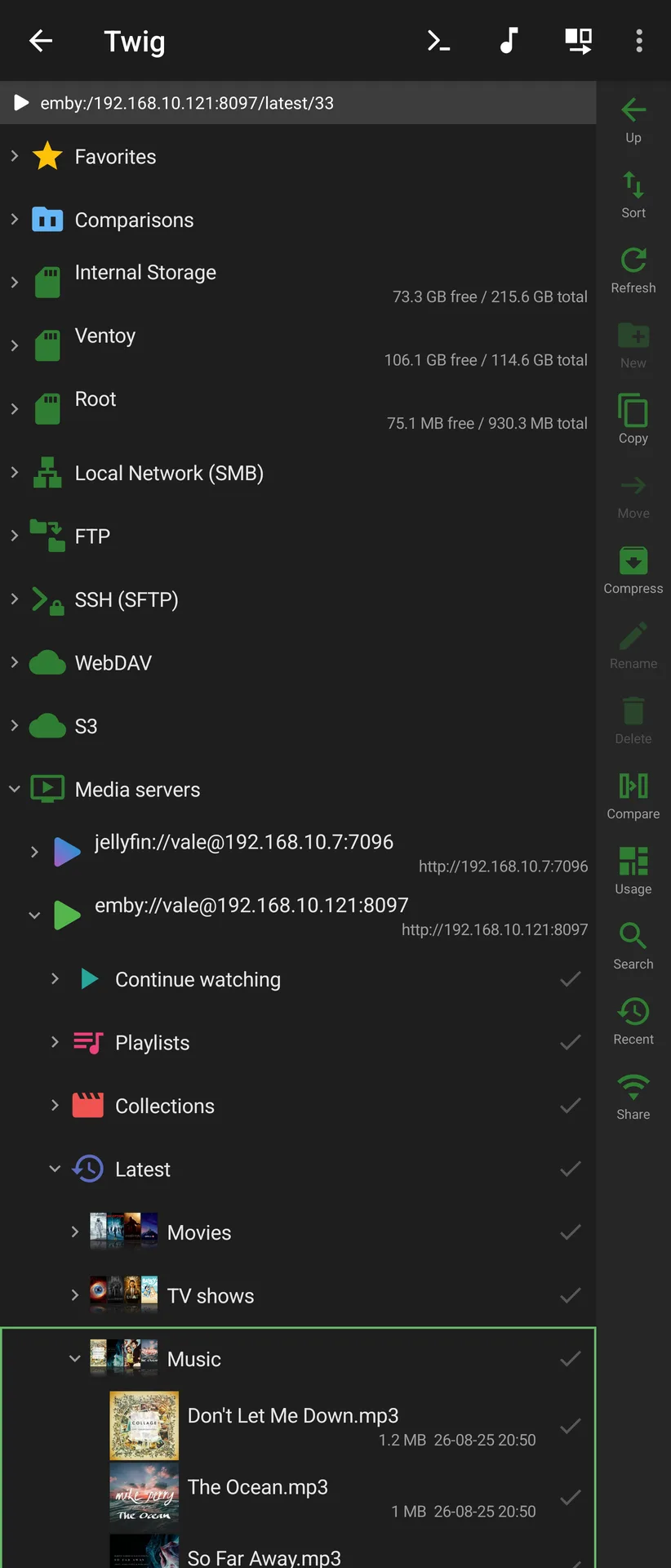
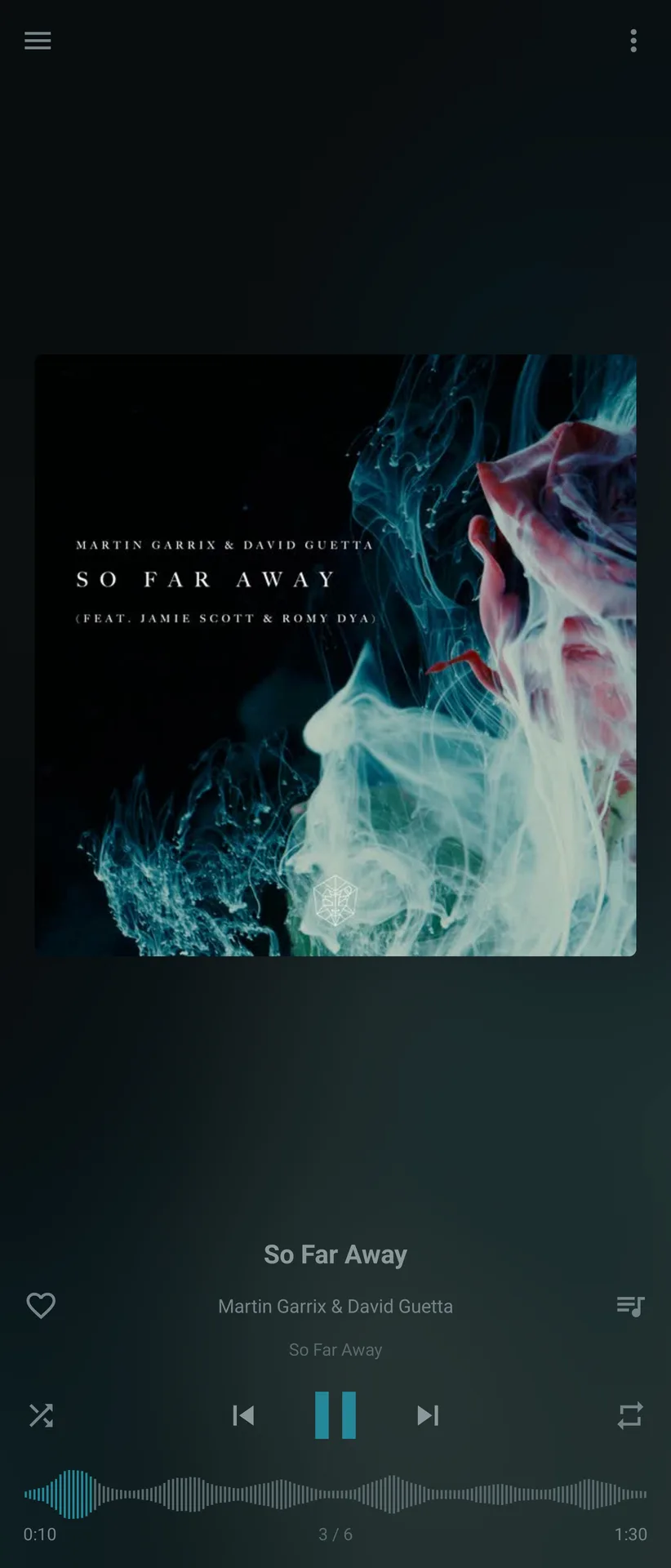
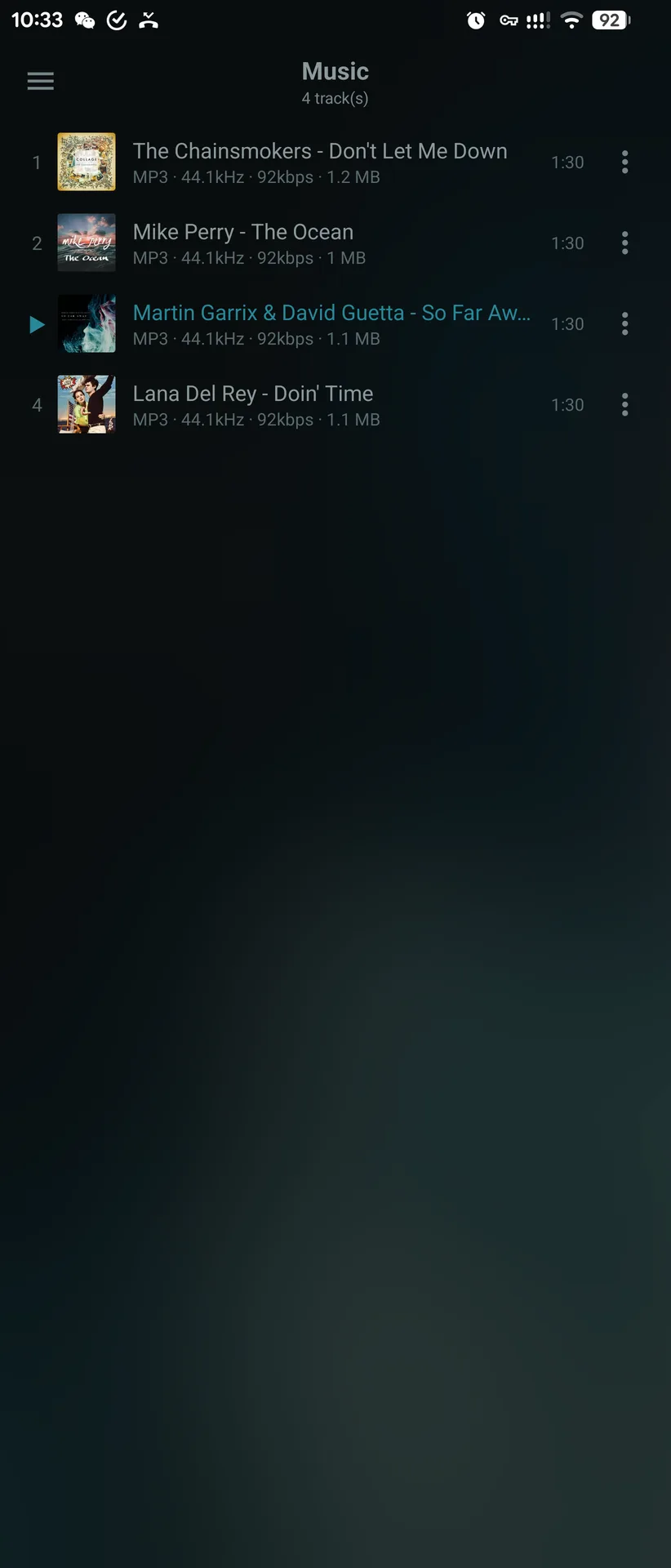
| An Emby library's "Latest" | Music player with waveform | Playlist |
|---|---|---|
 |  |  |
Viewers and compare
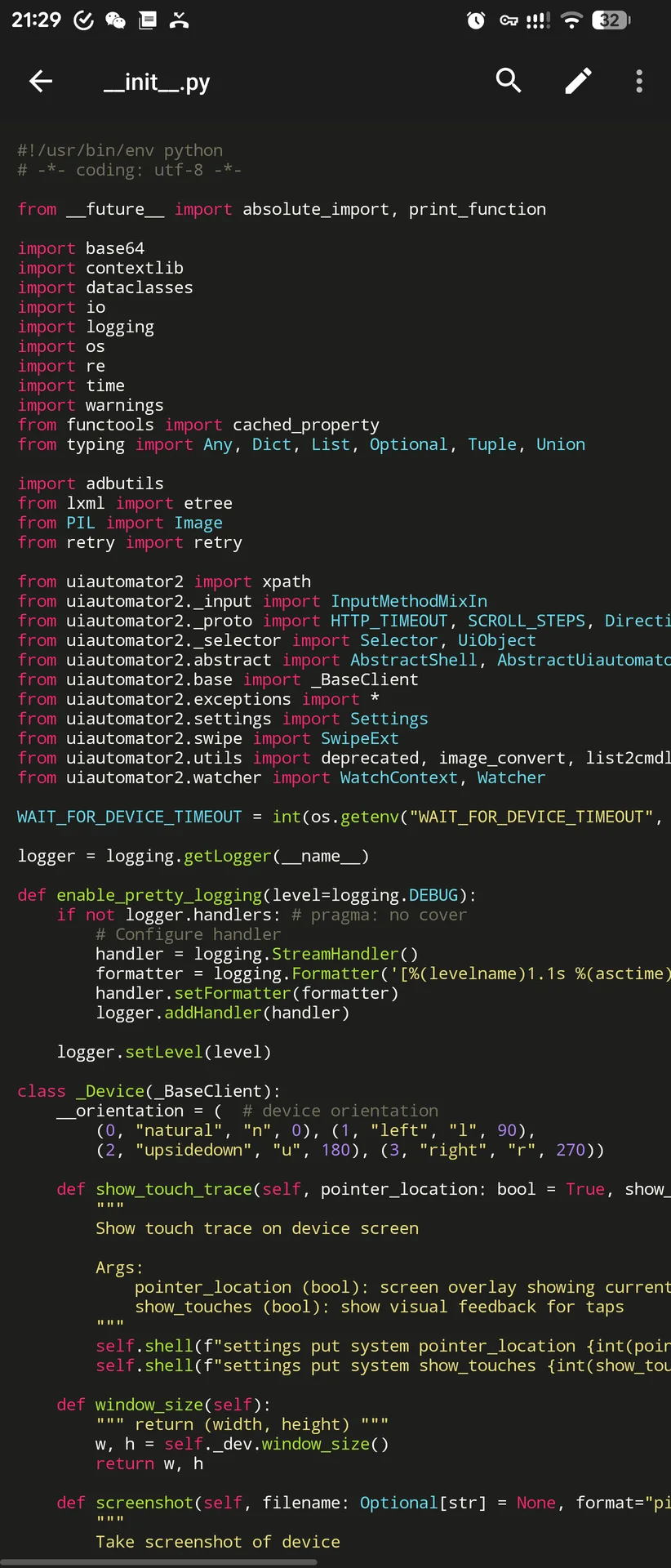
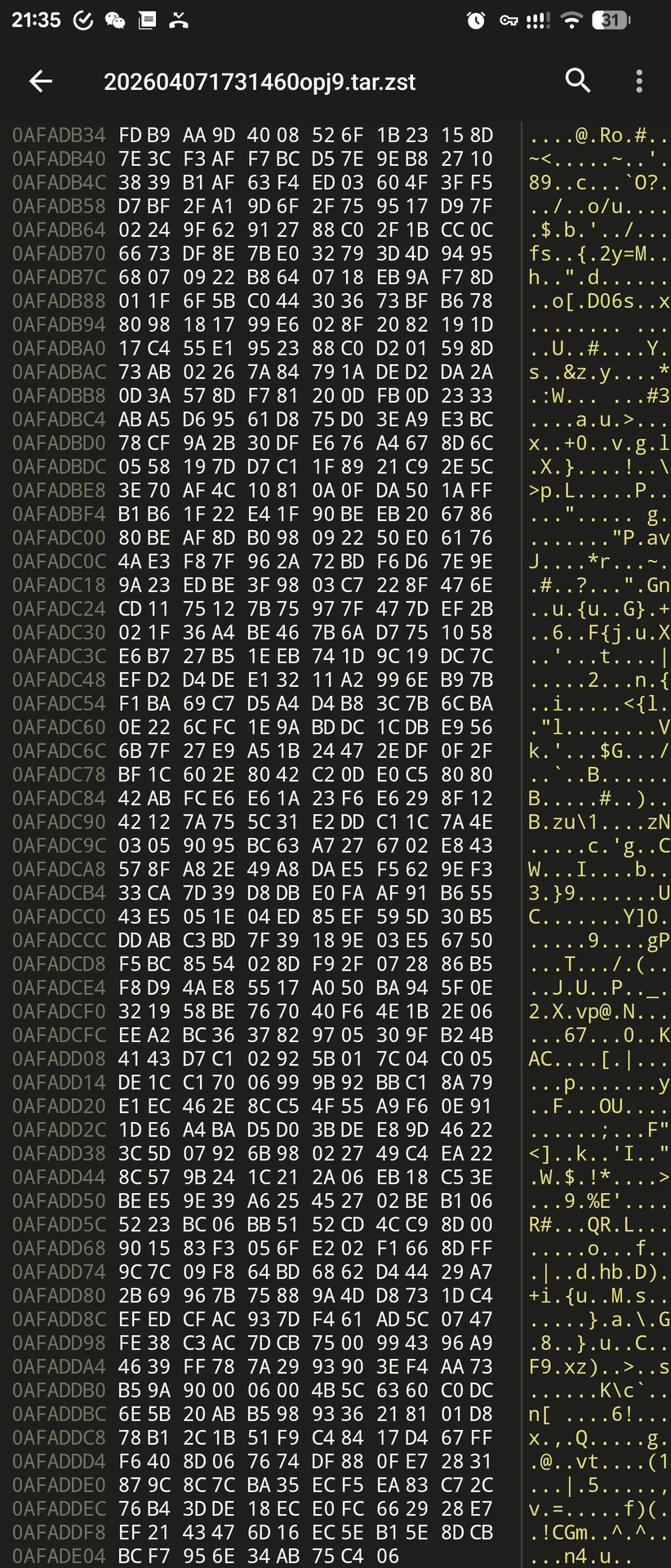
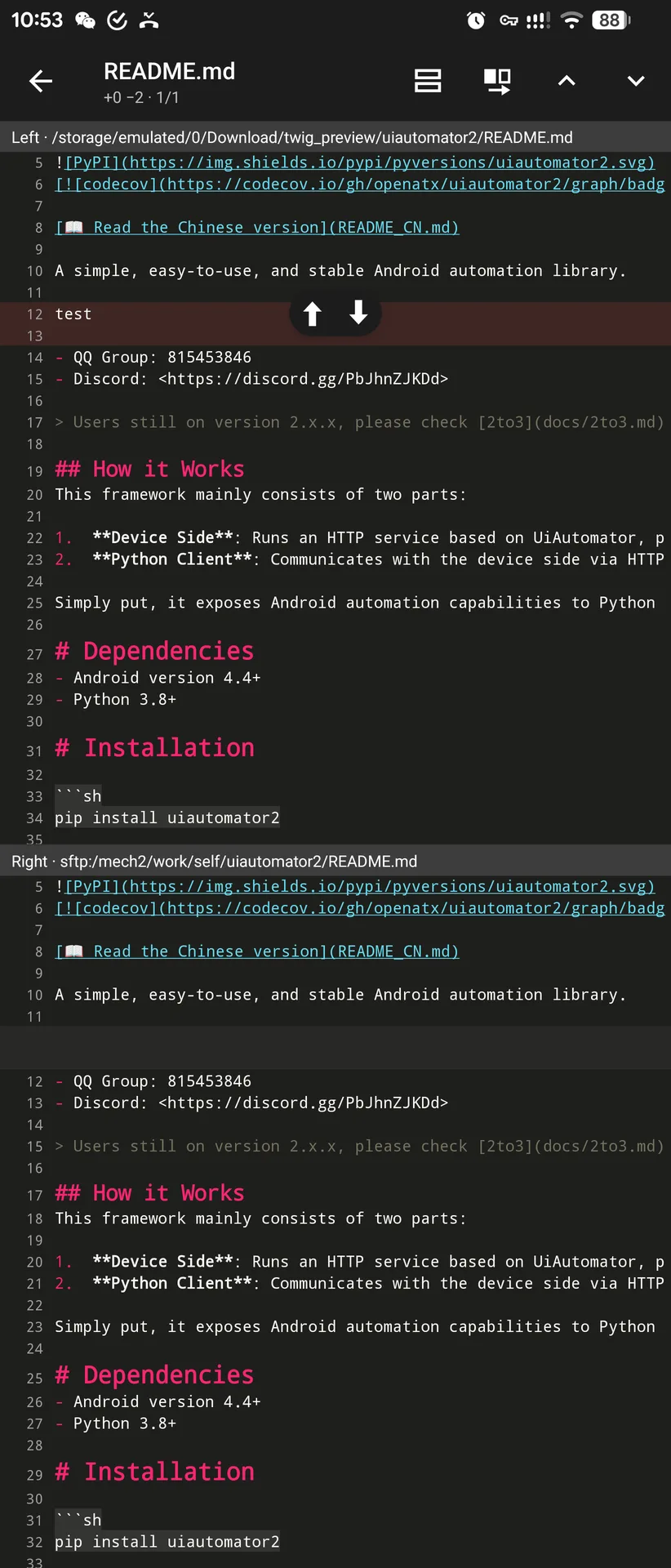
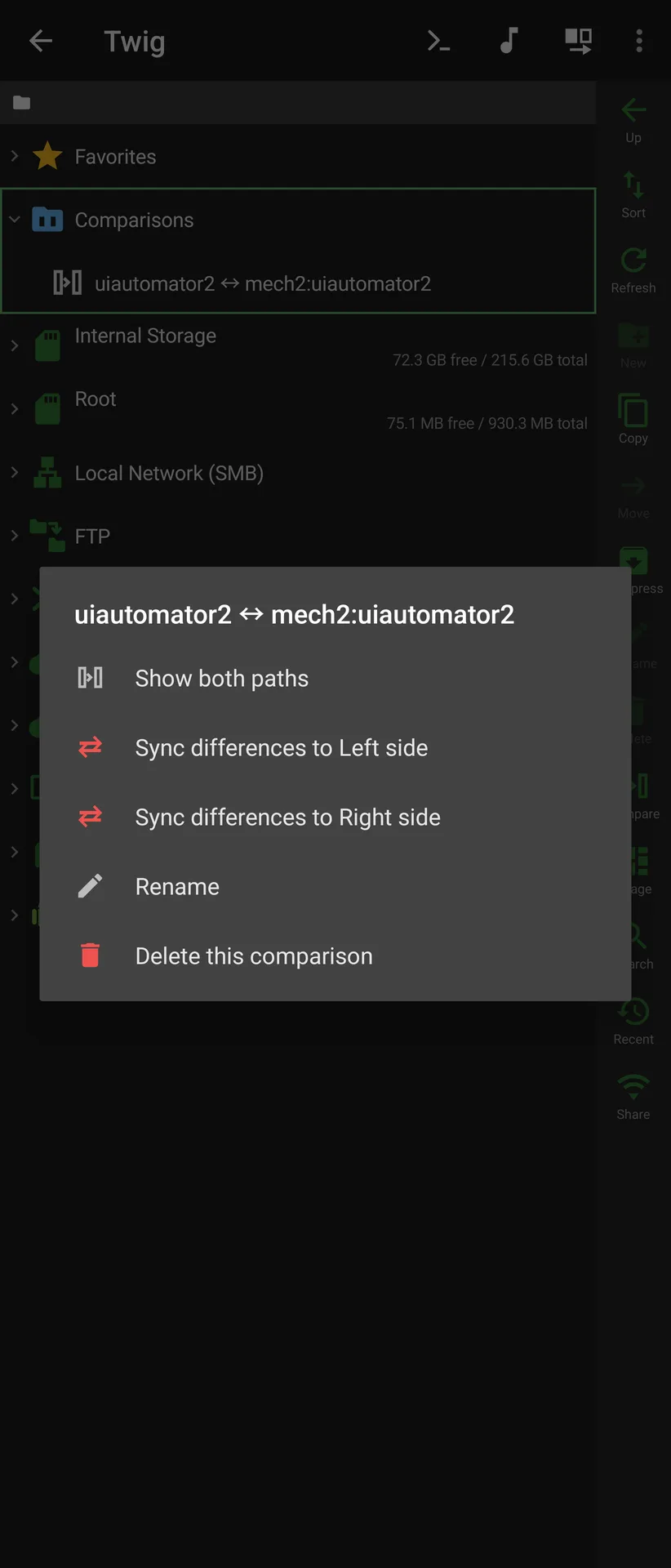
| Text viewer, hand-written highlighting | Hex viewer | Text compare with merge arrows | A saved comparison, synced from its row |
|---|---|---|---|
 |  |  |  |
Sharing, terminal and git
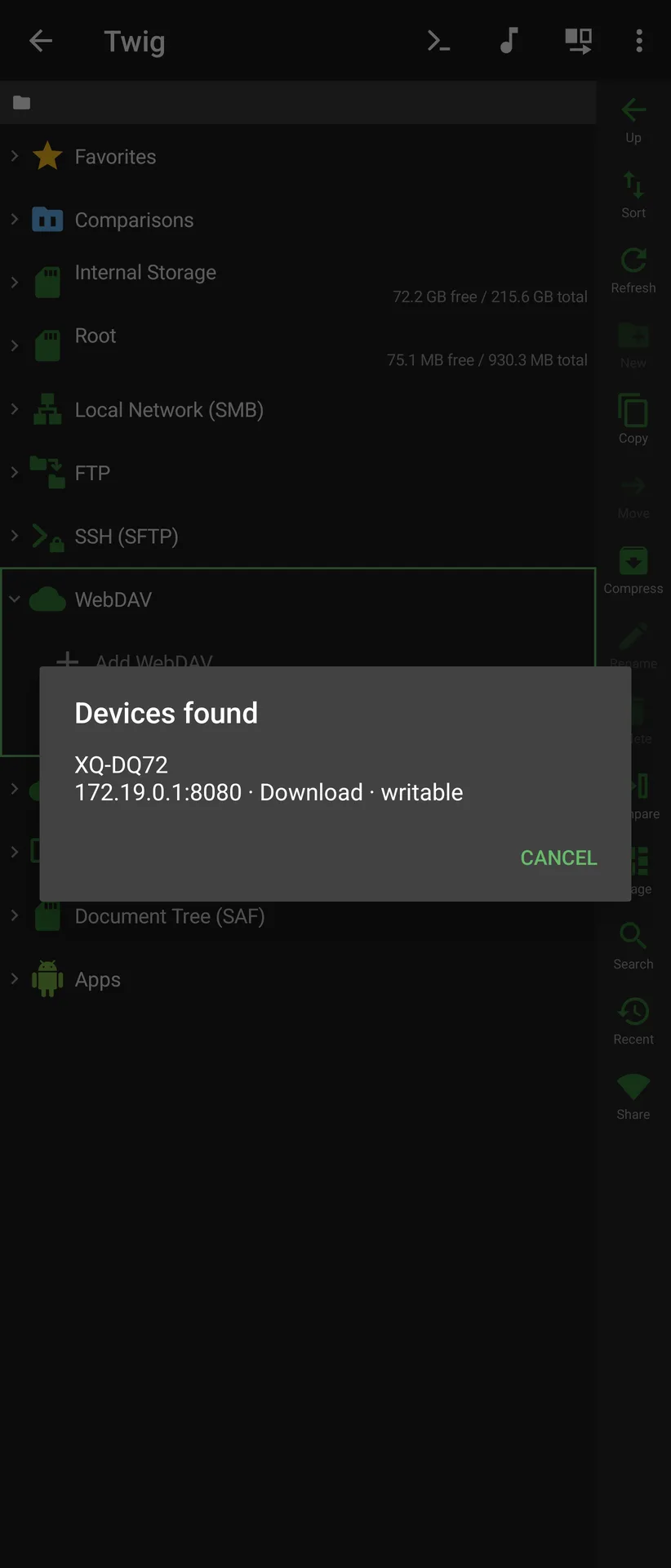
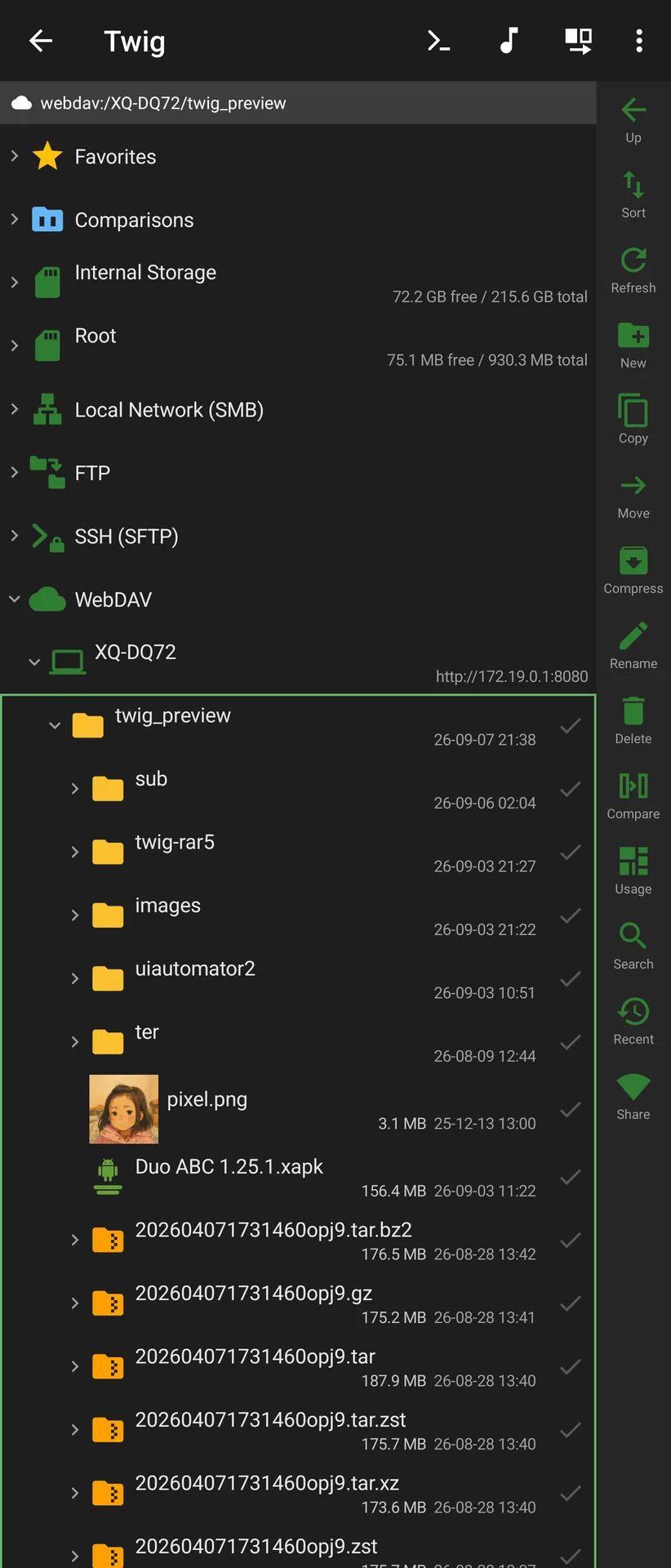
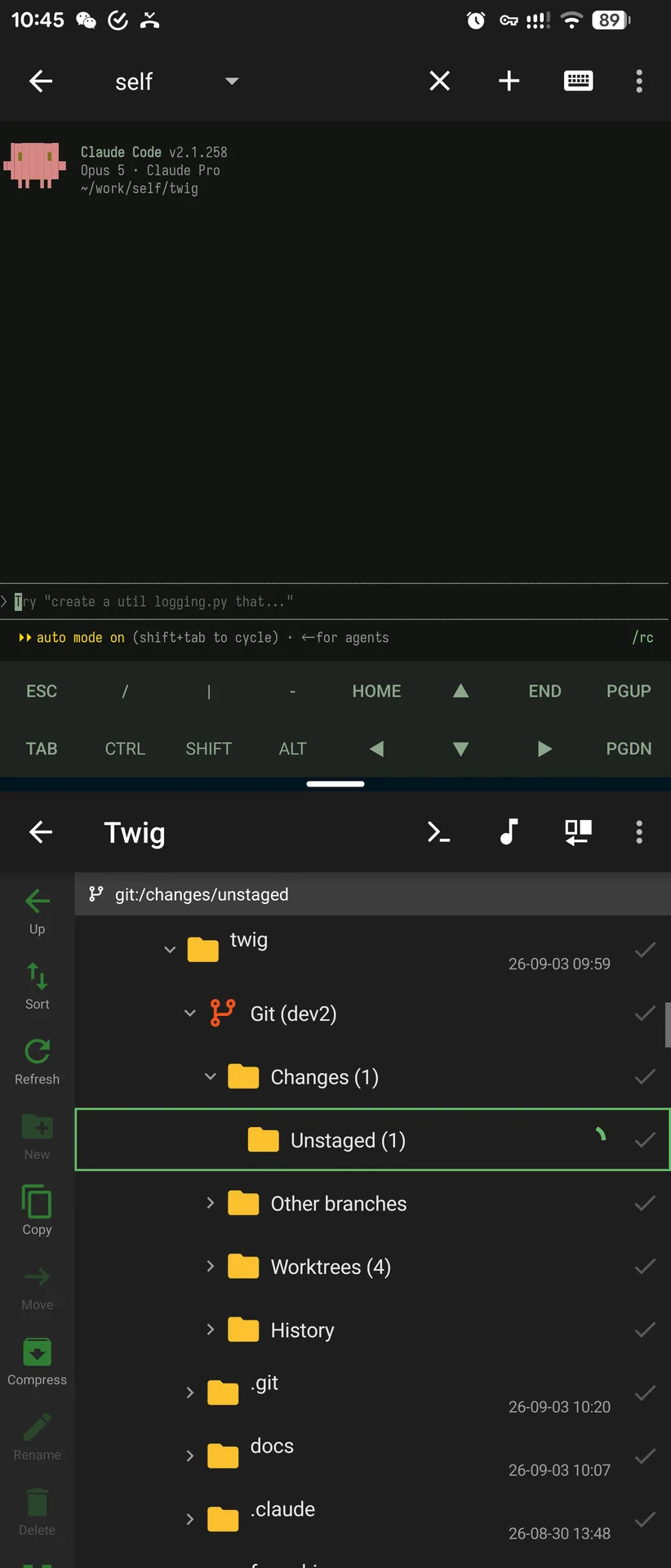
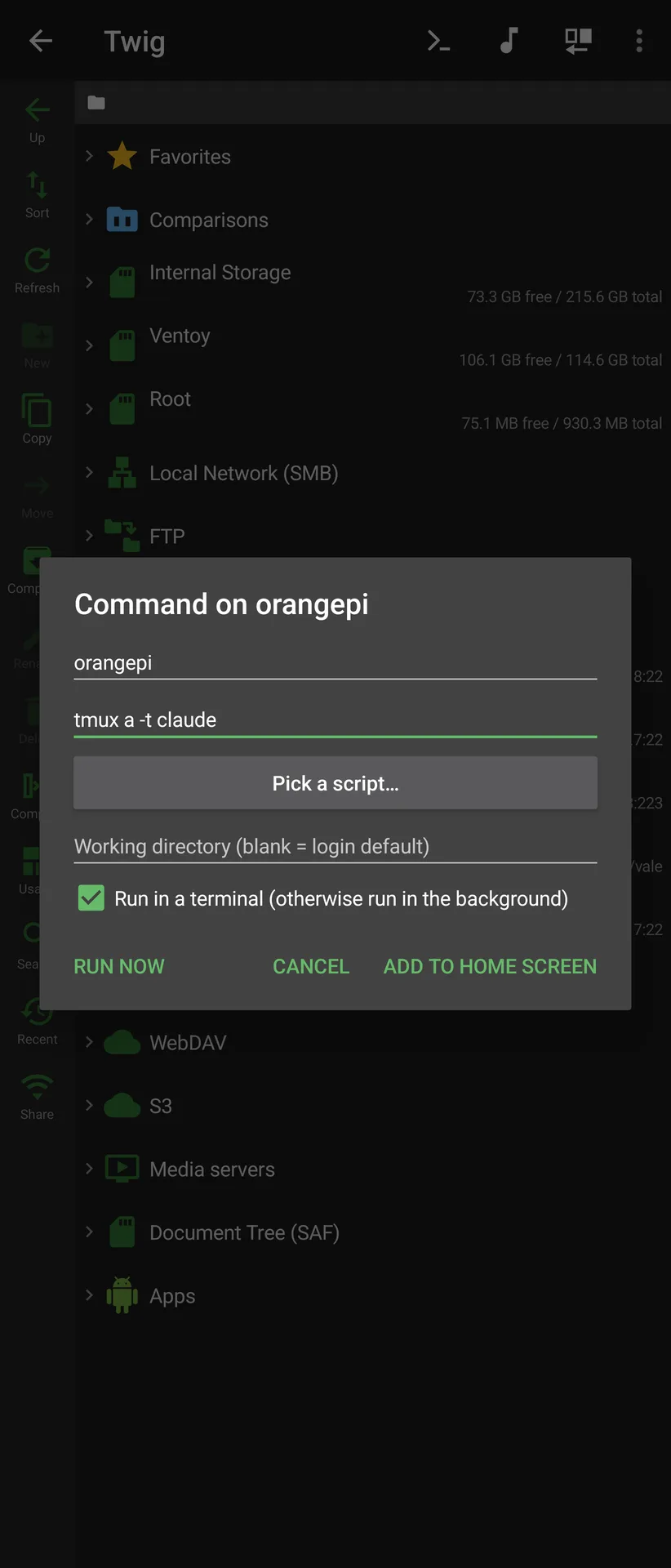
| Another Twig found over UDP | A share mounted back as WebDAV | Git status beside a terminal | A command pinned to the home screen |
|---|---|---|---|
 |  |  |  |
Download
Signed APKs are attached to every GitHub release:
| File | Take it if |
|---|---|
Twig-<version>-full.apk | You are not sure. arm64-v8a + x86_64, with read-only RAR |
Twig-<version>-libre.apk | You want free software throughout — no RAR, because junrar is not free software |
Twig-<version>-full-arm64-v8a.apk / -x86_64.apk | You want a smaller download for one architecture |
Twig-<version>-full-armeabi-v7a.apk | You have a 32-bit ARM device — experimental, untested on hardware |
All of them are signed with the same key, so any one installs over any other. The
certificate's SHA-256 is 196f633e942bf4f32f875b98c8ff181138256ba329a63364e3a39f154c1a5e62.
Automatic updates without a store: add https://github.com/dev2ex/twig to
Obtainium. A release carries several APKs, so
set Filter APKs by Regular Expression to pick one, or Obtainium will ask every time and
cannot update in the background — -full\.apk$ for the default build, -libre\.apk$ for
the free one.
An F-Droid listing (the libre build, reproducible and signed with the same key) is in
review.
Why Twig
One tree, every source. Local storage, archives, FTP, SFTP, SMB, WebDAV, S3, restic repositories and Jellyfin/Emby servers are all the same thing to the UI. Copying between any two of them is the same code path — an SMB folder can be compressed straight into a local zip, a file inside a remote archive can be streamed to an FTP server.
It stays small. A per-device download is about 7.1 MB including an FFmpeg audio decoder, an SMB implementation and a video player. Comparable file managers ship several times that. Dependencies are added only after their APK cost is measured.
It goes where other file managers stop.
- Browse restic backup repositories read-only, decrypted on device, snapshots presented as dated folders — as far as we know, nothing else on Android does this.
- Thumbnails for network video without downloading the file. Twig parses the container itself (MP4 sample tables, Matroska EBML cues), locates the keyframe at 1/10 of the duration, and fetches roughly 2 MB — as much for a huge file as for a small one, because the amount read does not scale with its size.
- A git client written from scratch in Kotlin — status, history, side-by-side patience diff, worktrees and submodules, over local and remote repositories.
- Real Blu-ray M2TS playback: 192-byte BDAV packets, HDMV private stream types (DTS-HD MA, TrueHD via its embedded AC-3 core) and PGS bitmap subtitles, none of which media3 handles out of the box.
- Privileged access via root or Shizuku as a fallback for the local
filesystem, not a separate tree — so
/data/data/…copies to SMB, thumbnails and search all work with no extra code. - Media servers as a filesystem. Jellyfin and Emby libraries browse like any other source, with playback position synced back to the server and posters, tags, lyrics and external subtitles all coming from the API instead of by reading the media file. One implementation covers both, and it added zero dependencies.
- Directory compare with one-way sync, Beyond Compare style, between any two sources — an SMB share against a local folder, a document tree against an archive — with incremental or mirror mode and a separate confirmation for files that are newer on the target.
- Wi-Fi sharing: Twig becomes an HTTP and WebDAV server, so a desktop can
mount it — and download files that live on an SMB share or inside an archive,
because to the server they are all just
openInput().
Size
Measured on the 1.7.0 release build (R8 + resource shrinking):
| Size | |
|---|---|
Release APK (arm64-v8a + x86_64) | 9.2 MB |
Per-device download (arm64-v8a) | ≈ 7.1 MB |
Where it goes (compressed sizes inside the APK):
| Component | Size |
|---|---|
classes.dex (all our code plus every JVM dependency) | 2.8 MB |
libffmpegJNI.so | 1.4 MB |
| Bouncy Castle data files | 1.2 MB |
Resources (resources.arsc + res) | 887 KB |
libsamba_jni.so (libsmb2) | 484 KB |
libtwigzstd / libtermux / libtwigpty | 109 KB |
Nearly all of the Bouncy Castle figure is three lookup tables for the picnic
post-quantum signature scheme (lowmcL{1,3,5}.bin.properties). Twig pulls in the
full Bouncy Castle only because Android's cut-down build lacks X25519, so this is
1.2 MB of pure dead weight — see the roadmap.
Because every source is a separate Gradle module, a build can drop what it does not need — omitting media playback and the network sources removes the large majority of the above.
Architecture in one sentence
Every source — local, archive, FTP, SFTP, SMB, WebDAV, S3, restic, Jellyfin —
implements
the same FileSystem + XFile interface, and CopyEngine moves bytes between
any two of them through openInput() / openOutput().
Adding a source = adding one
FileSystemimplementation. The UI and the copy engine do not change.
Two things fall out of this for free: any source can copy to any other source, and the app can be built in trimmed configurations by dropping modules.
Features
Storage sources
| Source | Capability | Implementation |
|---|---|---|
| Local | Full read/write | java.io.File |
| ZIP | Read + write, legacy GBK names detected | Mounted as a filesystem; opens like a folder |
| 7z | Read + create (LZMA2) | commons-compress + xz |
| tar | Read-only | Entries are contiguous, so they are read by slicing — a nested archive inside opens without being unpacked first |
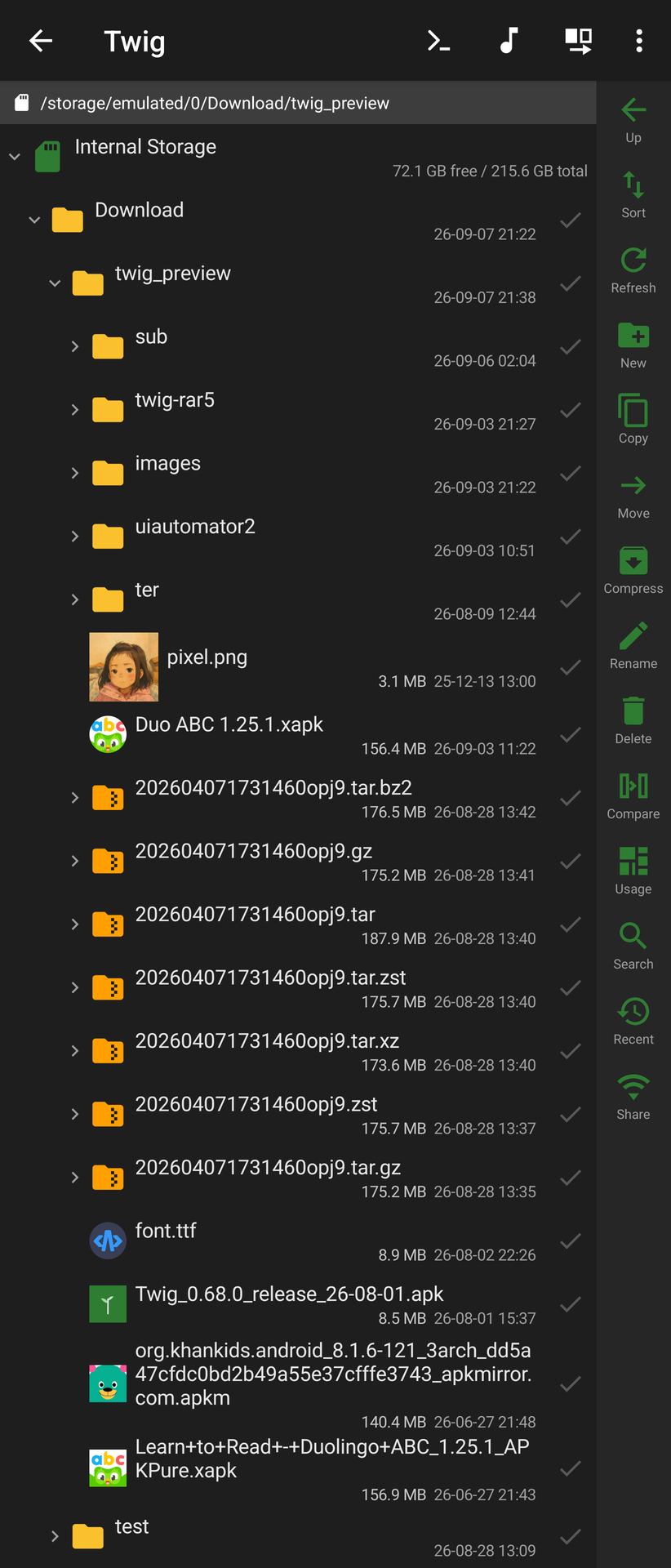
| gz / xz / bz2 / zst | Read-only | One stream, not an archive: mounted as a single entry, so foo.tar.gz opens to foo.tar and expands again — .tgz/.txz/.tbz2/.tzst included |
| zstd | Read-only | Streaming decode through the same bundled libzstd that restic uses — no second copy of the library |
| RAR | Read-only (RAR4 + RAR5) | junrar, in its own module — full builds only, the libre build has no RAR |
| Encrypted archives | Read zip/7z/rar, create AES-256 zip/7z | WinZip AES and legacy ZipCrypto written by hand |
| FTP | Full read/write | Apache Commons Net |
| SFTP | Full read/write | SSHJ (with full Bouncy Castle for X25519) |
| SMB / CIFS | Full read/write | libsmb2 via NDK/JNI |
| WebDAV | Full read/write | Hand-written PROPFIND/MKCOL/MOVE, no SDK |
| S3-compatible | Full read/write | Hand-written SigV4 + REST — AWS S3, MinIO, R2, OSS, COS, B2 |
| restic | Read-only, decrypted | Written from scratch; repo format v1 and v2 |
| Jellyfin / Emby | Read-only virtual tree | Hand-written REST; one implementation covers both, no new dependencies |
| SAF document tree | Read/write | System-level fallback without MANAGE_EXTERNAL_STORAGE |
| Privileged (root / Shizuku) | Read/write | Not a separate source — a fallback for local paths ordinary APIs cannot reach |
| Installed apps | Read-only virtual tree | PackageManager; a split app is packed into an XAPK on the fly, so copying one out keeps its split_config.* |
Network sources connect on expand, support multiple servers (each gets a unique scheme), and persist their configuration. Extraction is just a cross-source copy; so is compression, which is why "compress a folder on SMB into a local archive" needs no special case.
Browsing
- One complete tree. Top-level nodes are internal storage, root, LAN (SMB), FTP, SSH, WebDAV, S3, document tree and favourites. Archives are expandable file nodes.
- Always expand in place, never "enter" a directory. The current directory is the last one you tapped, and it is the target for new folders, copies and moves.
- Single pane in portrait (swipe to switch), dual pane side by side in landscape.
- Multi-select, cross-pane copy and move with progress and cancellation, mkdir, rename, recursive delete, clipboard-style paste.
- Favourites and recent locations store how to get there (connection label + path), not a session-scoped scheme, so they survive restarts.
- Restores your last position across restarts, level by level, releasing control the moment you touch the list.
- Grid view, independent of the thumbnail toggle, with adaptive column count.
- Property cards inline under a row: EXIF, media tracks, app info, hashes — all from system APIs, and never reading a whole file just to fill a field.
- Treemap disk usage (SpaceSniffer style) embedded in the pane, pinch to zoom, with the same long-press actions as the tree.
- SD cards and USB drives get their own rows at the root, named and sized by the system. No new permission — a volume the ordinary APIs cannot read can be granted through SAF or reached with elevation.
- Go to path: type a path on any root — a server, internal storage, a removable volume, a document tree, a favourite — and the tree expands its way down to that directory or file, connecting the server on the way if it is not open yet.
- Split-APK bundles install directly:
.xapk,.apksand.apkmare read out of the archive and written to aPackageInstallersession, so a bundle from a mirror installs without a helper app. - Twig works as a file picker, both for other apps (
GET_CONTENT) and for its own imports — which is how you can pick a file from inside an SMB share or an archive, something the system picker cannot do. - Home-screen shortcuts for both directories (reveal in the tree) and individual files. A file shortcut also picks how it opens — automatic dispatch, as text, as hex, or with one specific app chosen at pin time (a shortcut can't re-show a resolver on every tap) — and its icon reuses an already-cached thumbnail when one exists. Runs in its own task, so tapping one never routes through the main screen.
Compare
- Directory compare in the Beyond Compare style: two trees aligned row by row with a status column between them — side by side in landscape, one side at a time in portrait with the status column always visible. Either side can be any source, and small files are compared by content rather than by size and timestamp.
- One-way sync in a direction you pick explicitly (left or right, never "the active side"), incremental by default — push what is missing or different and leave the target's extra files alone — or mirror, which deletes them. Items that are newer on the target are listed separately and are not overwritten unless you tick them.
- Saved comparisons sit on the tree next to favourites, so a pair you check often is one tap away and can be synced straight from its row.
- Text compare with two columns, synchronised horizontal scrolling and per-hunk merge arrows; image compare side by side with linked zoom and pan.
- Binary compare in hex. Whether a file is binary is only knowable after reading it, so a pair that turns out to be binary — or too large for the text view — is handed on to the hex comparison instead of dead-ending. Offsets are aligned as they are, with no resynchronisation, which is the honest answer for firmware and patched binaries; the shorter side is padded with blank rows so the difference at the tail stays reachable.
Viewers and player
Every viewer reads through FsRegistry, so local, in-archive and remote files
all work the same way.
- Text viewer with hand-written syntax highlighting, multiple themes, pinch-to-zoom and a Markdown preview mode
- Text encoding is a preference, not a guess: one decoder (
TextCodec) tries BOM, then strict UTF-8, then the fallbacks you ordered (GBK by default). Editing is not limited to UTF-8 — a file is written back in the encoding it was read with, and if the original encoding cannot represent something you typed, Twig asks instead of silently substituting? - Hex viewer with virtual scrolling, a draggable scrollbar and text/HEX search
- PDF reader on the platform renderer: continuous or single-page scrolling, double-tap to crop the page margins away, text selection, and full-text search where the system provides it (Android 15+)
- Image viewer with downsampling, plus a slideshow that starts on the first image found while still scanning
- Video/audio player (media3 + FFmpeg software decoding) covering AVI, real Blu-ray M2TS, HDMV private audio tracks and PGS subtitles, with two-stage automatic fallback when a system decoder crashes
- Episode auto-play: the queue comes from the server on Jellyfin/Emby, and
from filename numbering (
SxxExx,E01, bare digits) everywhere else. Previous and next buttons appear only when a queue could actually be worked out - Music player with waveform display
Media servers (Jellyfin / Emby)
One implementation covers both — Emby is where Jellyfin was forked from, so the
endpoints share a lineage — and it adds no dependencies: OkHttp was already
here, and org.json ships with Android.
- The tree mirrors the libraries that actually exist on the server, under the names you gave them — not a fixed list of types. A movie library expands to every movie, a TV library to every series (seasons only when there is more than one), a music library to Albums / Album artists / Artists / Folders.
- Playback position syncs both ways. Continue Watching is the server's list, not a second private copy, and it keeps the server's ordering rather than the sort you picked for file browsing.
- Posters, tags, lyrics and external subtitles all come from the API. Reading the media file to get any of this used to cost seconds per track over a network. Continue Watching shows landscape stills; libraries show portrait posters at their true aspect ratio.
- Search uses the server's index, so a film scraped to a localised title is still found under its original name.
- Read-only by design: there is no upload API, and
DELETE /Items/{id}would delete the real file on the server.
Terminal
- Local shell on a real PTY, and SSH sessions over SSHJ, in one session list with a switcher at the top
- Privileged terminal via root or Shizuku, always a separate, clearly labelled entry — never a silent upgrade of the ordinary shell
- Importable fonts and colour schemes (any Termux
colors.propertiesworks); pinch to resize, which resyncs the remote PTY; hold an arrow key on the accessory bar to repeat it - Command shortcuts: attach a command to an SFTP directory or server, run it in a terminal or silently in the background, and pin it to the home screen
Git
:git-liteimplementsGitRepo,ObjectStore,IndexFileand a patienceDifffrom scratch- Status and history views, side-by-side diff sharing the text viewer's highlighter
- Local repositories read directly; SFTP repositories over remote
gitexec - Worktrees and submodules handled properly, including the case where the
absolute path recorded in
gitdir:does not exist on this machine - A virtual Worktrees node listing the repository's other worktrees, each opening into its own full status/branches/history view
Wi-Fi sharing
A minimal HTTP/1.1 server written directly on ServerSocket — no new dependency.
Point a browser at the device for a file listing with range downloads and
drag-and-drop upload; the same port also speaks WebDAV, so Finder, Windows
Explorer or another copy of Twig can mount it. Read-only by default, optional
Basic auth, foreground service with a Wi-Fi lock, and UDP discovery so another
Twig can find it and save it as a connection.
Security
- Passwords, API keys, tokens and key passphrases are encrypted at rest. A random 256-bit data key encrypts the fields and is itself wrapped either by a hardware-backed Keystore key (the default, invisible) or by scrypt over a master password. Turning the master password on or off only rewraps that one key — not a byte of field ciphertext is rewritten. No new dependency: scrypt comes from the Bouncy Castle already in the APK.
- The master password is an app lock checked at every entry point — the main UI, "open with Twig", "copy to…", the file picker, the terminal shortcut and the remote command shortcuts. Miss one and the lock only guards the front door. Lock drops the key from memory while music, terminals and sharing keep running. A file's desktop shortcut is the one deliberate exception: local and SAF files need no decrypted secret to open, so those skip the prompt entirely — only a shortcut to a server file gates, since reconnecting there does need the saved (encrypted) credentials.
- Fingerprint unlock through the platform
BiometricPrompt(not androidx.biometric — zero APK cost) exists alongside the master password, which stays the root key. - Config backup (
.twigbak): connections and settings as JSON, optionally encrypted with a separate export password, and written through Twig's own directory picker — so a backup can go straight to SMB, WebDAV or S3. Import merges rather than replaces, and tokens, host keys and the data key are never exported.
Modules
| Module | Contents |
|---|---|
:core-fs | Pure JVM: XFile / FileSystem / FsRegistry / CopyEngine |
:fs-local | LocalFileSystem plus priv/ — the root/Shizuku privileged shell fallback |
:fs-archive | ArchiveFileSystem + zip (read/write, encryption) / 7z, and ArchiveWriter |
:fs-archive-rar | RarFileSystem (RAR4 + RAR5) — a separate module purely so the libre build can drop it |
:fs-network | FtpFileSystem / SftpFileSystem / WebDavFileSystem / S3FileSystem / JellyfinFileSystem |
:fs-smb | SmbFileSystem — libsmb2 via NDK/JNI |
:fs-restic | restic repository reader (pure Kotlin) |
:fs-zstd | NativeZstd — zstd via JNI |
:git-lite | Miniature git in pure Kotlin |
:app | Dual-pane UI, viewers, terminal, git views, treemap, Wi-Fi sharing |
Building
./gradlew :app:assembleDebug      # installable debug APK
./gradlew :app:assembleFullRelease     # R8-optimised release (with RAR)
./gradlew :app:assembleLibreRelease    # F-Droid variant (no RAR, 100% FLOSS)
./gradlew :app:bundleRelease      # AAB for store upload (smaller per-device download)
Release builds are signed only if a keystore.properties file exists at the repo
root (storeFile / storePassword / keyAlias / keyPassword). Without it the
release tasks emit an unsigned APK — app-<flavor>-release-unsigned.apk —
rather than falling back to the public Android debug key. Sign it yourself, or use
a debug build for local testing.
Tests:
./gradlew :core-fs:test :fs-archive:test :fs-network:test :fs-restic:test :git-lite:test
./gradlew :app:testReleaseUnitTest
Notes: build-tools are pinned to 36.1.0; only arm64-v8a and x86_64 ABIs are
built; R8 is enabled, and JNI entry points for libsmb2 and zstd are kept by name.
Adding a new source
- Create a module
:fs-xxximplementingcom.twig.core.FileSystem - Register it at startup:
FsRegistry.register(XxxFileSystem()) - Give the user a way to navigate to
XxxFileSystem.root()
Browsing, copying, moving, deleting, thumbnails and search then work unchanged.
License
Twig is GPL-3.0-only — see LICENSE.
That is inherited rather than chosen: the Termux terminal emulator and the Jellyfin FFmpeg decoder are both GPLv3, and linking them makes the application GPLv3.
- LICENSE-EXCEPTIONS.md — additional permission for
linking with the UnRAR-licensed
junrar, the notice that license requires, LGPL relinking, and the trademark reservation - THIRD_PARTY.md — every third-party component, its version and its license
Trademarks. The "Twig" name and the application icon are not covered by the GPL grant. Fork and modify the code freely; please rename and re-icon anything you redistribute, so users are not misled about where it came from.
RAR notice. As required by the UnRAR license: the RAR-handling code in this program may not be used to develop a RAR (WinRAR) compatible archiver. Twig only extracts RAR archives; it does not implement RAR compression.
Contributing
Contributions are welcome. Please read CLA.md first — it is short, it does not take your copyright, and it explains why the project needs the right to relicense its own code.
To sign, add one line to your pull request description:
I have read the CLA (CLA.md) and I agree to its terms.
Implementation decisions and the reasoning behind them are recorded in AGENTS.md, and the long list of bugs that were expensive to find lives one file per area under docs/lessons/. Read the matching file before changing subsystems like the terminal, thumbnails or the TS demuxer.
Roadmap
:fs-cloud— Google Drive / Dropbox / OneDrive over plain REST, no vendor SDKs- Global search
- Size: drop the 1.2 MB of Bouncy Castle
picniclookup tables, or replace the whole dependency with Conscrypt — either way it needs on-device verification that the SSH handshake still finds X25519
Release history
-
Phase 1 —
FileSystem/XFileabstraction andCopyEngine; local filesystem; dual-pane UI; multi-select, copy, move, mkdir, rename, delete; R8 + resource shrinking + AAB splits. -
Phase 1.5 / 1.6 — Text, hex and image viewers through
FsRegistry; opening files in other apps; copy progress and cancellation; SAF fallback. -
Phase 2 / 2.5 — Archive mounting: ZIP read then read/write with GBK detection; 7z and RAR read-only; extraction reuses
CopyEngine. -
Phase 3 / 3.5 / 3.6 — FTP, then SMB via libsmb2, then SFTP via SSHJ and hand-written WebDAV; persistent multi-server connections.
-
Phase 3.7 — restic repositories, read-only and decrypted, formats v1 and v2.
-
0.8 / 0.9 — The tree model settled: in-place expansion, expand-to-connect, single pane in portrait and dual pane in landscape, dark theme.
-
0.12 — Favourites across all sources, connecting on demand.
-
0.45 — Grid view decoupled from the thumbnail toggle (orthogonal switches).
-
0.62 — Slideshow: play while still scanning, true index under shuffle, auto-hiding controls.
-
0.65 — Position restore fixes and recent-locations history; "jump to containing folder" scrolls to the exact row.
-
0.70 — Compression: pack to the opposite pane, zip or 7z, optional move mode, cross-source by construction.
-
0.73 — Landscape layout rework: toolbar hidden, action column doubled up, path bar shows
type:/server/path. -
0.74 — Group sorting extended to the tree list; fixes for a remembered expansion state and a full-list flicker on selection.
-
0.77 — Terminal appearance: font import (the criterion is a 0.5em advance), colour schemes, and a pinch-zoom fix. Twig became usable as a file picker.
-
0.78 — SFTP command shortcuts, runnable in a terminal or silently, pinnable to the home screen.
-
0.79 — Local shell terminal on Termux's native PTY — no bridge threads, no reconnect logic, no resize probing needed.
-
0.80 — Made the local shell usable:
CmdShimsworks around PATH directories being unreadable to the app uid,SshHomegives OpenSSH a config with absolute paths, and.mkshrcbinds prefix history search to the arrow keys. -
0.96 — Wi-Fi sharing: a hand-written HTTP/1.1 server that also speaks WebDAV, exposing the whole
FsRegistry— a browser can download a file that lives on SMB or inside an archive. -
0.97 / 0.98 / 0.99 — Sharing rework: "all sources" mode filtered by whether a root is actually browsable, name-based path resolution, correct link encoding for non-ASCII paths; a rebuilt web UI with inline preview, sorting and batch operations; entry point moved to the action column.
-
1.00 — Archive passwords: read encrypted zip, 7z and rar, and create AES-256 archives. The zip side is hand-written, because neither commons-compress nor
java.util.zipcan even read encrypted zips. -
1.01+ — Appending to an existing zip became a true append (1875 ms → 1 ms on a 100 MB archive); expanding an archive now selects its root as the paste target; S3-compatible object storage with hand-written SigV4; privileged access via root and Shizuku, including a privileged terminal built on
bindUserServicewith a PTY allocated on the privileged side. -
1.1 — Jellyfin and Emby as a first-class source: the tree mirrors the server's own libraries, playback position syncs back, posters/tags/lyrics/ subtitles come from the API instead of from the media file, search uses the server's index, and episodes auto-play. No new dependencies. Episode auto-play also works on ordinary sources by reading the numbering out of filenames, and write actions now disappear on read-only sources instead of failing when tapped.
-
1.2 — Directory-compare sync: incremental or mirror, with the direction pinned to "left" and "right" rather than the active side, and files that are newer on the target confirmed separately. RAR5 support (junrar 8.1.0 — which also fixed a wrong password being reported as correct), and the
libre/fullflavour split that moves junrar into its own module so the F-Droid build is 100% FLOSS. The navigation bar now takes the colour of whatever page sits above it, instead of being a black strip. -
1.3 — Security: saved credentials encrypted behind a two-layer Keystore key, the master password promoted to an app-wide lock guarding all six entry points, fingerprint unlock, and
.twigbakconfig backup written through Twig's own picker (so it can land on SMB or WebDAV). SD cards and USB drives as root entries. Row height and text size split into independent preferences and the one-off settings pulled out of the menu into the settings page; adaptive and themed launcher icon; a Terminal entry on the app icon's long-press menu. -
1.4 — A document tree granted by another app is named after that app and wears its icon instead of showing a raw document id, and a grant can be handed back from the sidebar.
-
1.5 — Go to path from any root row; favourites and saved comparisons can point inside a document tree; terminal accessory bar polish (hold an arrow to repeat, one shared text size) and the emulator size surviving a screen off/on cycle.
-
1.6 — tar, and gz/xz/bz2/zst as single-file compression. Entries in a tar are read in place by slicing, so an archive nested inside one opens without being unpacked first and video inside it can seek; the single-stream formats mount as a one-entry archive, so
foo.tar.gzopens tofoo.tarand expands again —.tgz/.txz/.tbz2/.tzstincluded. Where a container does not record the original size, the size is left blank rather than reading0 B. -
1.7 — A built-in PDF reader: continuous or single-page scrolling, double-tap to crop the page margins away, text selection, and full-text search where the system provides it (Android 15+). Hex comparison for pairs that turn out to be binary or too large for the text view. Split-APK bundles (
.xapk,.apks,.apkm) install throughPackageInstaller. SMB lists every share when the share name is left blank, and FTP, SFTP and S3 connections can open at a start path. GB18030 replaces GBK in the encoding candidates. Fixes worth naming: AVI audio reframing and B-frame order, 4K network playback exhausting the heap, and git worktrees over SSH. -
1.8 — Files can pin their own home-screen shortcut, not just directories: pick how it opens — automatic dispatch, as text, as hex, or with one specific app chosen at pin time, since a shortcut can't re-show a resolver on every tap — and the icon reuses an already-cached thumbnail when one exists. The master-password gate only fires when the target actually needs a decrypted secret (server files reconnect through the saved, encrypted credentials; local and SAF files never do). Shortcuts run in their own task, so opening one no longer routes through — or back-navigates into — the main screen.
Release Notes & Changelog
Fixed: the app could freeze and be killed after an SSH session reconnected — a few scrolls in htop were enough.
Fixed: SSH connections sent no keepalives at all, so idle terminals and SFTP transfers were dropped by the first impatient router. Open sessions now keep a notification while they run — that is what stops Android freezing them; it names the current one and can end them all.
Fixed: video left a black strip beside the camera cutout; a setting turns it off if it clips the picture.
Which download
| File | For | Size |
|---|---|---|
Twig-1.11.1-full.apk | Most people — 64-bit ARM and x86_64 | 9.23 MB |
Twig-1.11.1-libre.apk | Free software throughout, no RAR. What F-Droid builds | 9.18 MB |
Twig-1.11.1-full-arm64-v8a.apk | 64-bit ARM only, smaller download | 7.09 MB |
Twig-1.11.1-full-x86_64.apk | x86_64 only | 7.21 MB |
Twig-1.11.1-full-armeabi-v7a.apk | ⚠️ 32-bit ARM — experimental, untested on hardware | 6.85 MB |
The full builds add read-only RAR through junrar, which is under the UnRAR licence and is not free software — see LICENSE-EXCEPTIONS.md. The flavours differ in RAR alone.
All five are signed with the same key, so any one installs over any other. For automatic updates without a store, add this repository to Obtainium and set Filter APKs by Regular Expression to -full\.apk$ (or -libre\.apk$).
Verifying the download
Twig-1.11.1-libre.apk                31cd2baf4a23db79708b71bb5752f8bb315057113392a17a1fe011a90f583882
Twig-1.11.1-full.apk                 98171504ace2e8a317106f61179ae987a0398fcc9ddc26afc342c1b4b82f3b97
Twig-1.11.1-full-arm64-v8a.apk       78368395abf6ecbc6b3589cec9865bc136f13b02838b1da838c55f1663a75a20
Twig-1.11.1-full-x86_64.apk          1b352293a6ea81edb1319fe752367787c48ceeb37ef4cb27a58a706343096b43
Twig-1.11.1-full-armeabi-v7a.apk     89a954d9fa4d462f03957017aeadc3cd3bb299899a615d33f1fc1017c732501d

Signing cert   CN=Twig, O=Twig
Cert SHA-256   196f633e942bf4f32f875b98c8ff181138256ba329a63364e3a39f154c1a5e62
Declared Android Permissions
19 totalShizuku API Permissions
This application connects to the Shizuku service to execute system-level operations with ADB elevated privileges.
Standard Android Permissions
Specifications
Install via ShizuStore to enable automatic updates and silent installations using Shizuku.
More in File management
Other applications in this category