
ADB Application Manager Pro
v7.22.1-ProScreenshots
(12)About Application

ADB/Root Toolbox
Take full control of your Android phone — from the phone itself.
Debloat, freeze, uninstall, update, install, back up and inspect every app · edit Android's hidden settings · recolor the whole system · run a real terminal with AI coding agents — no computer needed.




⬇️ Get the latest APK
v7.13.4-Pro · signed · installs over any earlier version · works with ADB, Wireless Debugging, Shizuku or Root
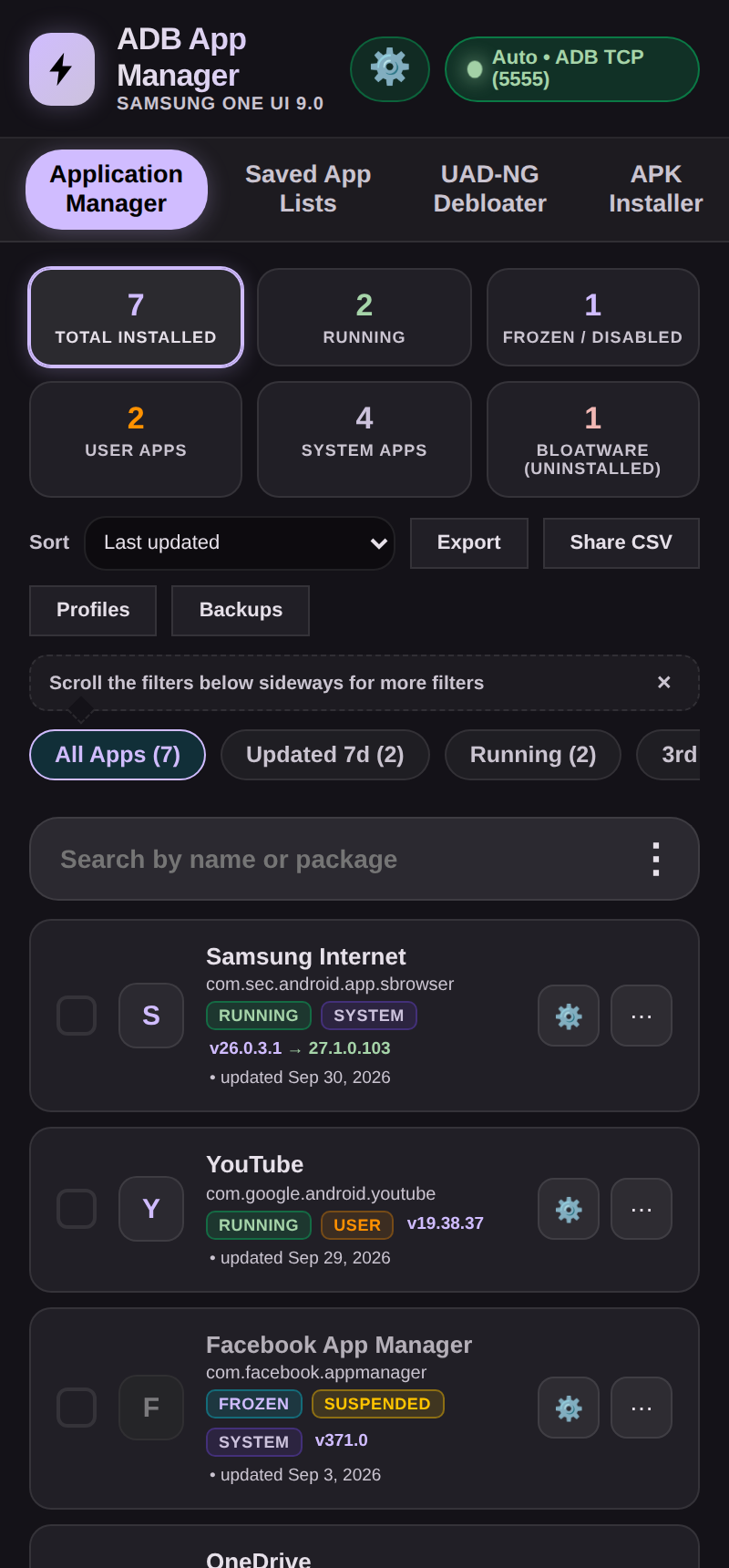 | 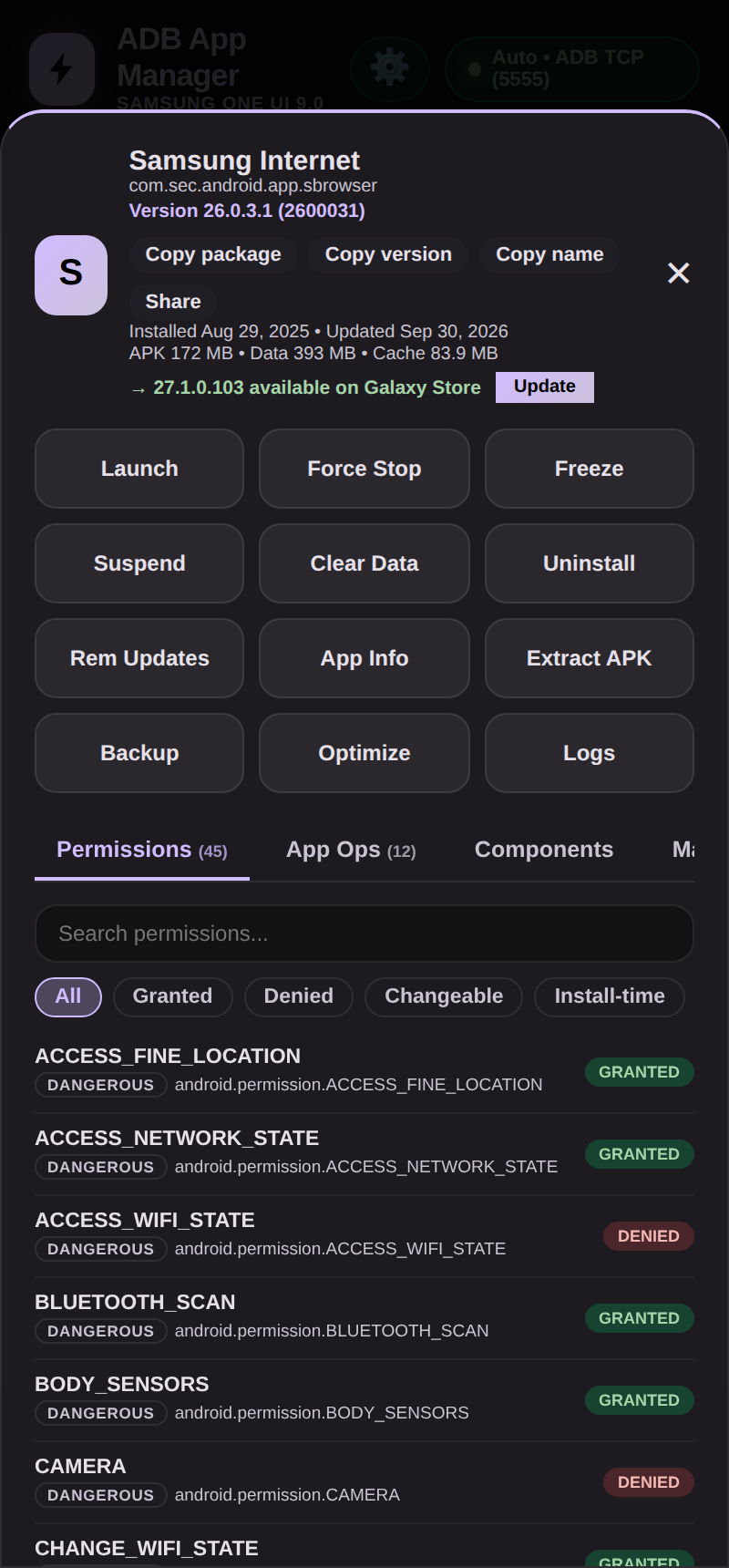 | 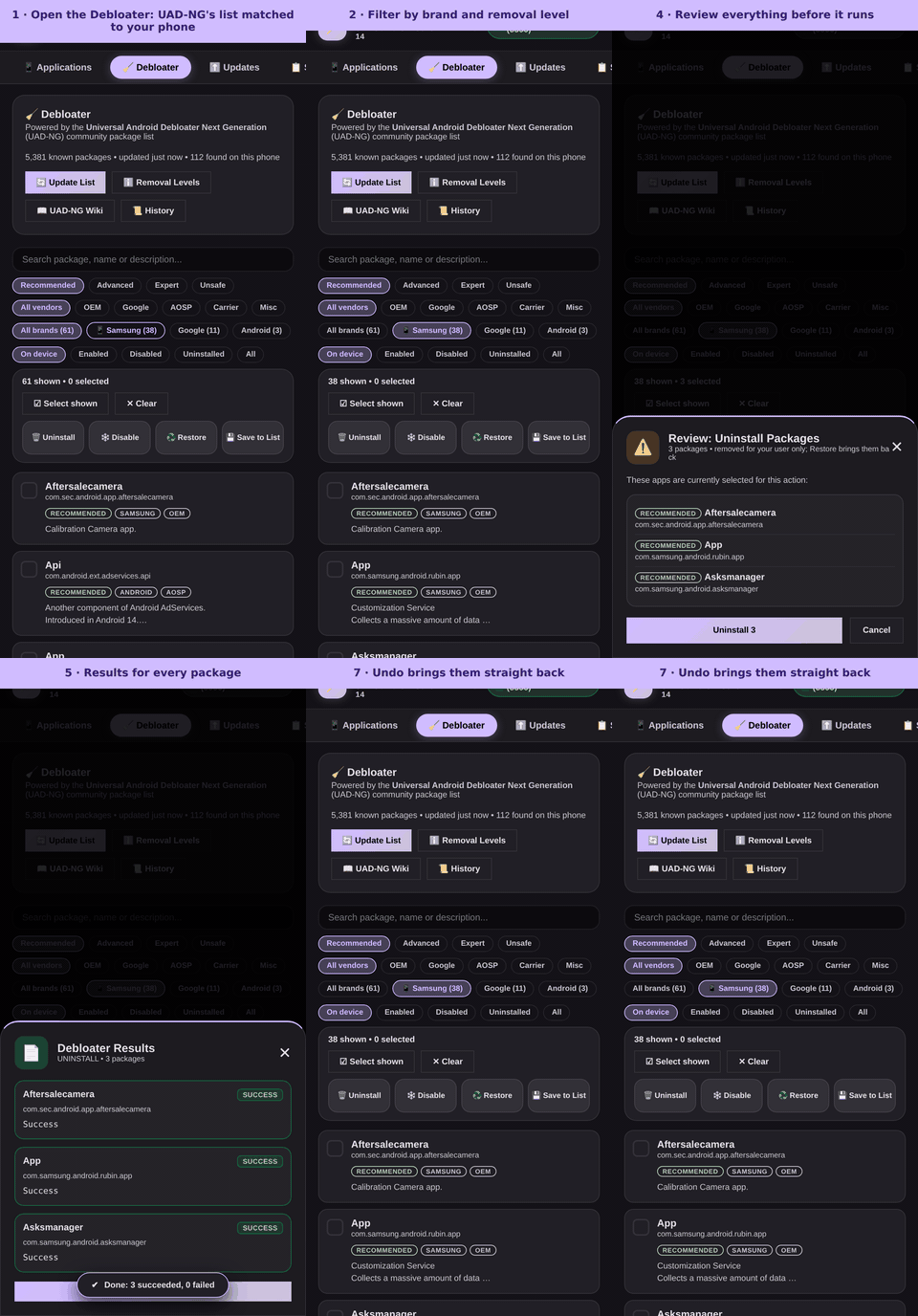 |
| Every app, sorted and filtered | One tap to freeze, back up, inspect | Debloat in seven steps, with Undo |
Why you'll want it
- 🧹 Debloat in minutes. The 5,000-package UAD-NG list, a review step before anything runs, and one-tap Undo for every change.
- ⚡ Fast and never frozen. Batch actions, Dex optimization and profiles run in the background with a live progress bar and a Stop button.
- 🖥️ A real terminal in your pocket. Termux-style shells, plus AI coding agents (Gemini, Claude, ChatGPT, Grok, Deepseek, Ollama on the phone…) that run commands and edit files only with your OK.
- 🎨 Recolor Android itself. Pick any Material You color, flip system overlays, and tune the app with Material 3 Expressive animations. With root, write pure black backgrounds, more styles and your own accents into Android's theme.
- 🛠️ Edit hidden settings. Android's Global, Secure and System tables, with plain-English descriptions, read-back proof and Undo.
- 🔒 Private by design. No ads, no account, no analytics, no server of ours. Your ADB key is generated on your phone.
Everything in one app
| Apps | Search, sort and filter every package · freeze, suspend, uninstall (even system apps), clear data, reinstall · batch actions · saved lists · profiles you can share to another phone · CSV export |
| Installer/Updater | Two boxes in one tab. Application Installer: .apk, .apks, .apkm, .xapk (with OBB) · every pm install flag · splits that fit your phone pre-ticked · optional VirusTotal check. Application Updater: find and download an app by name or package (APKMirror, Uptodown, Aptoide, F-Droid, IzzyOnDroid; Google Play opens its page) · update the app itself, Galaxy Store apps and open-source apps · a KeyStore card to export, import or renew the signing key |
| App Stores | ShizuStore, GitHub, F-Droid and Orion catalogs · a + tab adds a store of your own (any F-Droid style repository, or a GitHub or Codeberg user, organization or project) · every store opens the full description and screenshots of an app |
| Inspector | Ten tabs per app: permissions, App Ops, activities, components (services, receivers, providers; enable or disable any, with Root) · decoded manifest · features, configurations (screens, Android versions), signatures (v1-v3.1, certificates, SHA-256) and libraries (native .so by CPU) · launch unexported activities |
| Files | Privileged file manager · open APKs and archives (zip, 7z, rar, tar) without extracting · edit, sign, compare · add an SD card or USB drive |
| Console | ADB Shell with a history of cards (command, outcome, output; Copy and Run again), cheat sheet and Rish shell · Live Logcat next to it (filter, levels, one app, record to file) · grey command suggestions as you type (Right arrow to accept) |
| Terminal | Terminal with three shells (sandbox, working mode, your own Termux, with a one-tap setup of vim, nano, git and python and a starter .bashrc) and AI agents · full-screen real terminal (vim, htop, ssh: a genuine pty) · the same grey command suggestions |
| Hidden Settings & Overlays | Edit Android's settings tables, each explained with what it does and its values · Material You color and style · switch overlays on and off: enabled first, then disabled, then not changeable, each with a one-line description of what it is for · a root theme card (with Super User): pure black backgrounds, Color spec 2021, 2025 or 2026, more styles (Fidelity, Content, Monochrome, CMF), saturation and lightness sliders, your own secondary and tertiary accents and Accurate shades, worked out the way each release builds its theme on Android 14, 15, 16 and 17 and their quarterly updates (Pure black only on 12 and 13; other versions and One UI locked) |
| Root Features | For a phone that is already rooted: the state of root for this app · Request Super User and Open root manager to grant it · Super User for apps opens the manager to choose which other apps get root · App components (enable or disable single parts of any app, system apps included) · locked, never hidden, without root; the app roots nothing |
| Custom Fonts | Make your own font for a Samsung phone out of a .ttf or .otf file: a real Bold (a second file, or another weight of the same variable font) and color emoji inside the font · a variable font is fixed at the weight you pick, PostScript outlines are converted, and the result is read back glyph by glyph before it is kept · it becomes a signed Samsung font package (no program code) to Install, Export, or Apply straight to the phone's font folder with Root or Shizuku as the system user (UID 1000), with Reset to Default back · Search Google Fonts without leaving the tab: every family drawn in its own font, a type tester, Download a family and Use in Make a font · five emoji fonts to download (Noto Color Emoji, Twemoji, Blobmoji, OpenMoji, iOS emoji), each checked against its size and SHA-256, with sixteen sample emoji under each to see it first (the iOS ones on request, read from the iOS emoji file and never shipped) · with Super User, a downloaded one as the phone's own System emoji until the next restart, with Undo and Soft reboot |
| Android Firewall | A per-app firewall in the kernel's own packet filter (iptables), the feature set of AFWall+ written for this app: for every app a tick per network (Wi-Fi, mobile data, and roaming, VPN, LAN and Tor columns on request) · allow list or block list · up to twelve profiles · special rows for the kernel, the DNS resolver, the system user and the rest · a log of what was stopped, the active rules, your own iptables lines, IPv6, inbound and tethering blocks · Apply on boot with a delay · export and import · Block / Allow a whole Saved Applications list · every apply is read back from the kernel before it is believed · needs Root with su, or Shizuku as the system user (UID 1000) or root (UID 0); locked, never hidden, without them · Remove all firewall rules (hold to confirm) is the way out |
| Connected Devices | Manage a Wear OS watch (or another Android device) from your phone: pair over Wi-Fi or link over Bluetooth · apps (enable, disable, uninstall, reinstall) · send APK, APKS, APKM and XAPK · console, logcat, files, hidden settings, screen density · Reconnect (or Reconnect all) devices that dropped, with timings you set · saved devices you can reconnect or delete |
| Morphe Patcher | Patch apps with Morphe on the phone: patch sources and the community finder · Installed apps marked · Morphe Helper downloads the right APK version (ten sources, an in-app browser that passes APKMirror's check and saves bundles straight in with a pause and resume download list, optional VirusTotal) · Simple and Advanced patching · install when finished · live log · Patched APKs |
| SD Maid | SystemCleaner, AppCleaner, CorpseFinder and Deduplicator, ported from SD Maid SE · scan, review and untick, delete · optional 1-tap scan and delete · exclusion manager · history · accessibility cache clearing |
| Help Guide | A complete guide for beginners inside the app (About tab): table of contents, search, every tab explained, recipes, safety, troubleshooting |
| Monitoring | Task Manager (processes with Apps first, CPU with °C/°F, RAM, GPU with the renderer up top, battery, network) · color-coded Logcat for one app, tap an entry for a window with Copy, Web search and AI explanation · Device Specs |
| Quick actions | Quick Settings tiles (Working mode, lit while a mode is ready, and Kill Apps; a long press opens the app) and a home-screen widget |
| Free up space | Trim Caches in All Applications (pm trim-caches 128G, in the SD Maid tab) clears every app's cache, with a plain explanation of what is and is not touched |
| Make it yours | Material 3 and Material You themes · ten palette styles (Tonal Spot to CMF) from any source color · save your own themes · light, dark, schedule, pure black · Expressive Animations · 14 languages · custom font · reorder or hide tabs · haptic feedback on every tap, with a switch in Settings |
Install in 30 seconds
- Download the APK from the Releases page:
-arm64-v8afor almost every phone made since 2016,-armeabi-v7afor an older 32-bit phone, or-universalif you are not sure (it holds both). Check it againstSHA256SUMS.txtif you like. - Open it and allow installs from your browser or file manager.
- Pick a working mode. Easiest: ADB over TCP (run
adb tcpip 5555once) or Wireless Debugging on Android 11+ with the in-app pairing flow.
Updating? Just install the new APK over the old one, or let the app tell you when a release is out.
Get it with Obtainium
Obtainium installs the app straight from this repository's Releases page and tells you when a new version is out. Tap the badge on your phone (it opens Obtainium, or offers to install it first); the configuration it adds picks the -arm64-v8a file of each release.
Adding it by hand instead: in Obtainium tap +, paste https://github.com/Bingblop/ADB-Application-Manager, and under Filter APKs by regular expression enter arm64-v8a (or universal for the file that holds both CPU types).
Verification info, for Obtainium's and other installers' signature checks:
| Package ID | com.bloatware.bingblop |
| Signing certificate SHA-256 | 94:61:87:0F:7C:D2:40:64:06:A1:19:F4:D3:75:33:C2:3B:B7:D1:ED:85:05:06:BA:D7:EA:3E:6B:4B:D2:6D:17 |
Signing certificate
Every release APK is signed with the same certificate. Check it against these values before you trust a copy that did not come from the Releases page (it is the same for the -arm64-v8a, -armeabi-v7a and -universal files):
| Owner | CN=bingblop, OU=adb, O=appmanager, L=local, ST=android, C=US |
| SHA-1 | 33:6E:8B:D2:71:A2:25:4D:78:5E:E2:46:63:F2:F4:68:3C:DB:93:C7 (336e8bd271a2254d785ee24663f2f4683cdb93c7) |
| SHA-256 | 94:61:87:0F:7C:D2:40:64:06:A1:19:F4:D3:75:33:C2:3B:B7:D1:ED:85:05:06:BA:D7:EA:3E:6B:4B:D2:6D:17 (9461870f7cd2406406a119f4d37533c23bb7d1ed850506bad7ea3e6b4bd26d17) |
To read it from an APK: apksigner verify --verbose --print-certs <file>.apk (Android SDK build-tools). A build signed with another key (a local ./build.sh without your own release.keystore, which makes a new one, or a pull-request build without the repository's signing secret) shows a different value and will not install over the app. The release workflow stops, before publishing, if an APK is not signed with this certificate (tools/check-signing-cert.sh).
See more
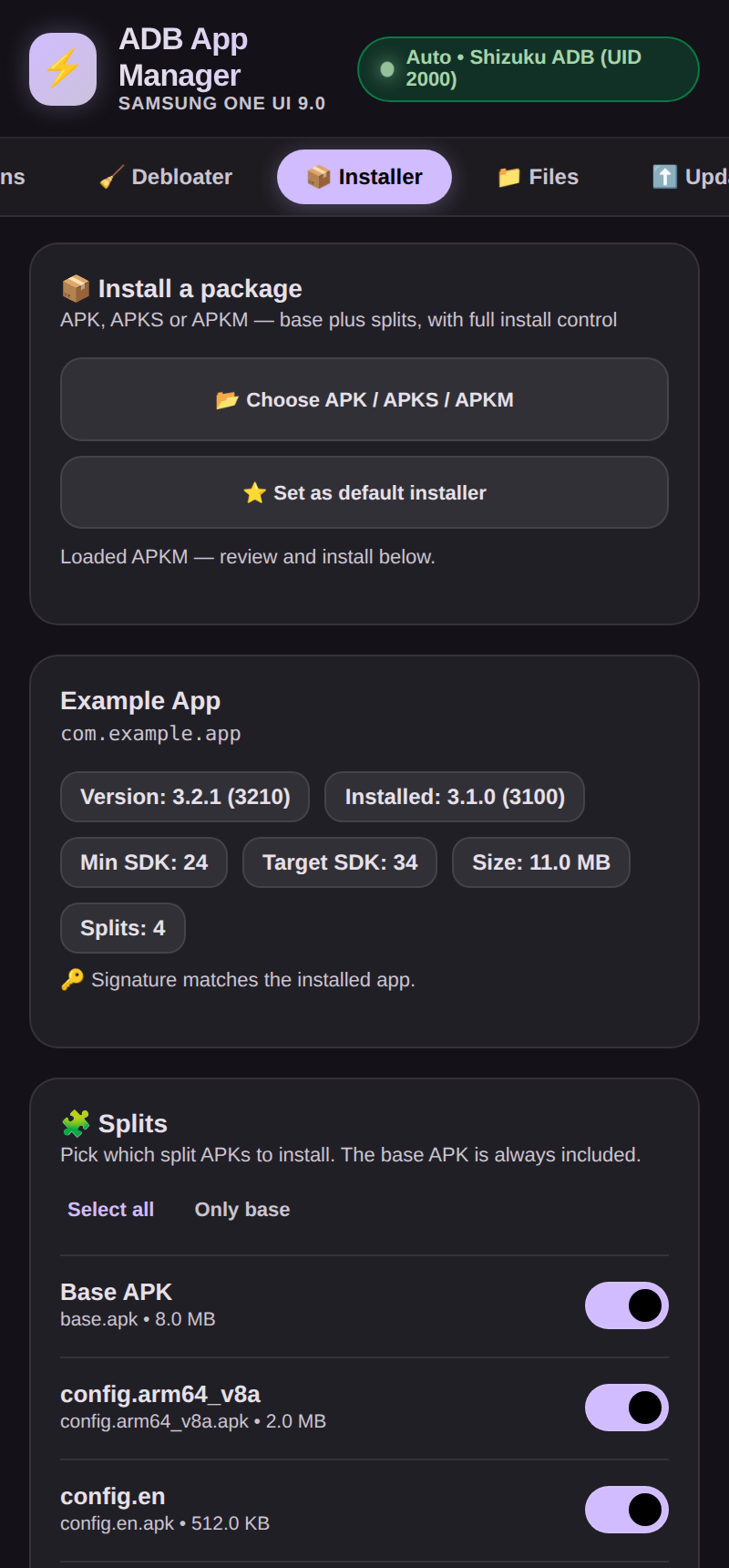 | 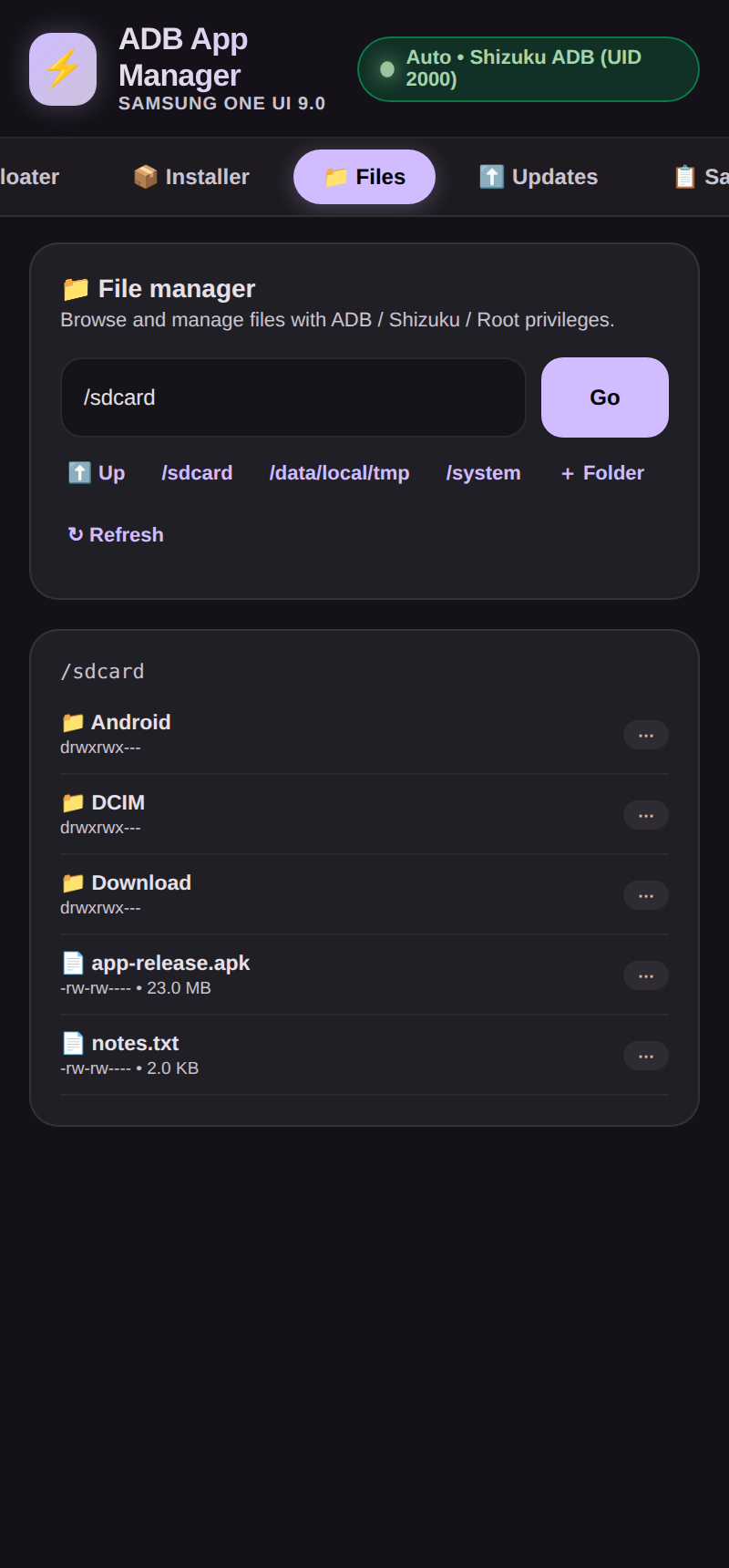 | 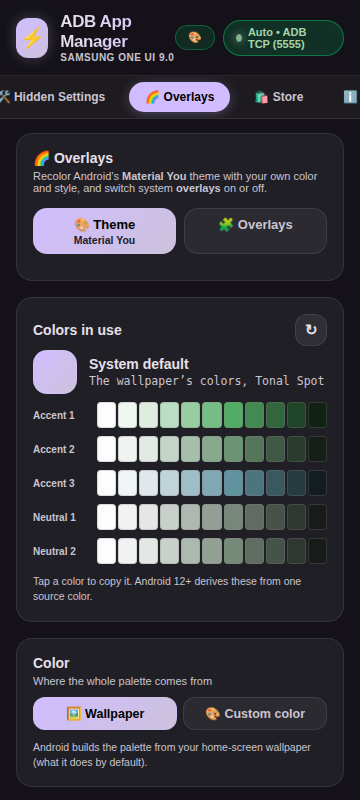 | 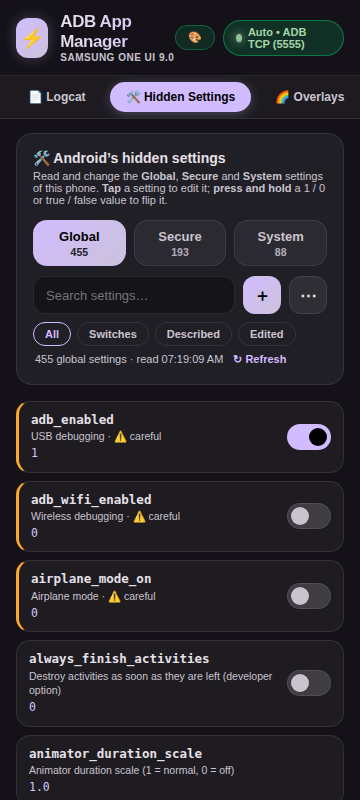 |
| Installer | File manager | Material You | Hidden Settings |
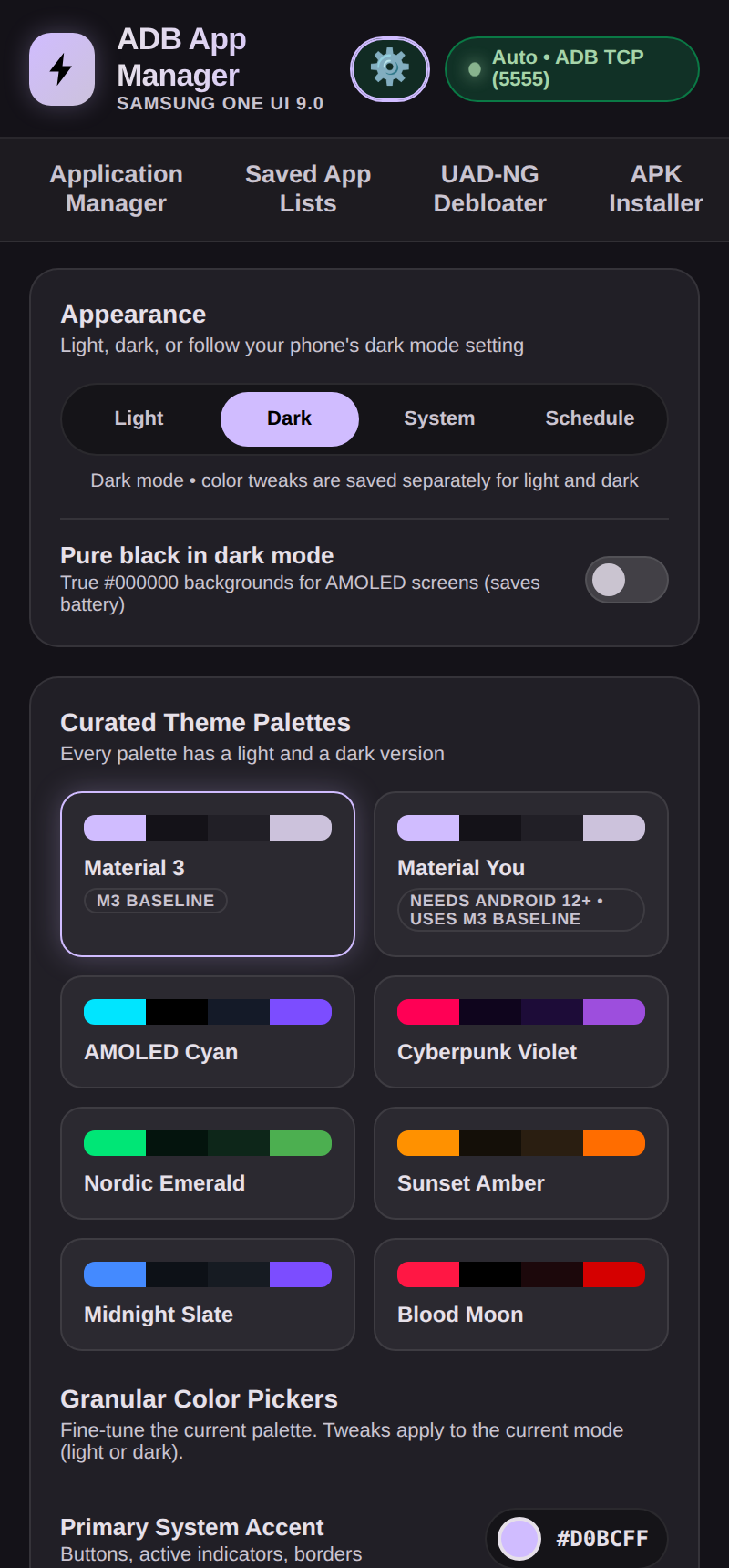 | 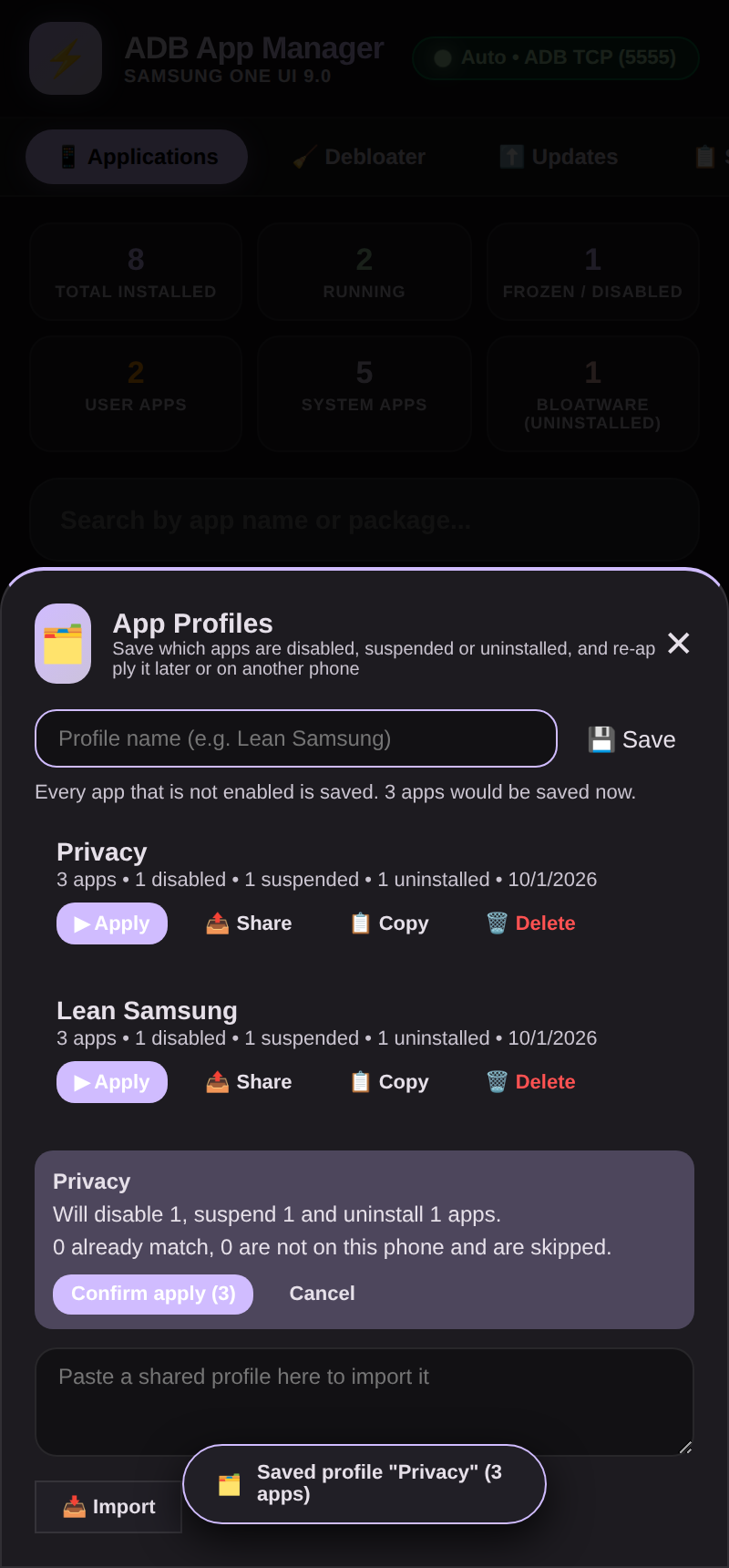 | 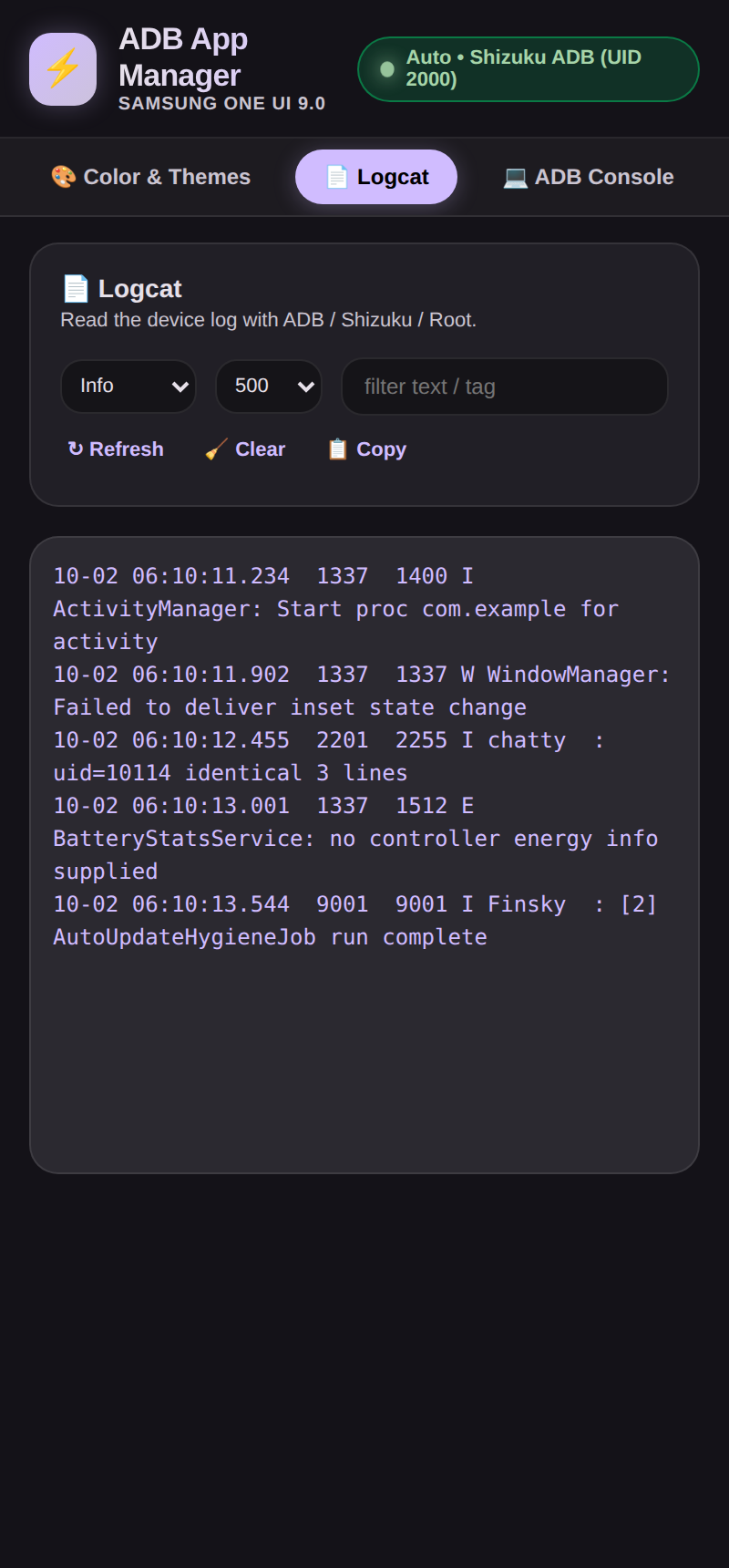 | 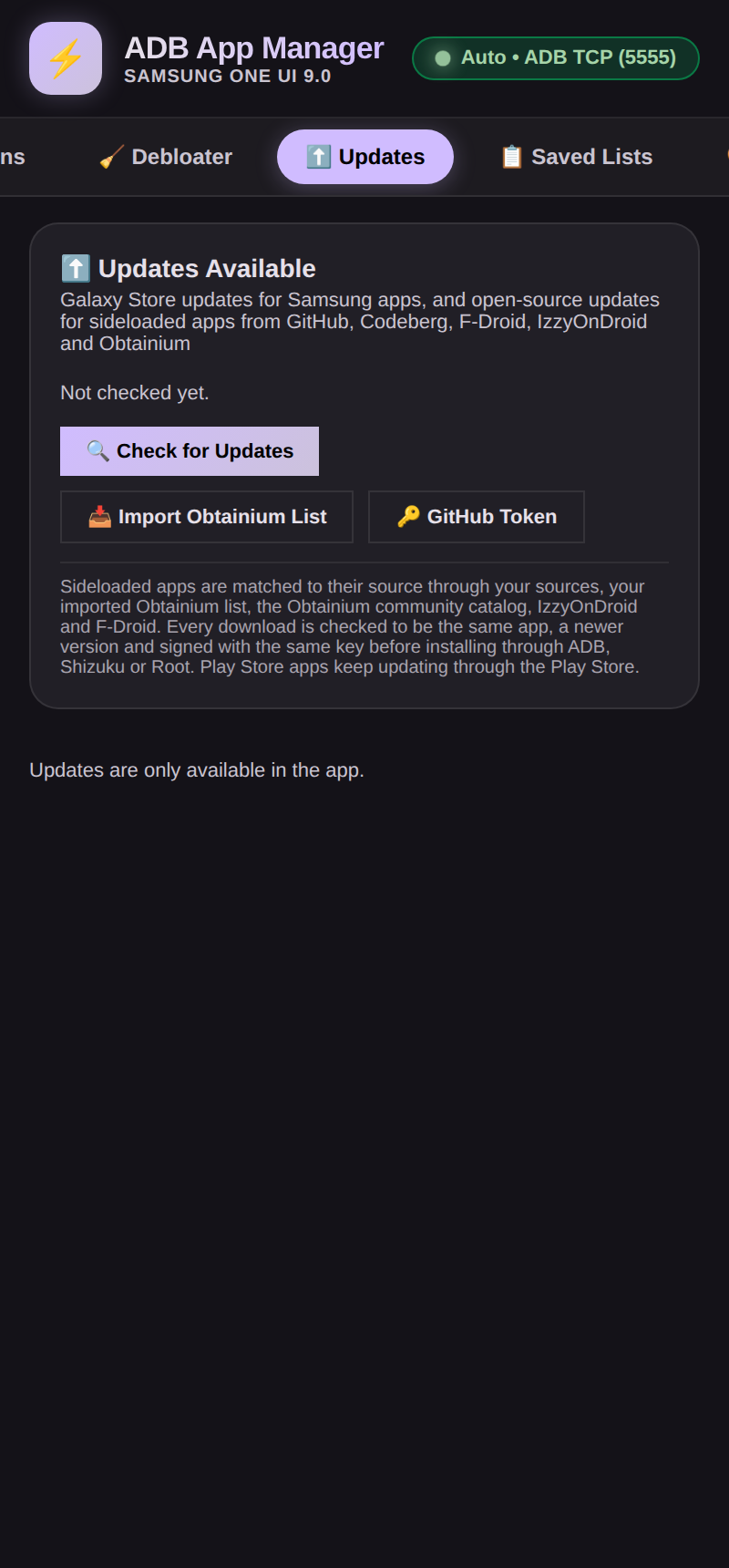 |
| Themes | Profiles | Logcat | Updates |
More screenshots, including the light theme, are in the full guide.
Deep dives
The complete reference lives in the Full Guide: Terminal & coding agents · Working modes · Debloater · Hidden settings · Overlays & Material You · Backup & restore · Permissions · Privacy & security · Building · Testing. What changed in each version: CHANGELOG.md.
License
Open source under the GNU General Public License v3.0: the full text is in LICENSE. The app builds in GPL-3.0 work (morphe-patcher, and a port of the four SD Maid SE tools), which is why the whole app is GPL-3.0. Third-party notices are in NOTICE.
Support & credits
Found a bug? Open an issue, or use About → Contact the developer in the app. Like it? ☕ Buy me a coffee in the About tab as well. Also feel free to reach out to provide positive/negative feedback, feature request, or ask a question. Happy to help!
Debloat data from UAD-NG (GPL-3.0, downloaded at runtime) ·
tracker list from Exodus Privacy (ODbL 1.0) ·
shell access via Shizuku ·
update sources: Galaxy Store, GitHub, Codeberg, F-Droid, IzzyOnDroid and the Obtainium catalog ·
the Task Manager tab is modeled on RohitKushvaha01/TaskManager ·
the Morphe Patcher tab is built on the Morphe project: the engine is morphe-patcher, the workflow follows Morphe Manager and morphe-cli, the APK downloads and VirusTotal check follow Helper for Morphe (all GPL-3.0); patches belong to their authors. ·
the SD Maid tab is a port of the four tools of SD Maid SE by darken (GPL-3.0; also on Google Play) ·
the descriptions of Android's own settings in Hidden Settings are taken in part from the Android Open Source Project documentation (Apache-2.0) ·
the colors of More styles (Fidelity, Content, Monochrome) are computed by assets/monet.js: on Android 14 by a port of Android 14's own color engine from the Android Open Source Project and Google's Material Color Utilities 0.4.0, on Android 15, 16 and 17 (and the 2025 and 2026 color specs and CMF everywhere) by a port of Material Color Utilities on GitHub (main, commit bd811e4, 2026), and on Android 14 QPR1 to QPR3, 15.0, 16 QPR1, 16 QPR2 and 17 following the changes in Android's own copy of that library (libmonet, Android Open Source Project); the names and order they are written in follow each Android release's own theme code (all Apache-2.0)
Release Notes & Changelog
A patch release on top of v7.22.0, cut from main, for the owner's request of 2026-10-31. Package, signing certificate, APK file names and permissions are unchanged, so it installs over every earlier version.
- RRO/Monet Customization, Theme half: the line of text under Apply theme and Reset in the bar at the bottom is gone (Android repaints in a moment, and apps may restart., This is already what the phone uses., Material You needs Android 12 or newer., and with Super User Also writes these colors into Android with Super User: the same palettes as ColorBlendr. and Reset also removes the theme overlay.). The bar holds only the two buttons and is shorter. Nothing else on the tab changed: the buttons, what Apply and Reset do, the confirm before Reset, the Undo bar and the Overlays half with its press and hold to uninstall are as in v7.22.0.
- The five texts are removed from the 13 translations, the guide's steps no longer quote them, and UI scripts t67, t564, t565, t570, t573, t574, t615 and t616 check that the bar has no line under the buttons.
Declared Android Permissions
25 totalShizuku API Permissions
This application connects to the Shizuku service to execute system-level operations with ADB elevated privileges.
Standard Android Permissions
Specifications
Install via ShizuStore to enable automatic updates and silent installations using Shizuku.
More in Software management
Other applications in this category

Hail
aistra0528
Freeze, hide, or disable any app. Create and organize app groups that can be frozen with one click.