
AppManagerNG
v0.6.23Screenshots
(12)About Application

AppManagerNG
Understand every installed package. Take back control when you need it.
AppManagerNG brings package inspection, debloating, backups, permissions, and advanced Android tools into one app. Start without root, then choose a privileged mode when you need deeper access.





If AppManagerNG helps you understand or fix an Android device, a coffee helps me keep it tested and maintained.
Download the full APK • All release files • Report a problem
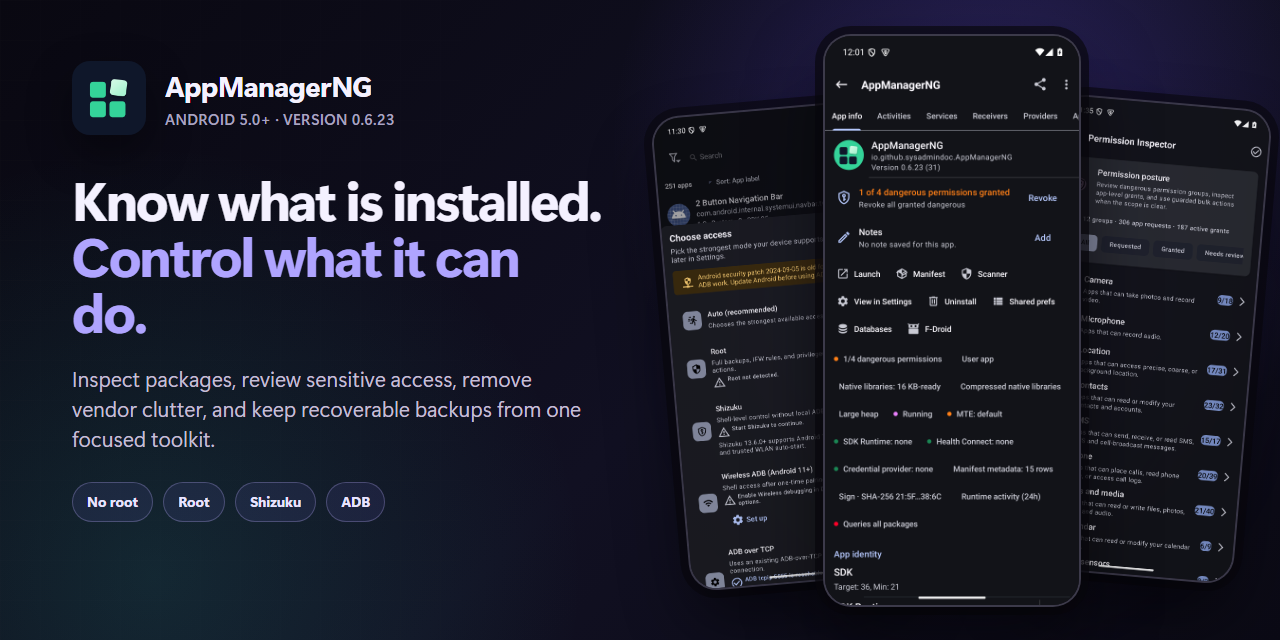
Android package control without the guesswork
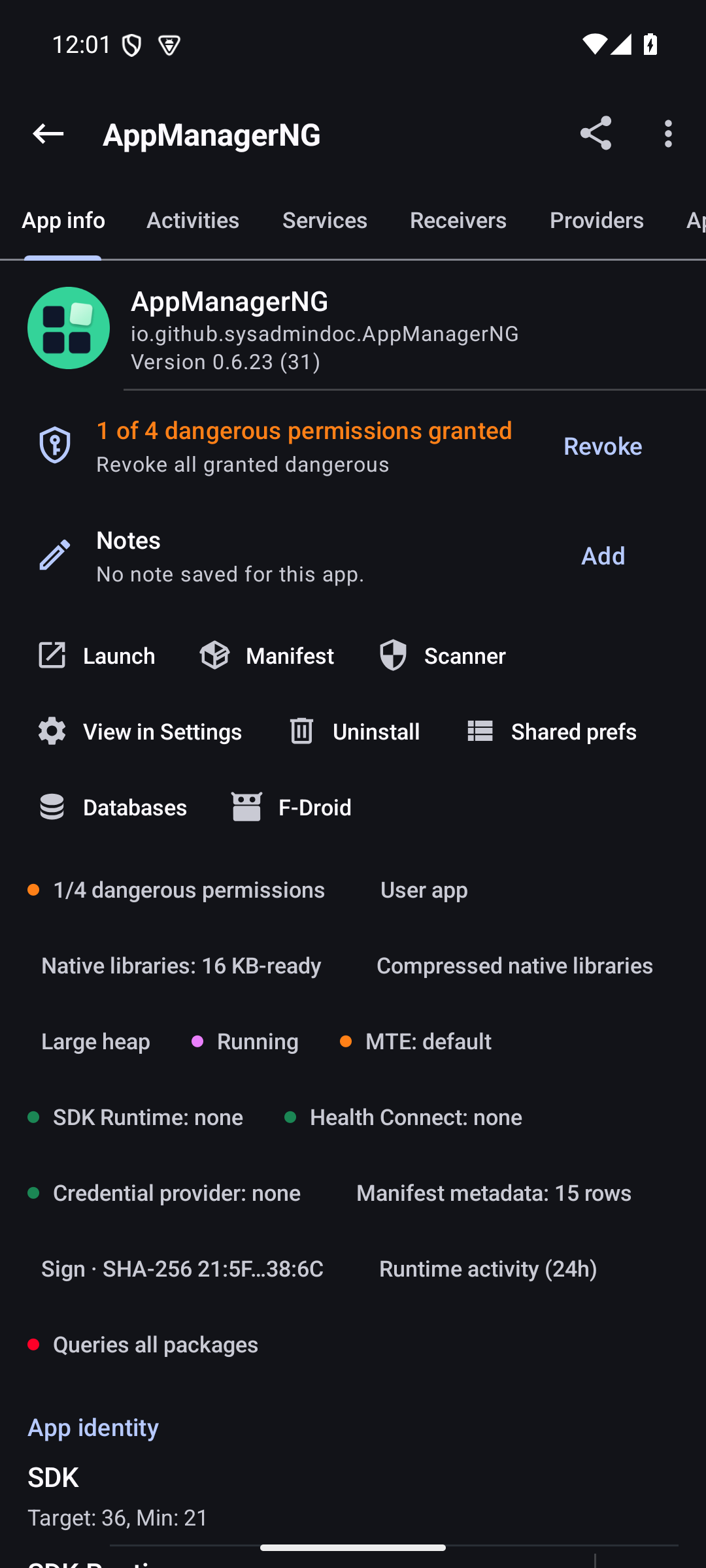
Android exposes only a small part of each installed app. AppManagerNG gives you the fuller picture: components, permissions, AppOps, trackers, signatures, storage, usage, native libraries, and the package manifest. Actions show what will change before they run, and the app records enough detail to make failures understandable.
It is built for people who maintain their own devices, troubleshoot apps, or want a safer way to remove vendor clutter. There are no ads, analytics, telemetry, or bundled tracking SDKs.
A closer look
Why people use it
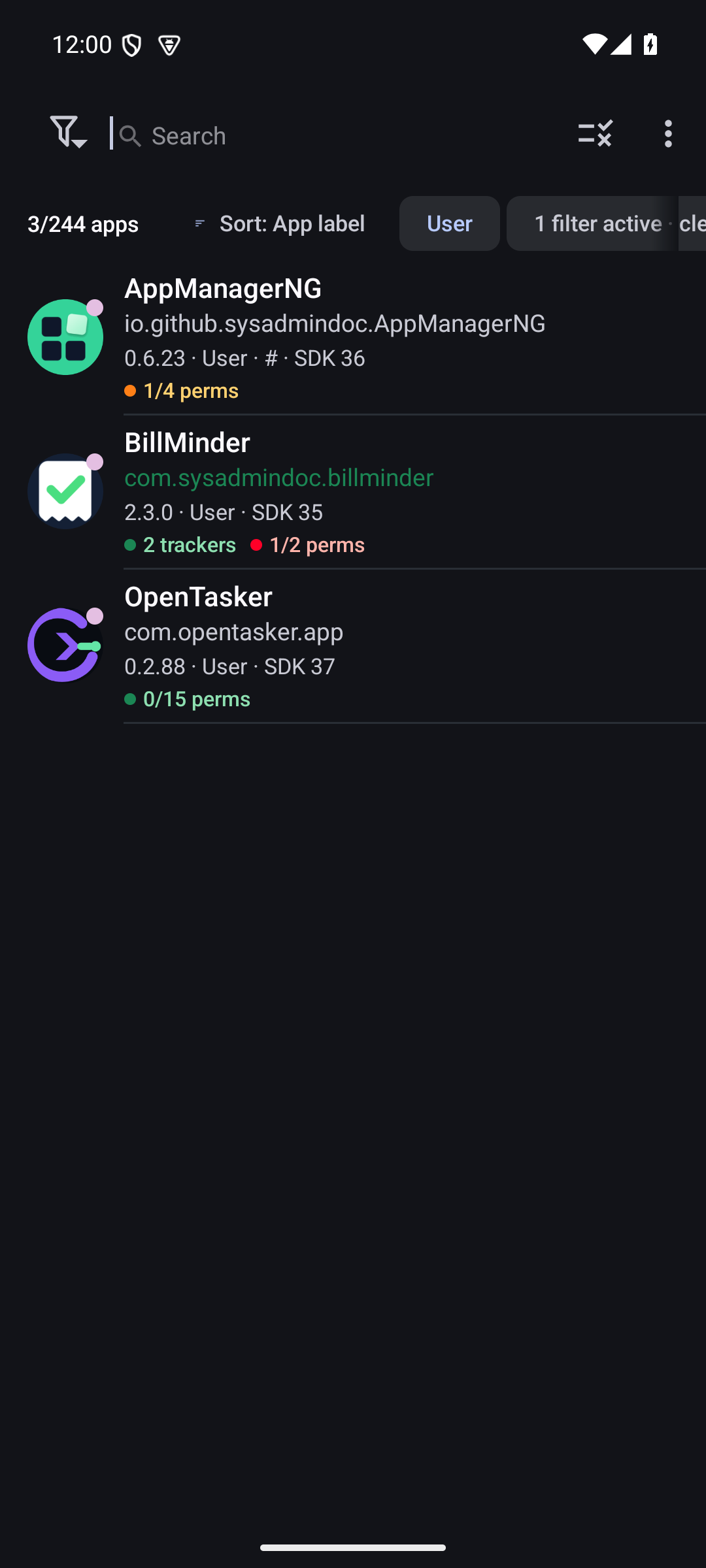
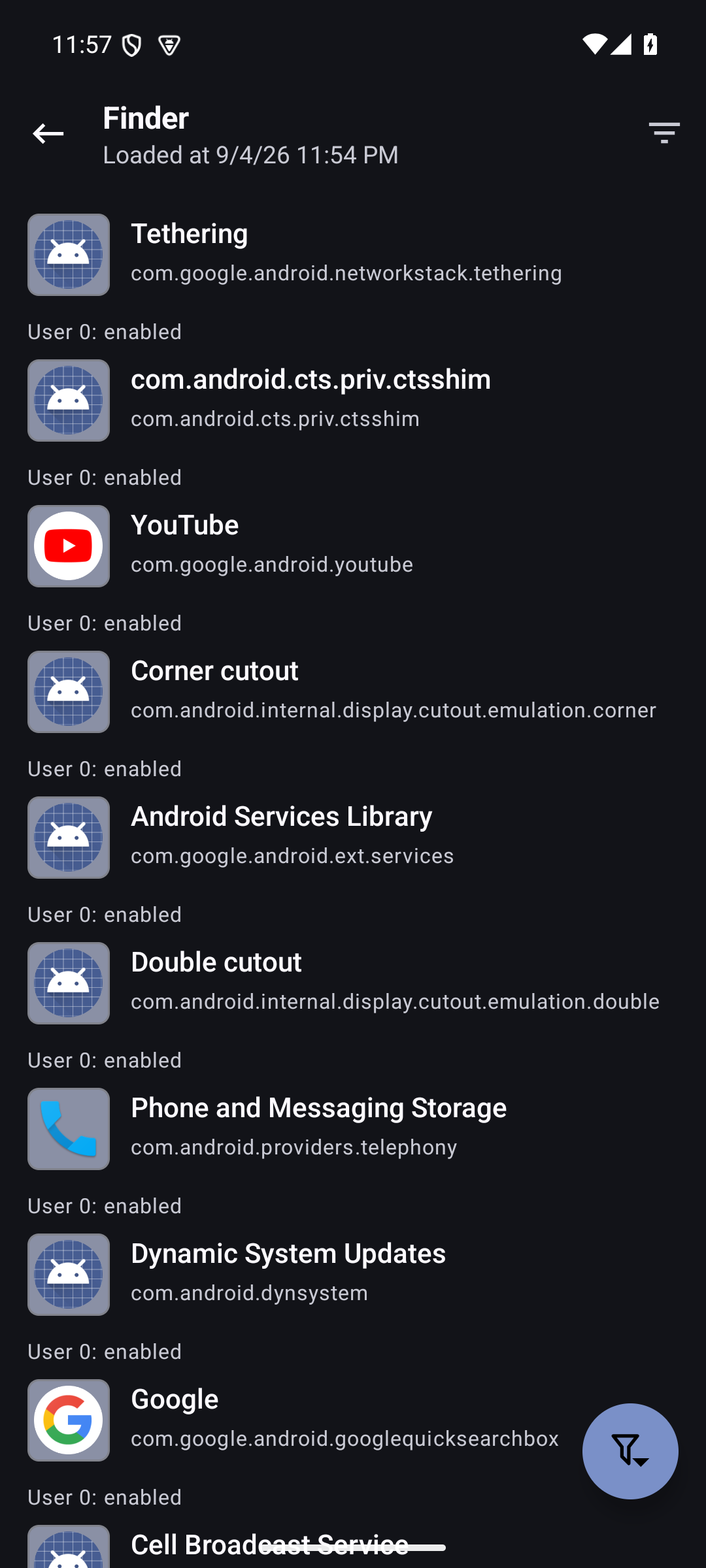
- Find the odd app fast. Finder combines package state, permissions, trackers, SDK level, installer, signature, storage, backup state, and native-library readiness in reusable queries.
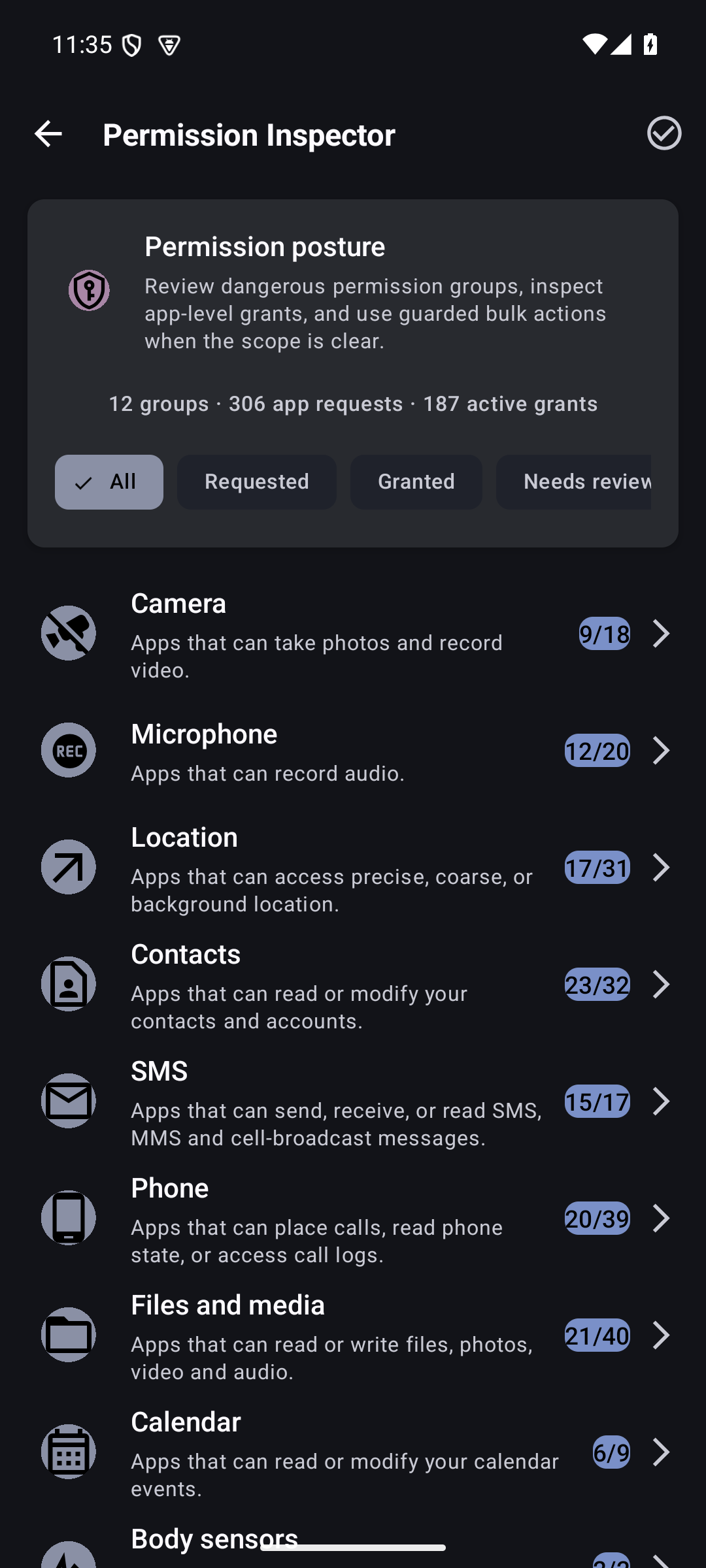
- Review access by permission. Permission Inspector starts with Camera, Location, Contacts, Notifications, and other sensitive groups, then shows every app holding that access.
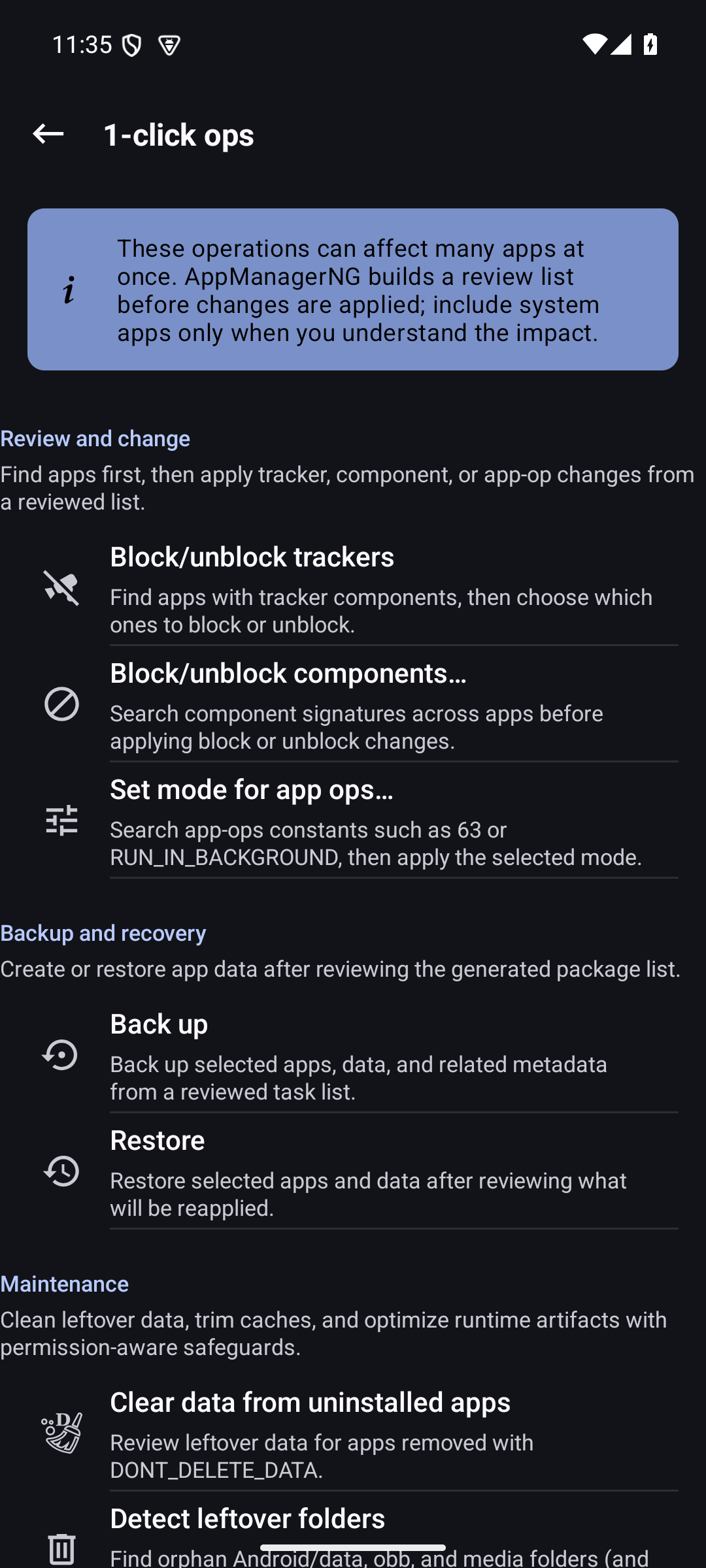
- Make careful changes at scale. One-click operations and profiles preview the selected packages before freezing, uninstalling, clearing, backing up, or applying rules.
- Keep recovery options. Back up APKs and app data where the selected access mode permits it. Encrypted snapshot bundles can carry rules, profiles, and preferences to another device.
Pick the access mode that fits your device
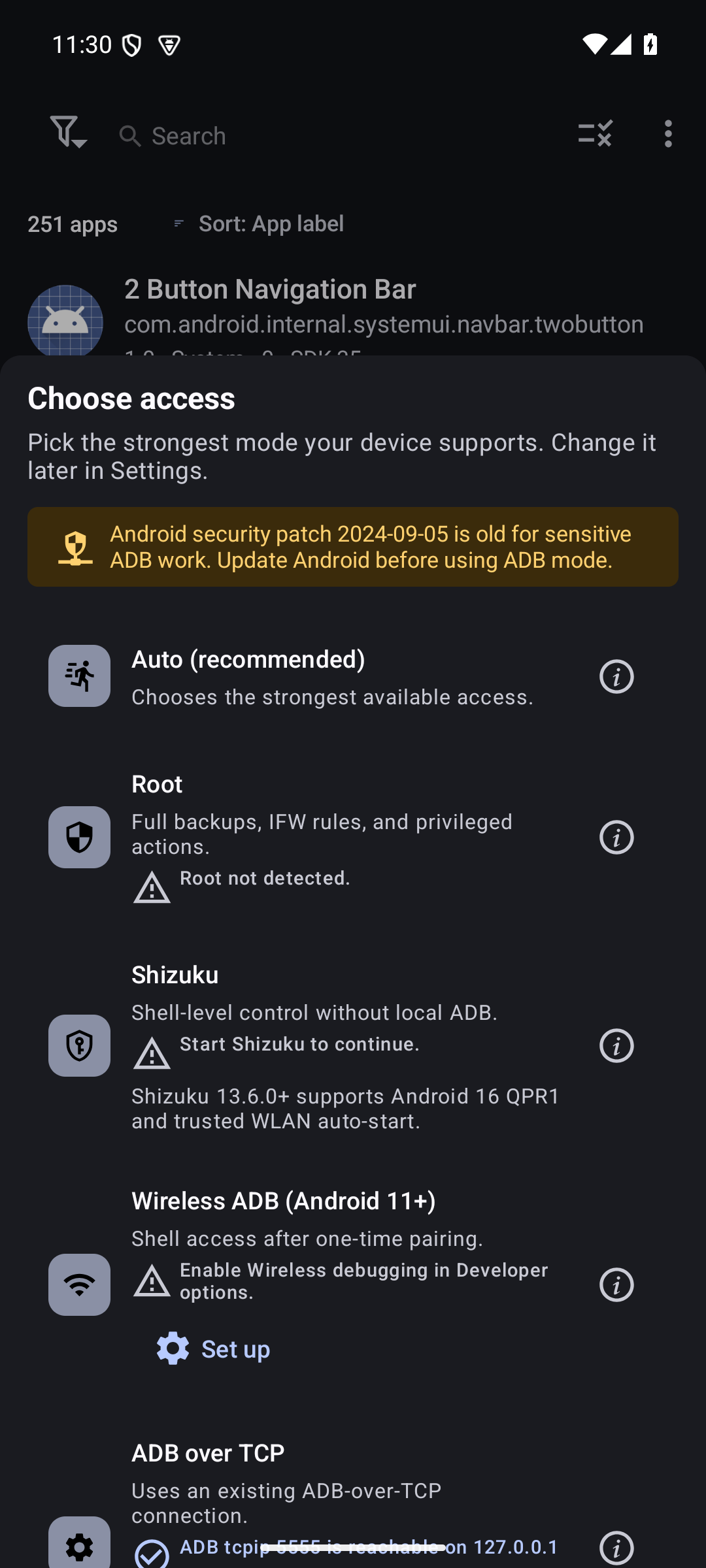
AppManagerNG does not require root just to open and inspect your apps. More powerful actions need an Android privilege path.
| Mode | Best for | What it adds |
|---|---|---|
| No root | Everyday inspection and standard Android actions | Package details, manifests, exported components, permitted installs, reports, and Android-supported archiving |
| Shizuku | Stock devices with Wireless debugging | Access to supported system package APIs without rooting the device |
| ADB | Desktop-assisted work or dedicated devices | A privileged bridge for supported package, process, and file operations |
| Root | Full device administration | The broadest component, data, backup, AppOps, and system configuration control |
The access chooser reports what is ready on the current device. If a feature needs more privilege, AppManagerNG explains the requirement instead of silently doing nothing.
What is included
Inspect and investigate
- Rich package details for activities, services, receivers, providers, permissions, AppOps, signatures, shared libraries, storage, and usage
- Tracker and library scanning with evidence labels and exportable reports
- Manifest viewer, class viewer, intent tools, log viewer, running-process view, and native-library packaging checks
- Sideload diagnostics for Android restricted settings and installer failures
Control and clean up
- Install APK, APKS, APKM, XAPK, split APK, and OBB packages
- Freeze, unfreeze, force-stop, clear data, clear cache, uninstall, and archive supported apps
- Debloater classifications, component rules, network policy controls, and battery optimization tools
- Batch actions, scheduled profiles, package-event triggers, and Tasker-compatible intents
Back up and recover
- APK and app-data backup with rules, permissions, roles, and extras where the access mode allows it
- Encrypted archives using OpenPGP, RSA, ECC, or AES
- Import support for OAndBackup, Neo Backup, Swift Backup 3.0 to 3.2, and Titanium Backup
- Selective snapshot restore with a preview before anything is written
Work directly on the device
AppManagerNG also includes a file manager, code editor, shared-preferences editor, terminal, app-usage explorer, and Quick Settings tiles for frequent actions.
Install
Every release includes two signed universal APKs. Both support armeabi-v7a, arm64-v8a, x86, and x86_64 on Android 5.0 and later.
| Build | Choose it when | Network posture |
|---|---|---|
| Full | You install from GitHub or Obtainium and want optional VirusTotal reports or debloat-list updates | Optional online features are available but remain off until enabled |
| FLOSS | You want the smallest network surface or use an F-Droid-style distribution | Third-party online report features are removed at compile time |
Download the full APK or the FLOSS APK.
Automatic updates with Obtainium
Add https://github.com/SysAdminDoc/AppManagerNG to Obtainium. The optional preconfigured Obtainium file pins the release pattern and skips prereleases.
Privacy and release trust
The default FLOSS build has no ads, analytics, telemetry upload, or optional third-party report traffic. Broad package visibility is necessary for an on-device package manager and is documented in the package visibility note.
Releases are built twice from clean checkouts. Publication stops unless the APKs are byte-identical. Each release includes checksums, a CycloneDX SBOM, dependency review evidence, and a receipt tying the artifacts to the source commit.
Reading a stack trace from a release build
Release builds are minified, so a crash report from one shows names like nf0 instead of real classes. Every release publishes the R8 mapping that decodes them, as AppManagerNG-reproducible-<flavor>-release-mapping.txt with a matching .sha256. Both mappings are verified byte-identical across the two clean builds, and the gate refuses to publish an APK whose mapping is missing.
To turn an obfuscated trace back into source names, save the trace to a file and run retrace from the Android build tools that match the release:
retrace AppManagerNG-reproducible-floss-release-mapping.txt trace.txt
Pick the mapping for the flavor you installed. Trace lines from android.*, java.*, and AppManagerNG's own classes are already readable in a support bundle; the mapping is what recovers everything else.
The signing certificate SHA-256 fingerprint is:
21:5F:B4:70:63:2E:A6:CD:59:A4:BA:AB:35:0A:9E:0B:99:AD:11:0F:DD:FA:F5:A9:EA:64:61:E5:D0:C2:38:6C
Compare it with the stable record in docs/fingerprints.txt or verify the APK with AppVerifier. The reproducible build guide explains the local release gate.
Build from source
The project uses Java, Android Views, Gradle 9.7, and AGP 9.3.1. Android SDK 37 and NDK 28.2.13676358 are the current pins.
git clone --recurse-submodules https://github.com/SysAdminDoc/AppManagerNG.git
cd AppManagerNG
./gradlew assembleFlossDebug
See BUILDING.rst for the complete toolchain and signed-release steps. Contributions are covered in CONTRIBUTING.md, and release history lives in CHANGELOG.md.
Project history
AppManagerNG is a maintained continuation of Muntashir Al-Islam's App Manager. It began from upstream commit 3d11bcb on April 30, 2026. The upstream project and its contributors supplied the foundation. This continuation focuses on a clearer interface and current Android behavior, backed by locally verified releases.
License
AppManagerNG is released under GPL-3.0-or-later. See COPYING for the full license. Per-file SPDX headers and the LICENSES/ directory preserve the licenses for bundled work.
Release Notes & Changelog
What changed
- Finder is now available in stable builds. Saved filters and advanced package searches no longer require a debug build.
- The project page now opens with a clear product tour built from the current app, including six full-resolution screenshots.
- Store listings and in-repo screenshots have been recaptured from the signed v0.6.23 release.
- Release lint now ignores stale Gradle cache output and always produces a fresh report.
Which APK should I install?
Choose the FLOSS APK for the offline feature set without optional remote lookups. Choose the full APK if you want the optional online integrations described in the README.
Both APKs use the established AppManagerNG release key. Matching SHA-256 files, the CycloneDX SBOM, and the dependency reports are attached below.
Declared Android Permissions
70 totalShizuku API Permissions
This application connects to the Shizuku service to execute system-level operations with ADB elevated privileges.
Standard Android Permissions
Specifications
Install via ShizuStore to enable automatic updates and silent installations using Shizuku.
More in Software management
Other applications in this category

Hail
aistra0528
Freeze, hide, or disable any app. Create and organize app groups that can be frozen with one click.