
CloneCat
v1.0About Application

CloneCat
CloneCat manages apps across all Android users on a device work profile, private space, clone/dual apps user and secondary users and pins home screen shortcuts that launch an app inside another user.
No root, no PC, no ADB cable. Everything runs on-device through Shizuku.
Screenshots
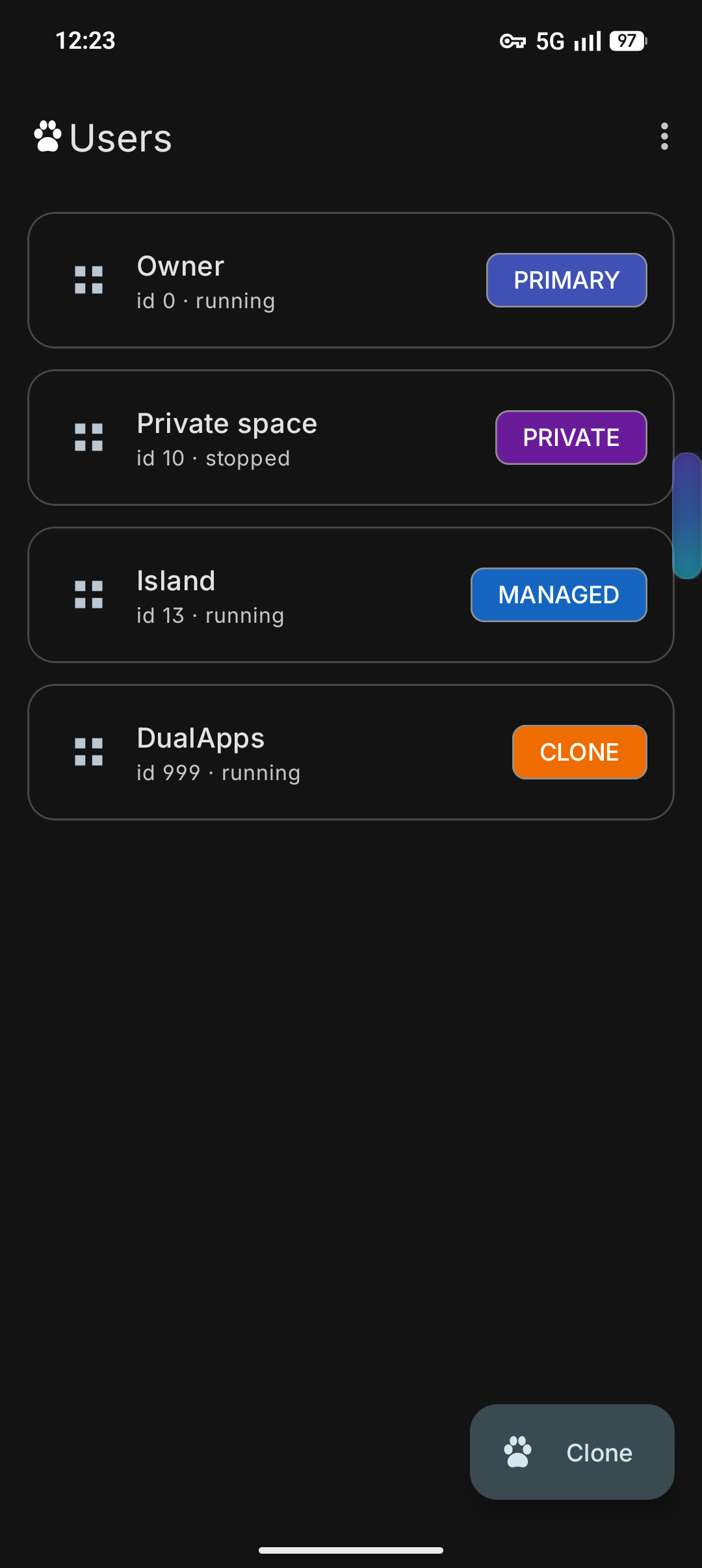
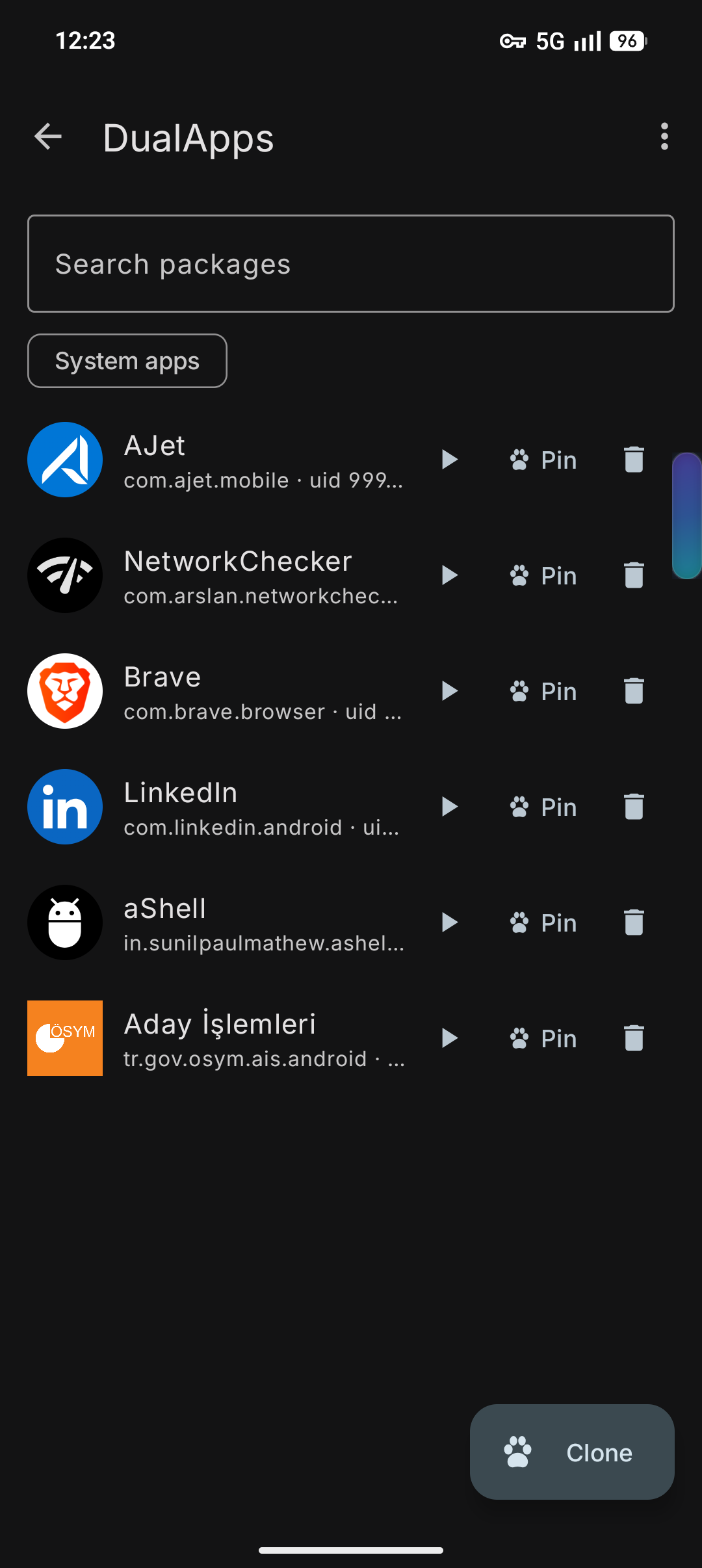
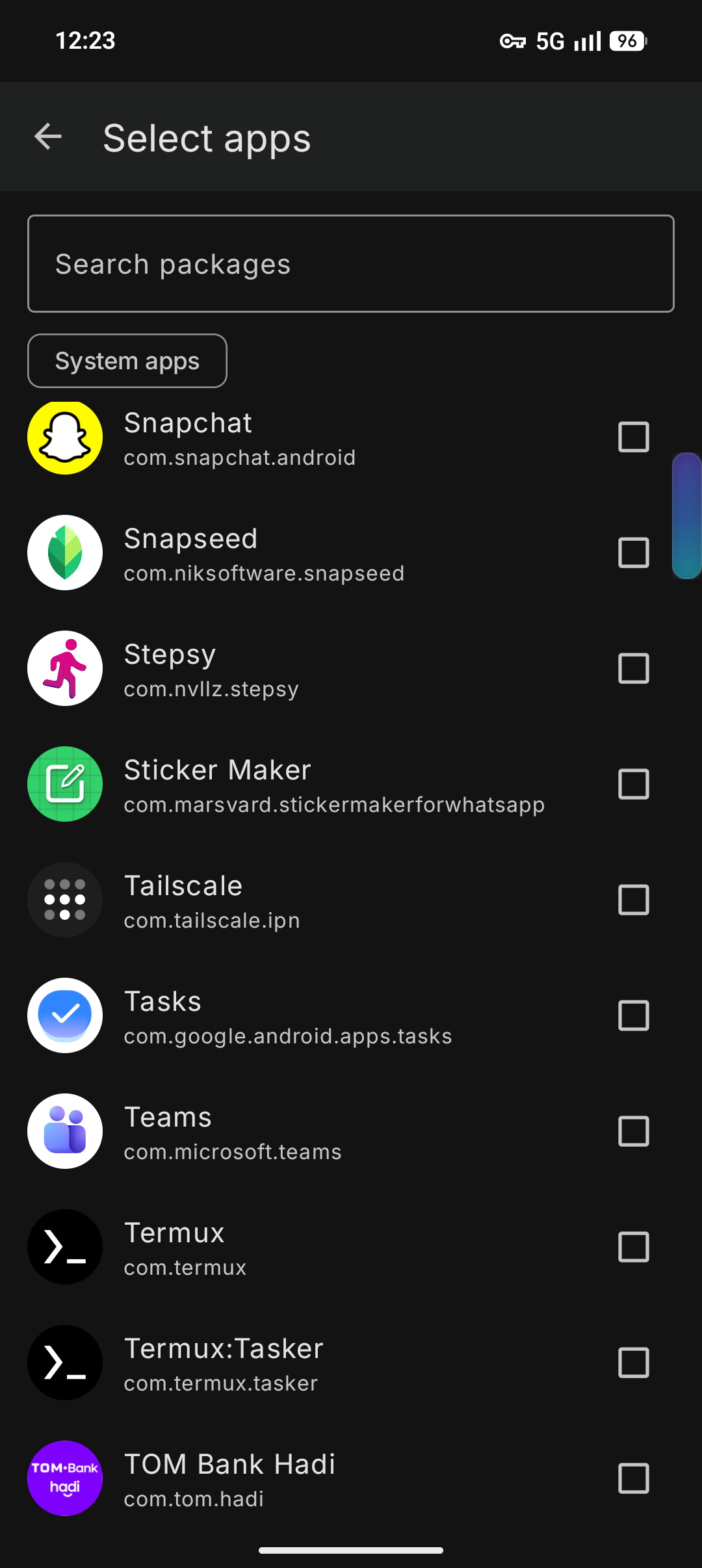
User list · apps of a user · picking apps to install into a user
Features
- List every user the device has, with app counts and status
- Browse installed apps of any user, including system apps
- Install an app that already exists on the main user into another user
- Uninstall apps from a specific user without touching the main profile
- Start a stopped or idle user
- Unlock a locked private space when an action needs it
- Back up and restore per-user app selections and pinned shortcuts
Home screen shortcuts
Pin a shortcut that opens an app inside another user directly from the launcher.
- Per-user badge colors
- Custom icons and labels
- Optional colored ring around the icon
- Target app is resolved at launch time, so shortcuts survive app updates
- Work, clone and private space apps open on top of the current screen
- Full secondary users require a user switch, always confirmed first
Requirements
- Android 11 (API 30) or newer
- Shizuku installed and running
- The users must already exist on the device
CloneCat does not create or delete Android users. Set the profiles up in system Settings first.
Build
./gradlew assembleDebug          # build
./gradlew installDebug           # build + install on connected device
./gradlew lint                   # Android lint
compileSdk 36, targetSdk 36, minSdk 30. Views + viewBinding, no Compose. AGP 9 built-in Kotlin support.
Known device limits
install-existinginto a clone user fails for third-party APKs on many ROMs. CloneCat falls back to a session install of the main user's APK and splits; if the ROM blocks that too, the OEM Dual Apps screen is the only route.- Some ROMs stop idle background users, so CloneCat starts a user before acting on it.
- A locked private space reports
not running/not unlockeduntil it is unlocked.
Privacy
No account, no ads, no analytics. No internet permission. Everything stays on the device.
Release Notes & Changelog
Initial Release
Declared Android Permissions
2 totalShizuku API Permissions
This application connects to the Shizuku service to execute system-level operations with ADB elevated privileges.
Standard Android Permissions
Specifications
Install via ShizuStore to enable automatic updates and silent installations using Shizuku.
More in Software management
Other applications in this category

Hail
aistra0528
Freeze, hide, or disable any app. Create and organize app groups that can be frozen with one click.